38 • Getting Started Sam4POS Operators Manual v2.33
Icon Description
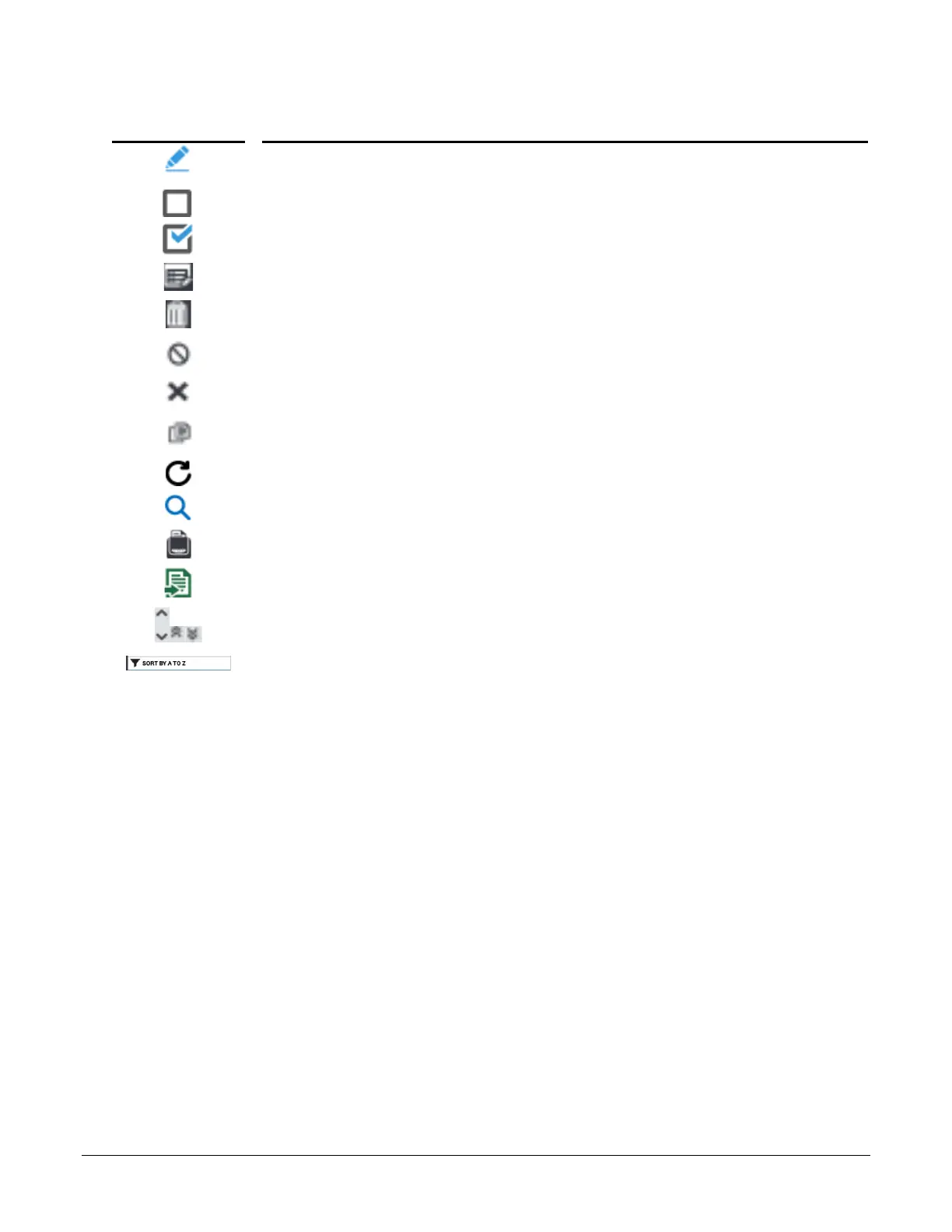
Pencil icon allows you to open a window to enter a value for the current program
selection.
Option check box with option not selected.
Option check box with option selected.
Note pad – Allows you to Edit the current list.
Trash Can\Delete icon – is used to delete records.
Inactivate icon – is used to make function inactive without deleting them.
Exit or clear the current entry area or field.
Copy Icon –
Refresh –
Show or Magnify – reloads\refreshes the data or expands the selection
Print – Typically used in reports but appears on other screens as well.
Export – Allows you to export the file as a CSV or PDF to a USB or email
Scroll keys – Used for navigating long lists. Single arrow keys scroll Up/Down one
page at a time, the double arrow scroll keys go to the Beginning/End of the list.
Sort menus – displays current setting for the edit/sort menu; if you press this icon, the
sort will go back to the default setting.
LICENSE EXPIRATION NOTES –
* 1 / 2 / 3 YEAR LICENSES
30 to 15 days before expiration – At end of day it will give a license expiring soon warning.
14 to 0 days before expiration – At end of day it will give a license expiring soon warning plus same warning
in every 10 transactions.
After expiration – At end of day it will give a license expired warning plus the same warning in every
transaction. Only 25 transactions per day will be allowed & all documents will have “Demo Version” on them.
* 5 YEAR LICENSE
Will continue to run after 5 years, however upgrade is no longer available until a new license is purchased.



 To Next Page