3. Installing the Product Confidential
98 English 8/2019. Rev 0.0
3.10.8 SMPS Assembly and SMU Signal Cable Connection
The following steps are only for an SMPS Assembly Type A.
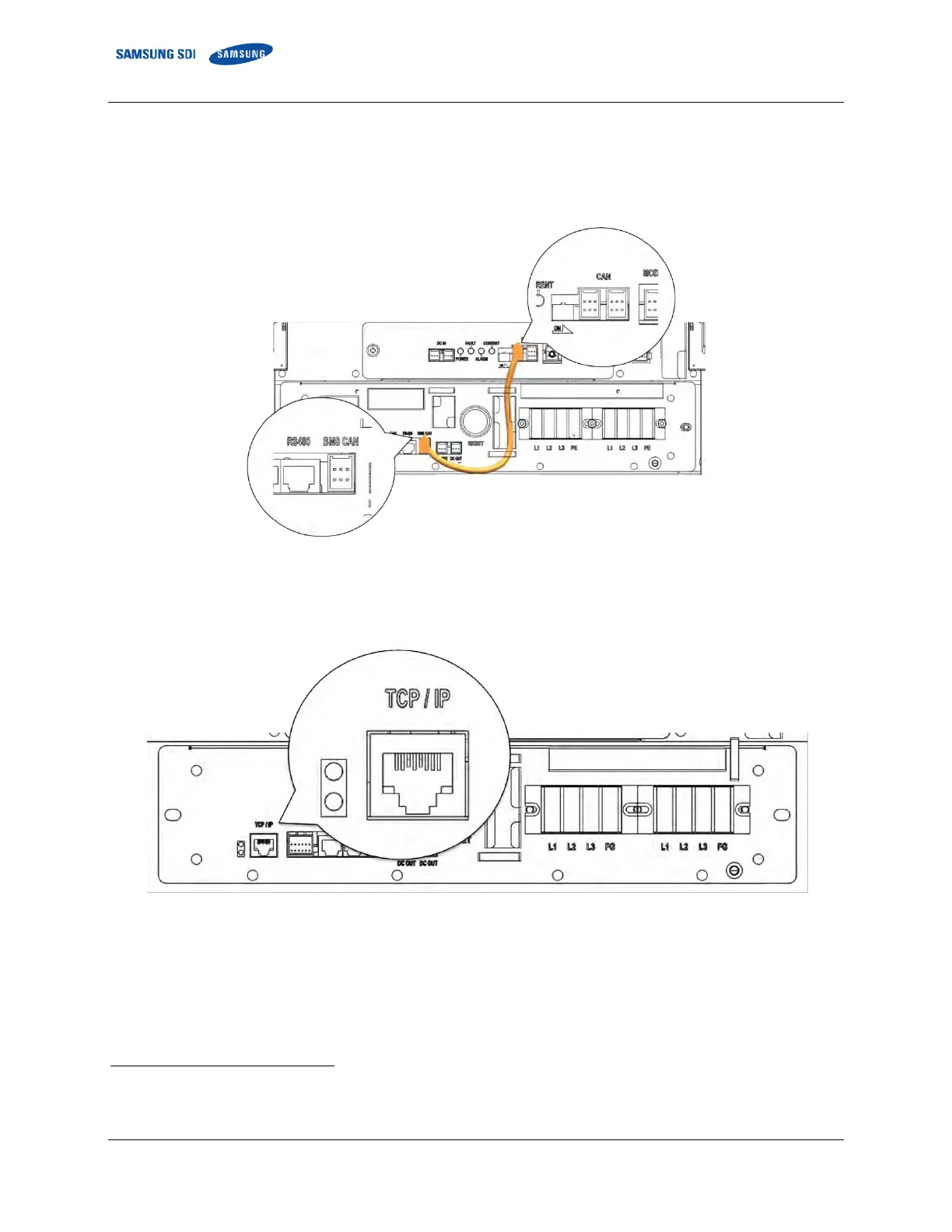
1. Connect the signal cable from the SMPS Assembly to SMU “WIRE ASSY RACK TO SYSTEM.”
Figure 3-112: CAN Signal Cable Connection from SMPS Assembly 3 Phase Type A to SMU
2. Connect the MODBUS TCP/IP Cable
4
to the SMPS Assembly Type A.
Figure 3-113: TCP/IP Cable Connection to SMPS Assembly
3. Connect the Dry Contact Cable to SMPS Assembly Type A
4
Not factory-provided. Must be provided by the installer or customer.















 To Next Page