3. Installing the Product Confidential
122 English 8/2019. Rev 0.0
3.10.12.3 System BMS Configuration
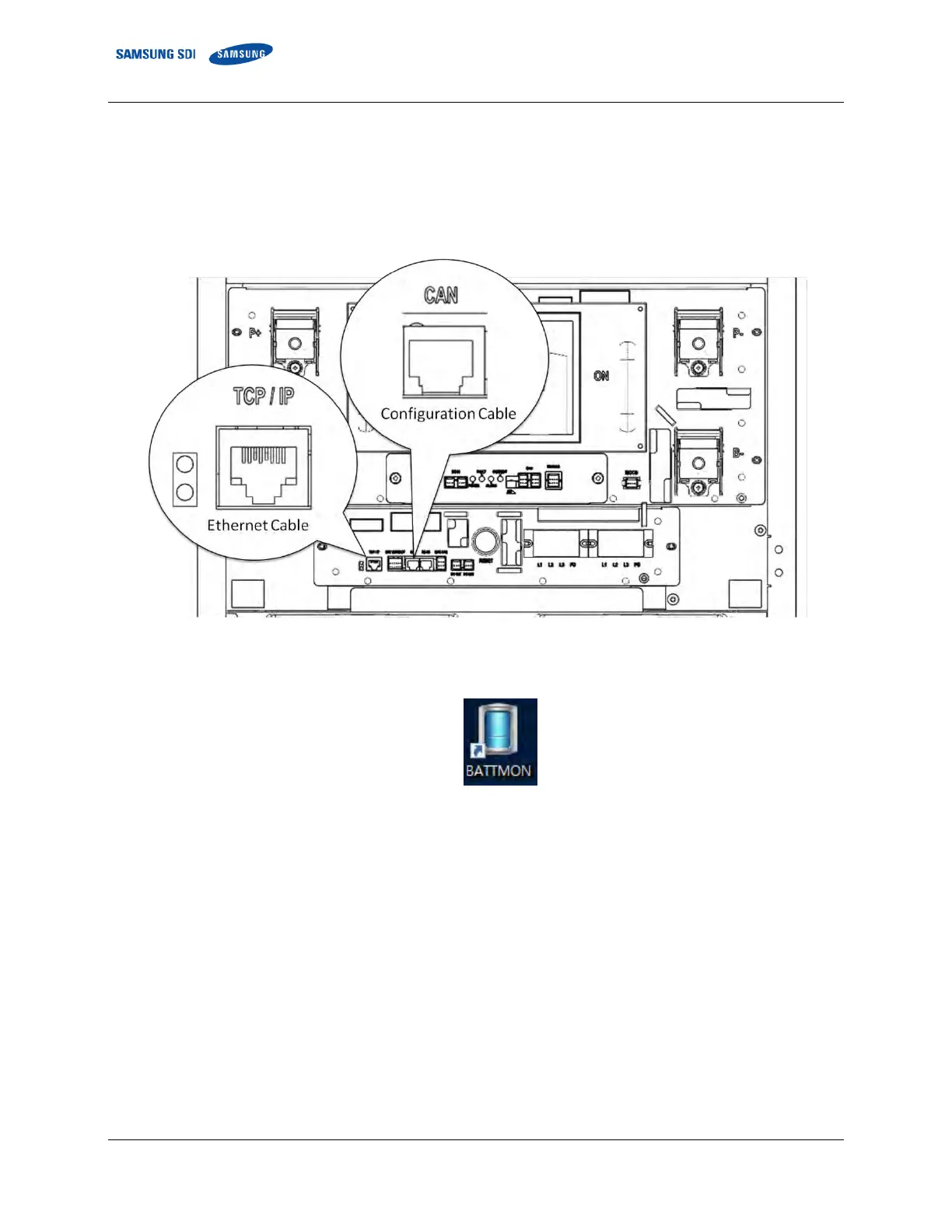
1. Connect both an Ethernet cable and a configuration cable from the system BMS to your computer as shown in the figure
below.
Figure 3-148: Cable Connections for System BMS Configuration
2. Run “BATTMON.exe”
Figure 3-149: BATTMON Icon
3. Click the “CONFIG” button under the SYSTEM BMS part to configure the System BMS















 To Next Page