3. Installing the Product Confidential
134 English 8/2019. Rev 0.0
3.10.16 Switching on the MCCB
After powering on the battery system’s SMPS Assembly and SMU, and configuring the System BMS and the Rack
BMS according to the installation, check the indicator LED to determine whether the system status is normal. Refer
to the “Product Specification” and “Operation and Maintenance Manual” for information on the indicator LED.
Follow the instruction and guidelines for the UPS on connecting the battery to the UPS before
switching on the MCCB.
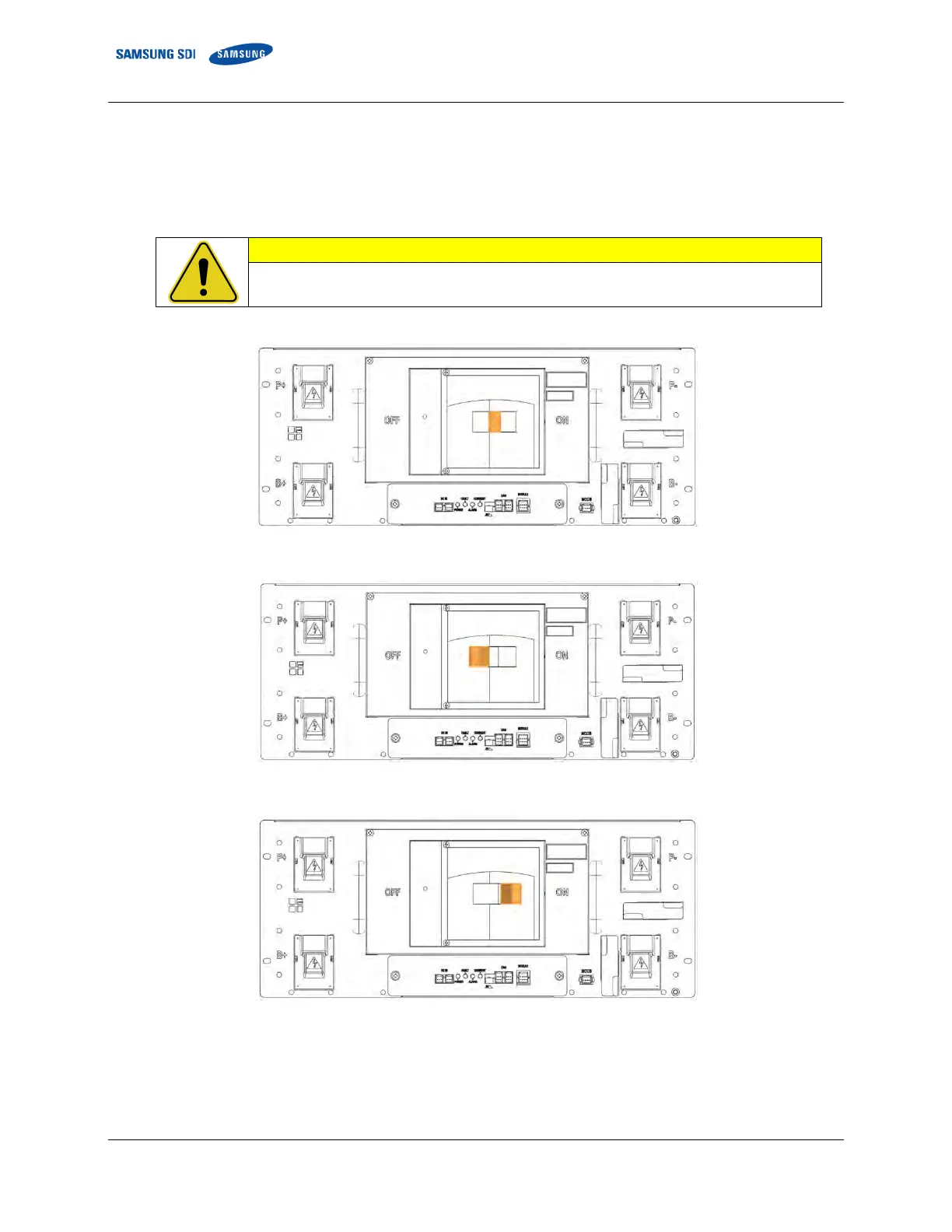
The MCCB in the SMU should be in the “TRIP” position during installation.
Figure 3-169: MCCB Handle in Trip Position
Shift the handle of the MCCB to “OFF.”
Figure 3-170: MCCB Handle in Off Position
Then shift the handle to “ON” to connect the battery system to the UPS DC link.
Figure 3-171: MCCB Handle in On Position















 To Next Page