Confidential 3. Installing the Product
English 8/2019. Rev 0.0 115
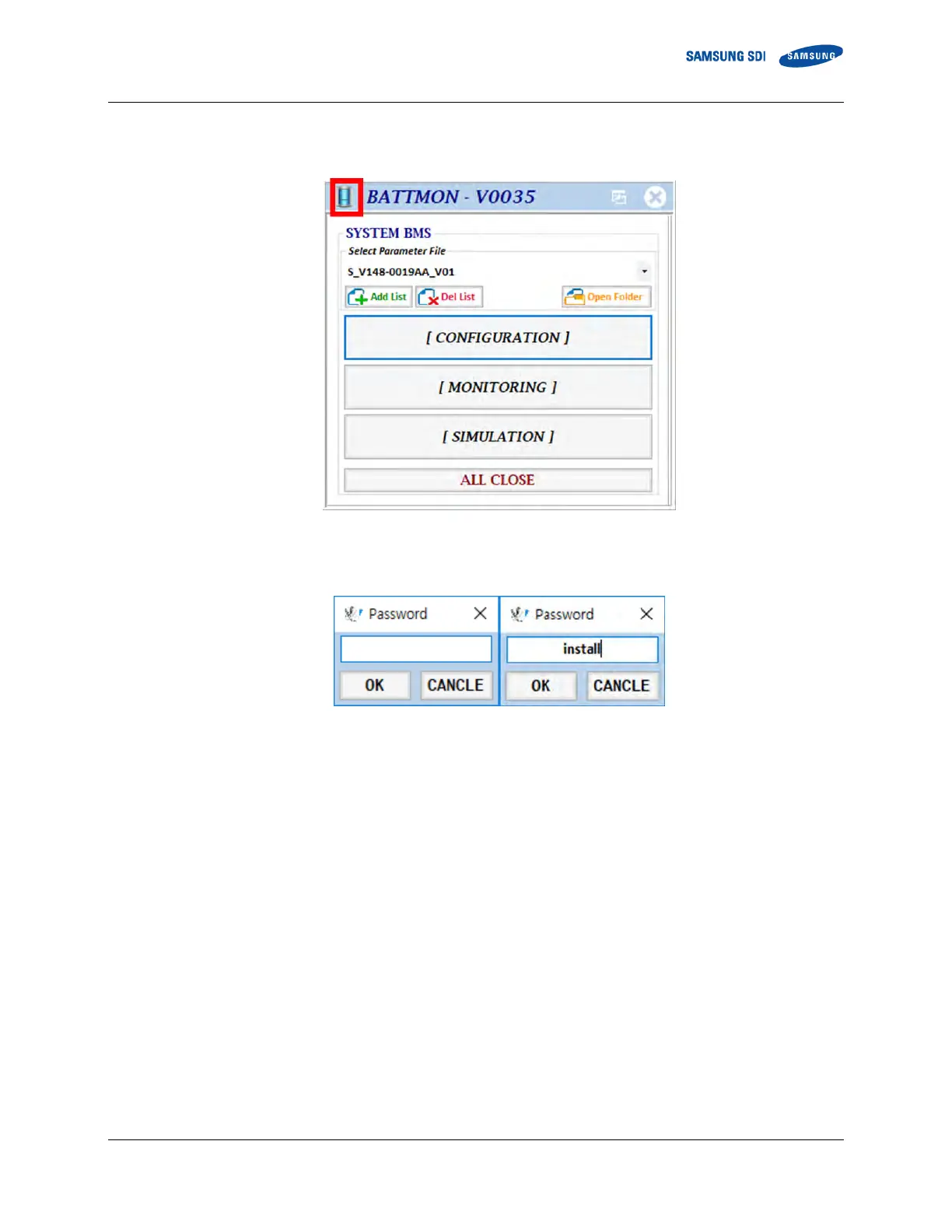
2. Follow the steps below to configure the BATTMON to installation mode
① Double click the icon on the upper left part of the BATTMON window.
Figure 3-133: BATTMON Splash Window
② When prompted for a password, enter “install” (not case sensitive) and press enter.
Figure 3-134: Installer Access Password
③ Click the “Add parameter file” icon under the SYSTEM BMS part to add the System BMS parameter files.















 To Next Page