3. Installing the Product Confidential
116 English 8/2019. Rev 0.0
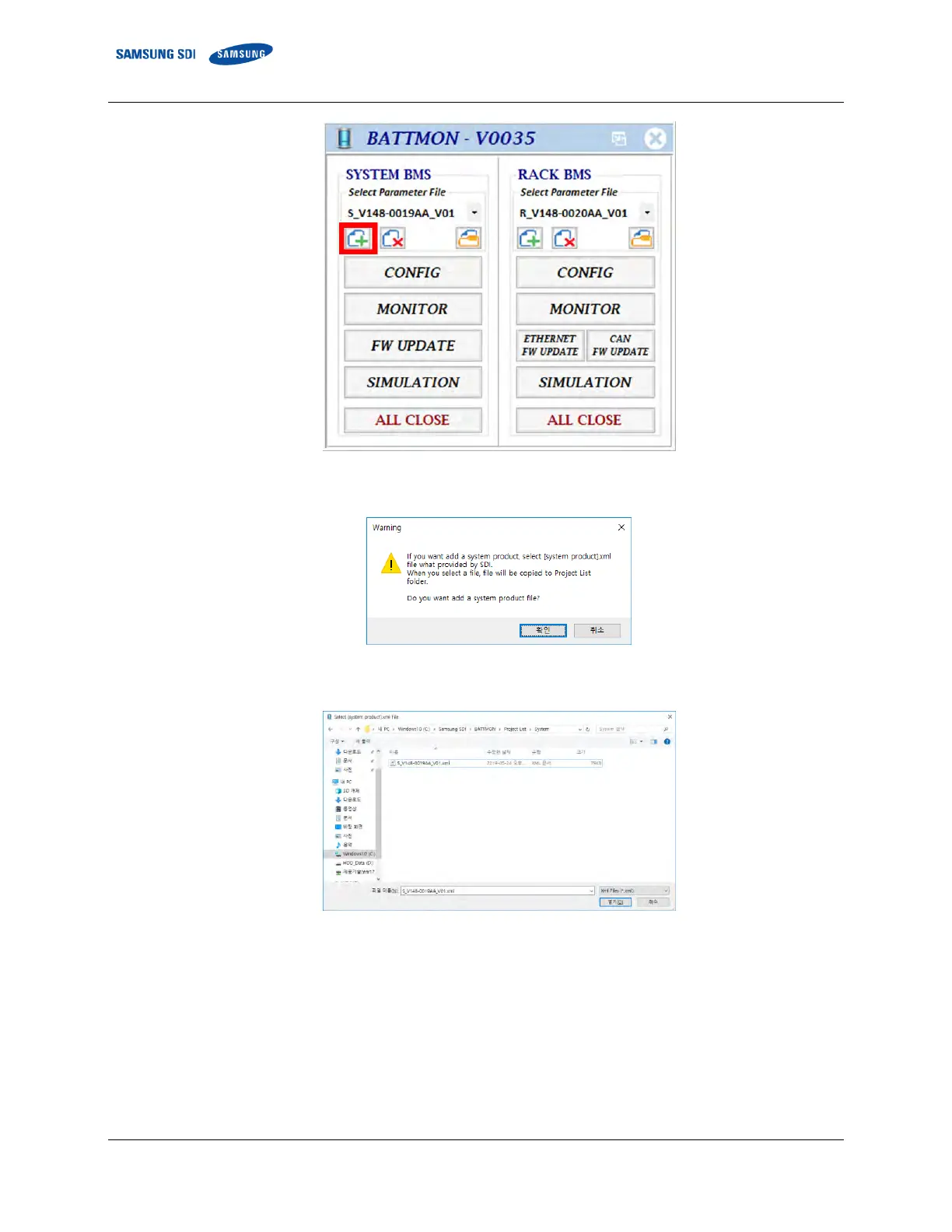
Figure 3-135: BATTMON Splash Window
④ Press “OK” to skip the warning.
Figure 3-136: Warning Pop-up Window
⑤ Find and select the System BMS parameter file. Click “Open” to load the file to BATTMON.
Figure 3-137: Selecting System BMS Configuration Parameter File
⑥ Click the “Add parameter file” icon under the RACK BMS part to add the Rack BMS parameter files.















 To Next Page