3. Installing the Product Confidential
110 English 8/2019. Rev 0.0
3.10.12 BMS Configuration
It is recommended that the configuration of the Rack BMS and System BMS be done by
experienced service personnel. Incorrect configuration of the Rack BMS and System BMS will
cause communication failure.
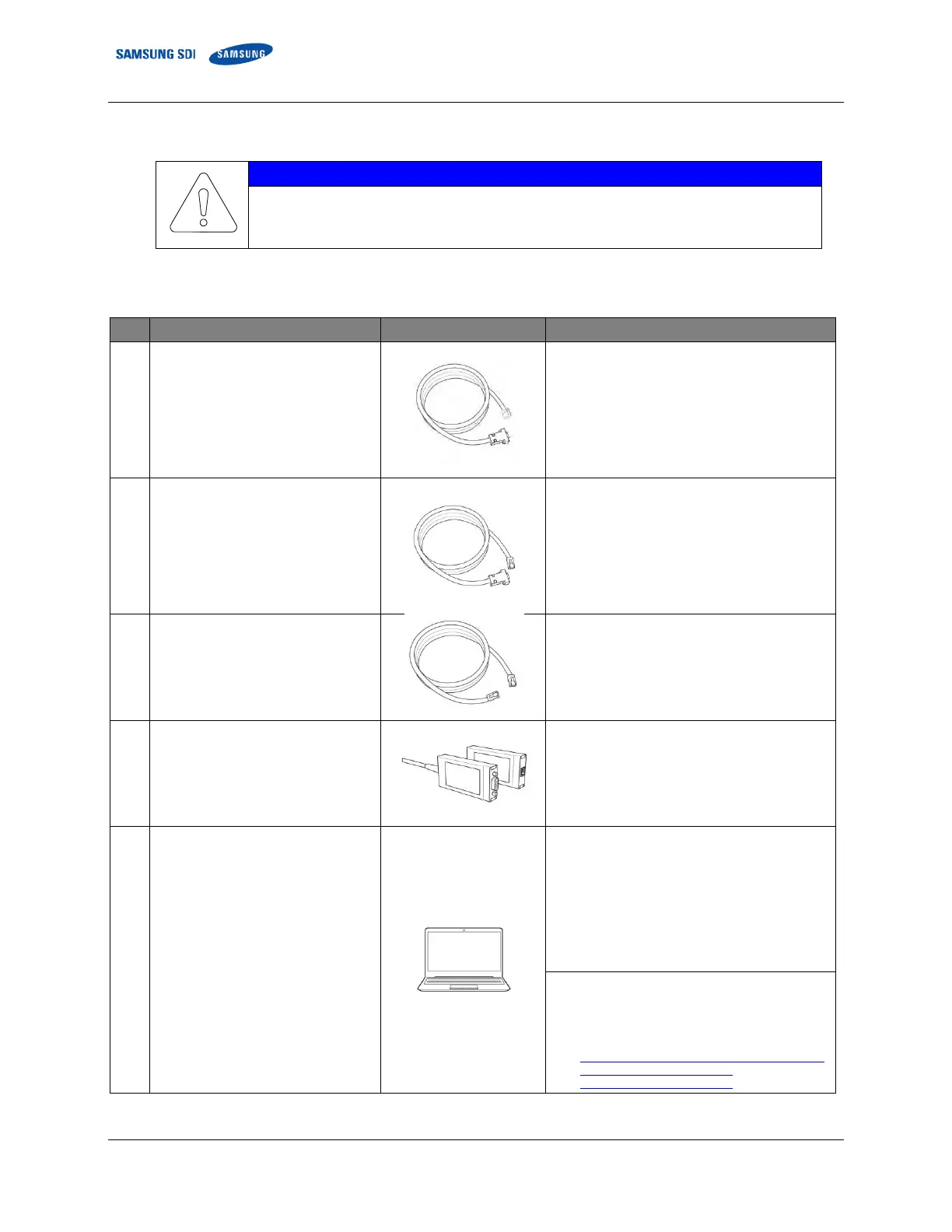
Prepare the following items and configure the Rack BMS and System BMS.
Table 3-10: Required Items for BMS Configuration
Rack BMS Configuration Cable
J21SF-06V-KX-L (6 pin) and D-SUB female (9 pin)
Connect between Rack BMS and
USB-to-CAN device.
Must be made by customer or installer as
described below
(Table 3-11: Rack BMS Configuration Cable Pin
Map)
System BMS Configuration Cable
RJ45 (8 pin) and D-SUB female (9 pin)
Connect between System BMS and
USB-to-CAN device
Must be made by the customer or installer as
described below
(Table 3-12: System BMS Configuration Cable
Pin Map)
RJ45 (8 pin) and RJ45 (8 pin)
Must be made by the customer or installer as
described below
(Table 3-13: System BMS Communication Cable
Pin Map)
Must be provided by the customer or installer.
Driver must be installed on the computer.
Computer
Windows 7 or later
Must be provided by customer or installer.
Minimum hardware requirements
CPU: Core i5 or higher
RAM: Over 4 GB RAM
Hard disk space: over 6MB of free space
Ethernet: wired LAN with 1Gbps
USB Port: USB 2.0 (480Mbps) or faster
Software requirements
Microsoft .Net Framework 4.5.1
VCI V3 Driver 3.5.4
Download link:
https://www.ixxat.com/docs/librariesprovider8/default
-document-library/downloads/vci-
v3/vci_3_5_4_4543.exe?sfvrsn=10















 To Next Page