Confidential 3. Installing the Product
English 8/2019. Rev 0.0 129
3.10.13.2 System BMS Data Check
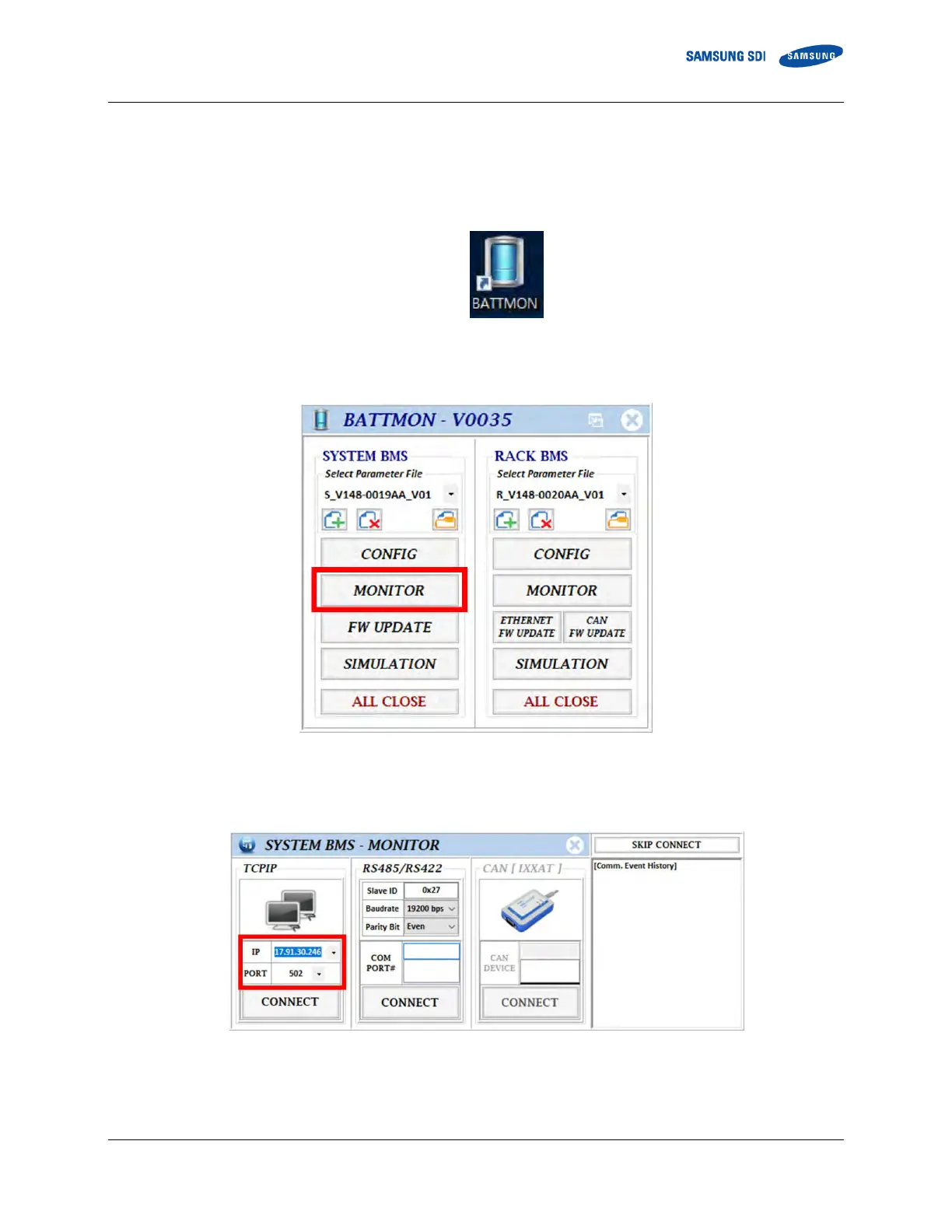
1. Make sure the System BMS is connected to the same network as the computer running BATTMON.
2. Run “BATTMON.exe”
Figure 3-159: BATTMON Icon
3. Click “Monitor” under the SYSTEM BMS part.
Figure 3-160: BATTMON Splash Window
4. Enter the TCP/IP settings according to the value set during the configuration. Click the “Connect” button.
Figure 3-161: System BMS – Monitor Setting
5. All connected rack’s information and cell’s information can be seen in the monitoring window.















 To Next Page