Confidential 3. Installing the Product
English 8/2019. Rev 0.0 43
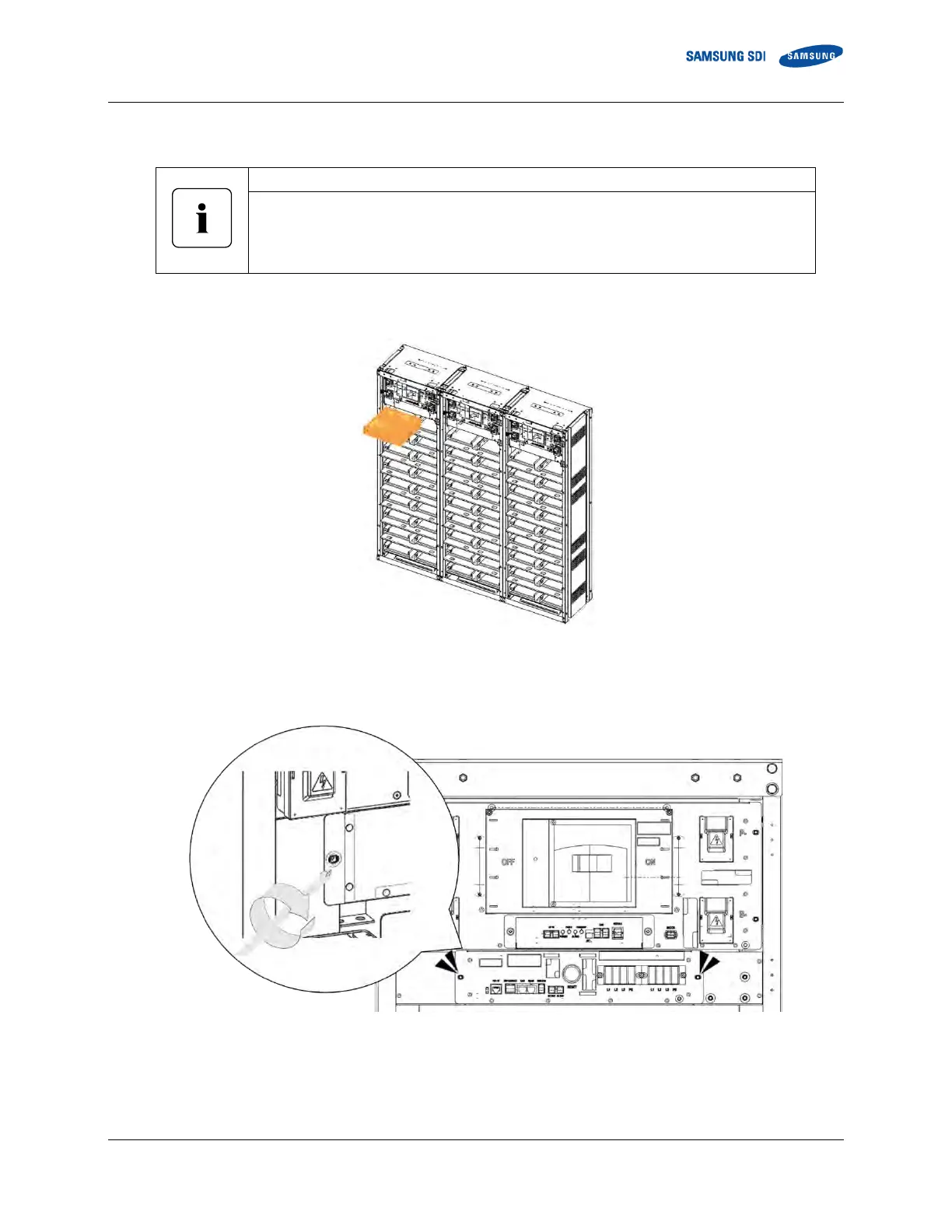
4. Insert SMPS Assembly into the rack frames designated for SMPS Assembly as shown in Figure 3-22: Inserting SMPS Assembly
Attach the inserted SMPS Assemblies to the rack frames by fastening each with four M5 x
10Lscrews
(Torque: 5.1–6.1 Nm [50–60 kgf cm])
Verify that the torque setting is correct.
5. Slide the SMPS Assembly into the rack frame on the shelf designated for the SMPS Assembly as shown below.
Figure 3-22: Inserting SMPS Assembly
6. After all SMPS Assemblies are inserted into the rack frames, attach them to the rack frame with screws (Torque: 5.1–6.1 Nm
[50–60 kgf cm])
Figure 3-23: Attaching the SMPS Assembly
7. After all SMPS Assemblies are attached to the rack frames, connect the ground cables.















 To Next Page