Confidential 3. Installing the Product
English 8/2019. Rev 0.0 127
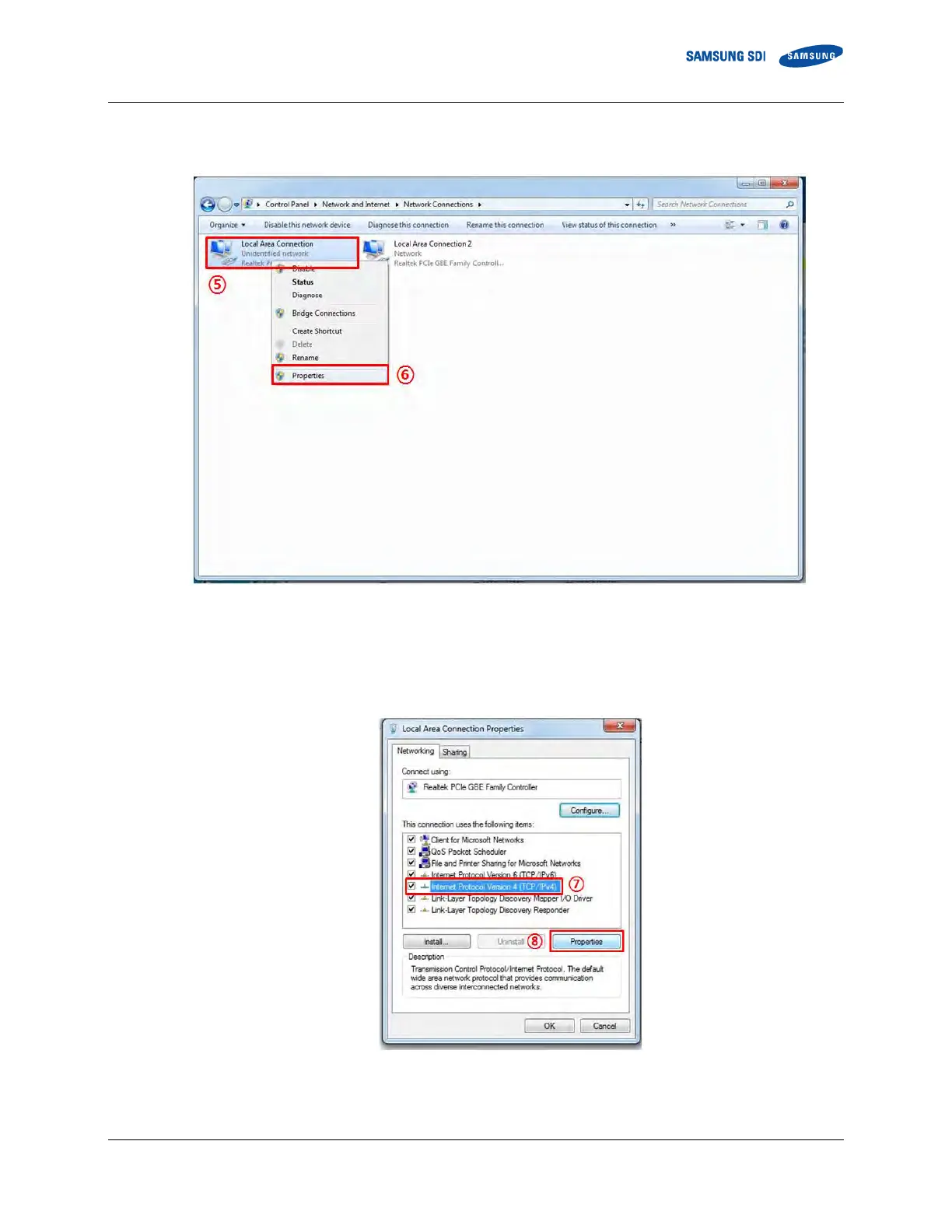
6. When the Network connections window appears, right-click “Local Area Connection”(⑤). When the popup menu appears,
click “Properties” (⑥).
Figure 3-156: Open “Properties” for “Local Area Connection”
7. When the Local Area Connection Properties window appears, select “Internet Protocol Version 4 (TCP/IPv4)” (⑦) and then
click “Properties” (⑧).
Figure 3-157: Open Properties for “Internet Protocol Version 4 (TCP/IPv4)”















 To Next Page