3. Installing the Product Confidential
118 English 8/2019. Rev 0.0
3.10.12.2 Rack BMS Configuration
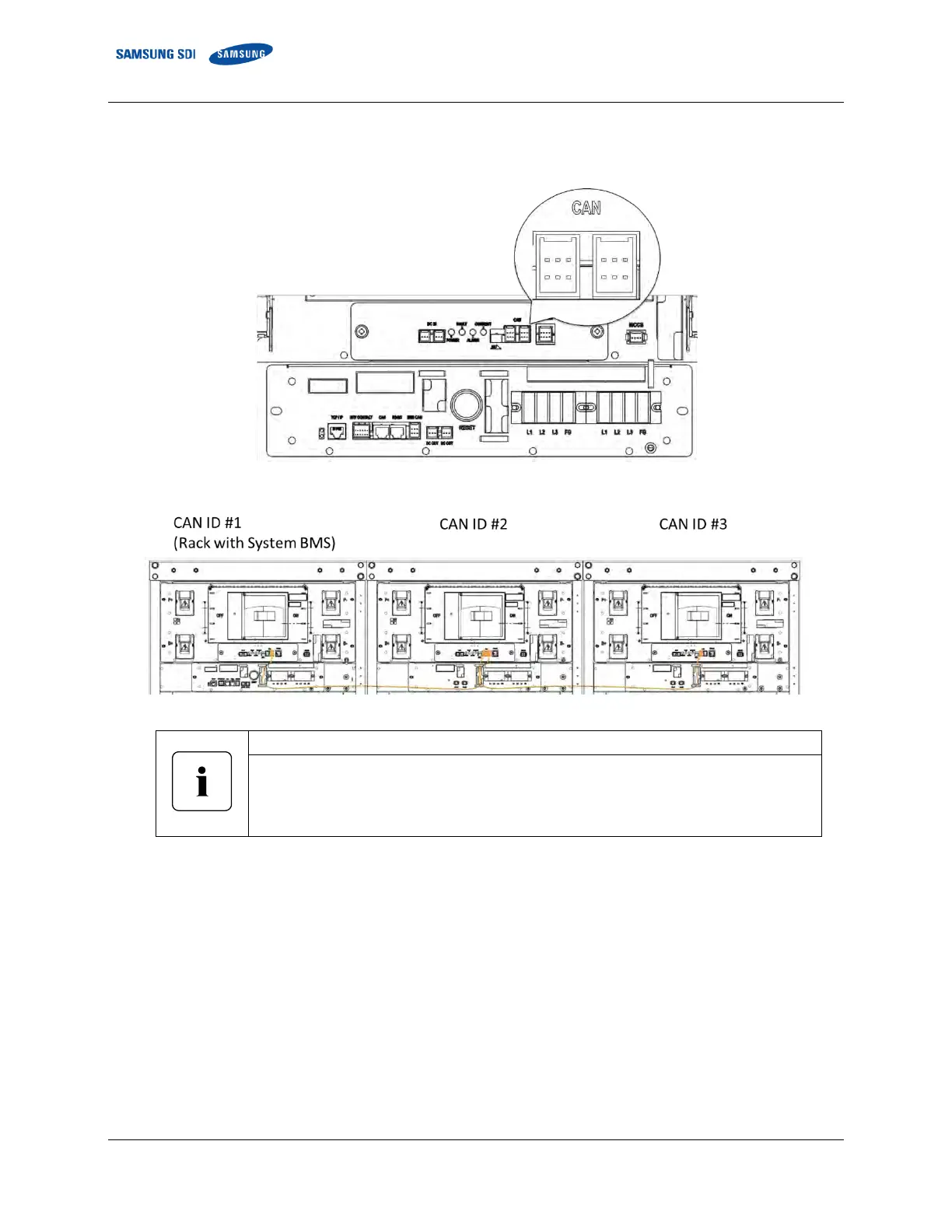
1. Set the Rack BMS CAN ID and the number of modules in a single rack.
Figure 3-141: Cable Connections for Rack BMS Configuration
Figure 3-142: Rack BMS CAN ID Numbers for a Multiple Rack System
If multiple racks are installed, the Rack BMS CAN ID’s must be set individually.
Turn off all other Rack BMS by disconnecting the SMU DC power cable while configuring the
Rack BMS.
Reconnect all SMU DC power cables after configuring all Rack BMS units.
2. Connect the Computer to Rack BMS with IXXAT USB-to-CAN device and Rack BMS configuration cable. Disconnect all CAN
connections and only connect the computer to the Rack BMS.
Turn the termination resistor switch on.















 To Next Page