○
1
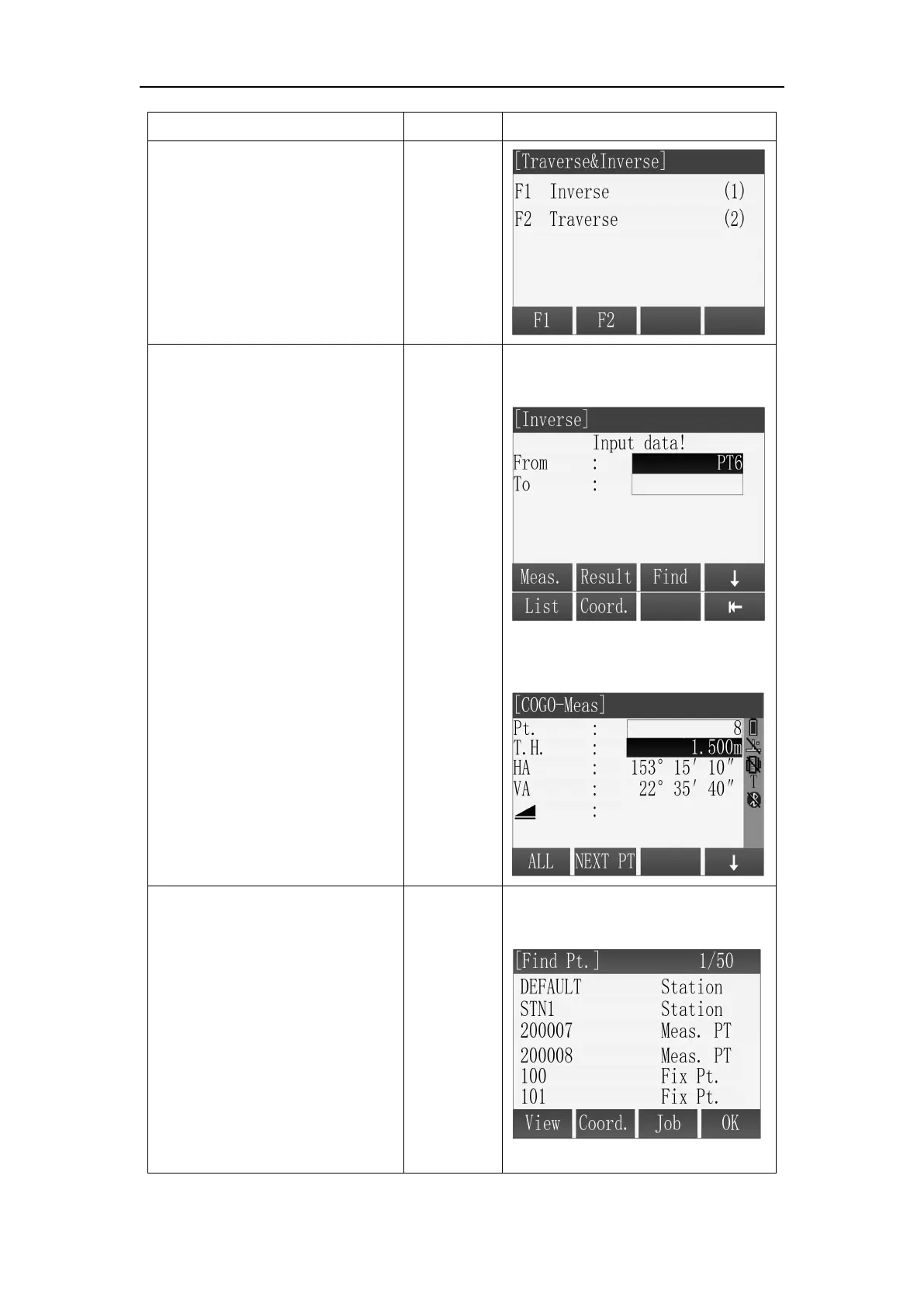
In the [Traverse & Inverse]
screen, press [F1] or [1] to
enter the Inverse sub
application.
○
2
There are four ways to get
the known point for inverse
calculation.
A: Input the name of known
point in“Pt.” field in [Traverse]
screen and press [F1](Meas.)
entry the [COGO Meas]
Input prism height in the “T.H.”
field on [COGO-Meas], then
aim the prism and press
[F1](ALL) or [F2](DIST) +
[F3](REC) to measuring and
saving the point for inverse
calculation.
B: Press [F1](List) in [Traverse]
screen, use the key [
▲
]\[▼] to
select a Known point in the
point list for inverse
calculation, then press [F4](OK)
to be done.



 To Next Page