Total Station Manual
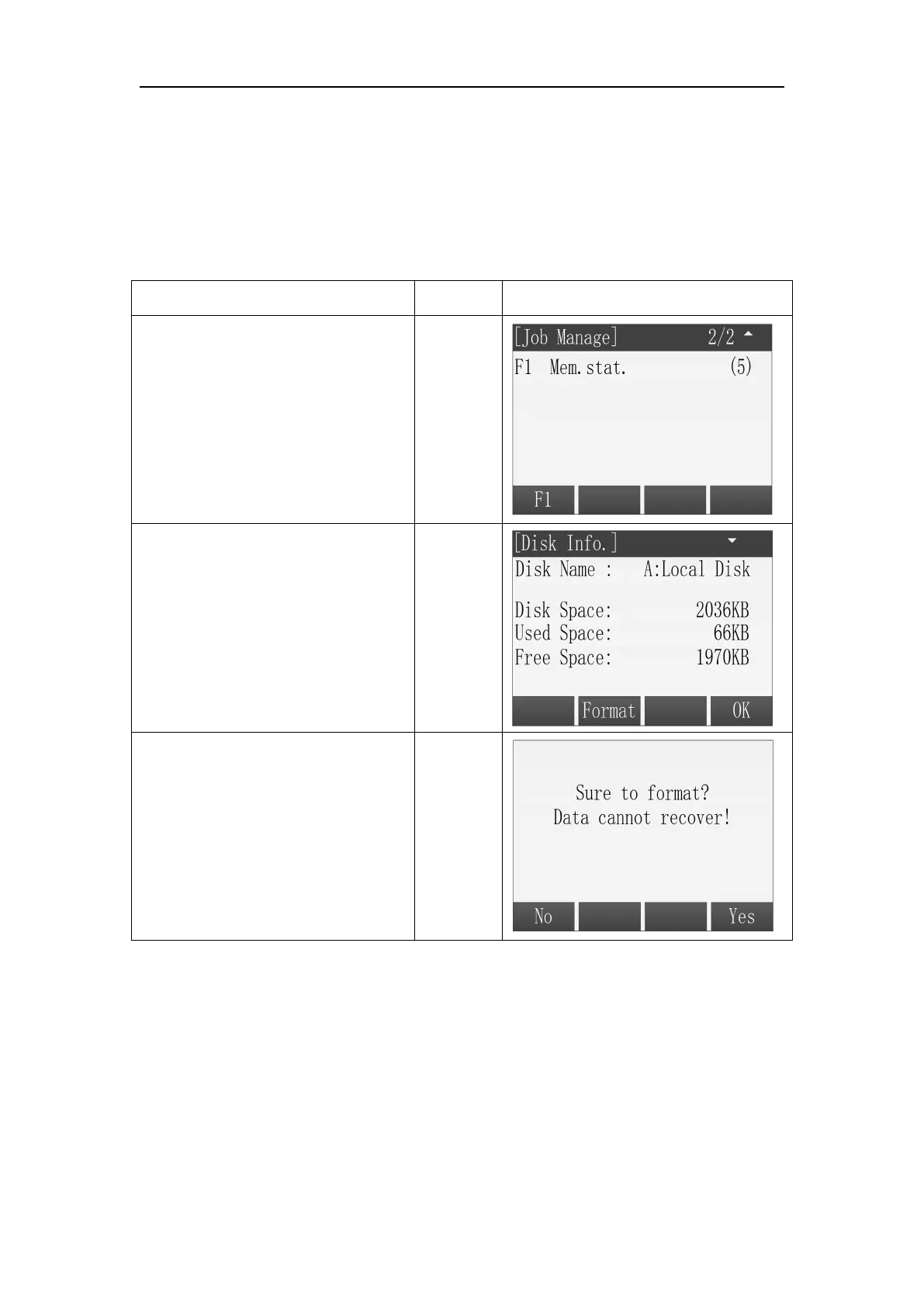
Display the information of the memory usage and format the memory.
Format the memory can delete all data of job, code and road. The setting of
application also can be reset, please operate carefully.
○
1 In the menu of Job Manage,
press [PAGE] and display the
second page of the menu, press
[F1] to enter the function of
memory statistics.
○
2 Press [F1] (Prop.) can view the
properties of the disk, including
free space.
○
3
Press [F2] (Format) can format
the disk, program will give a
prompt to make sure to format
or not, press [F4] to make sure to
format and press [F1 to cancel the
operation.]



 To Next Page