Total Station Manual
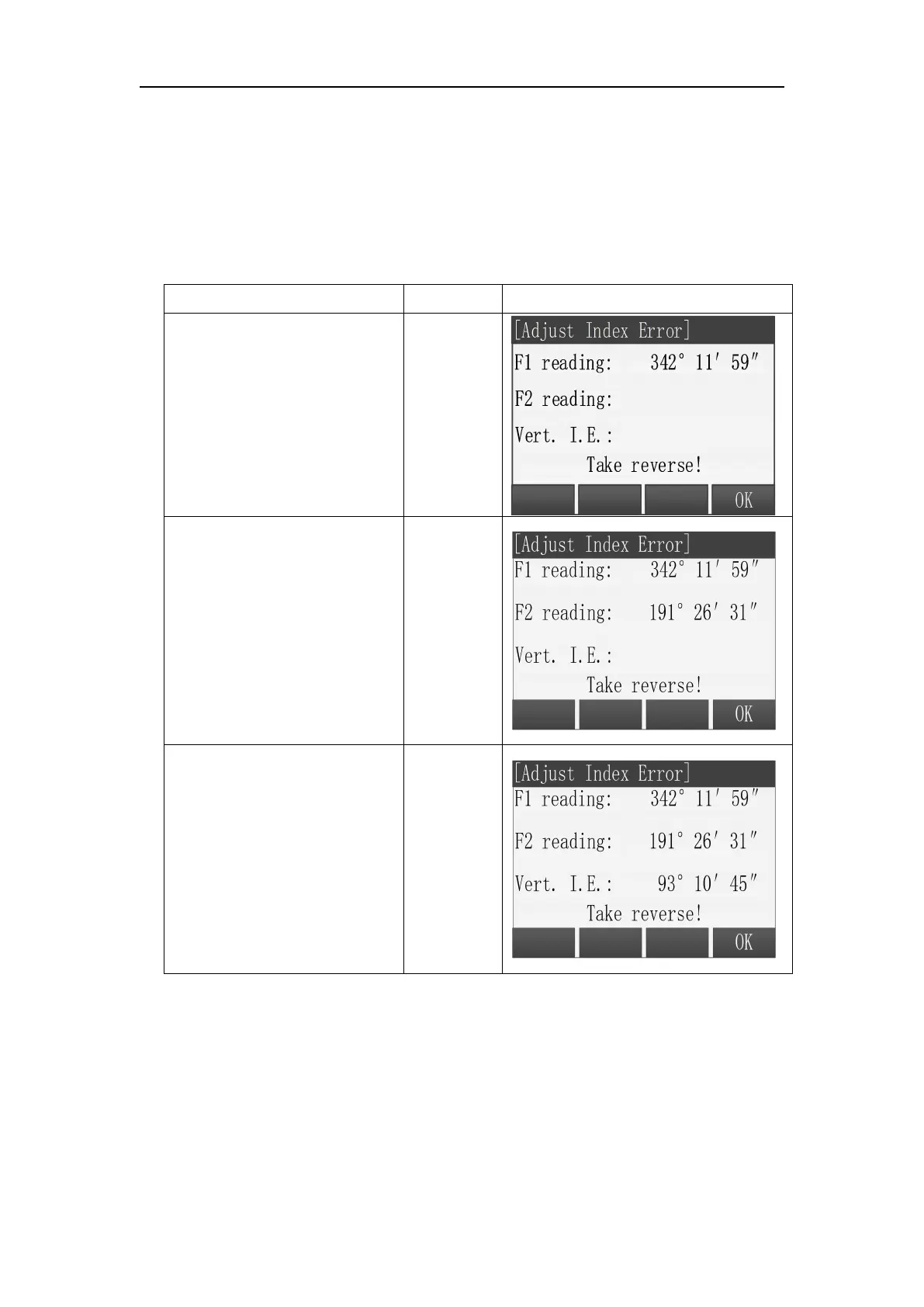
In Tools Menu, choose “1 Adjust”, then press [F2] to enter “Adjust Index Error”.
Steps:
○
1 After leveling the total
station, aim at target with
face left, then press [F4](OK).
○
2
Aim at the same target
with face right, and press
[F4] (OK).
○
3 Program will show the
result value, press [F4](OK)
to save.
Note: If there is no special requirement, the compensator should be turned on
before Index error correction.
Before compensating for the compensator, make sure that the indicator
difference is recalibrated in accordance with 9.1.2 procedure in the closed
compensator state.
First, place the instrument as picture shown below with collimator facing up.



 To Next Page