Total Station Manual
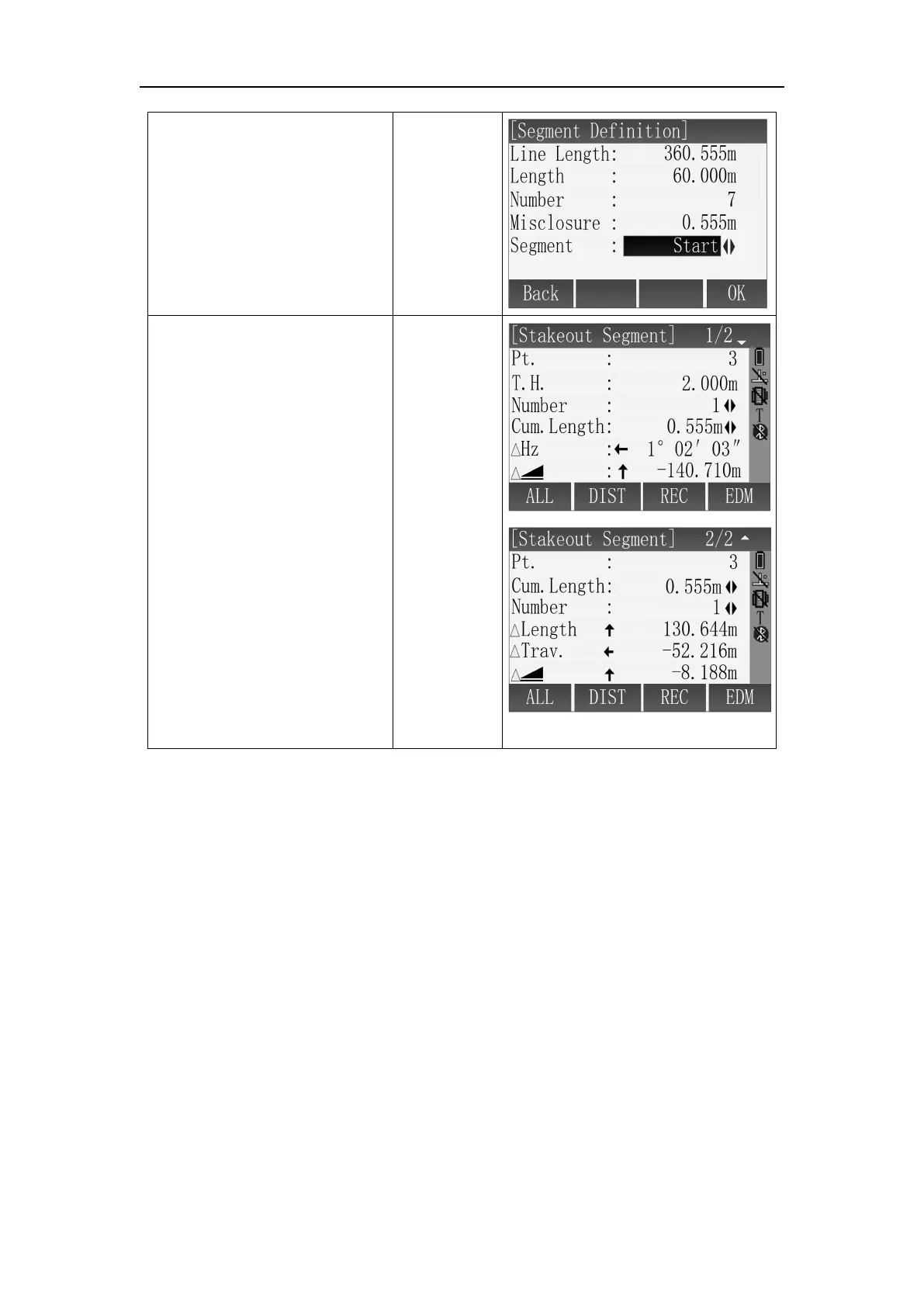
② In [Segment Definition]
screen, select input box
through [ ▲ ]\[ ▼ ], use
keyboard to set the Segment
Length, the Segment No. and
others, then press [F4](OK) to
enter segment stakeout.※
1
[▲]\[▼]
+
Input
parameters
+
[F4]
③ In [Stakeout Segment]
screen, use [
◄
]\[
►
] to select
segment No., then save
current point data through
[F1](ALL)or
[F2]+[F3](DIST+REC)
※
1
Segment options:
Start : Misclosure at the start point
EndPt : Misclosure at the end point
Equal : Divide Reference Line equally into several pieces
※ In above operation, press [ESC] to return to previous menu.
RefArc can be defined through “Centre, Start Point” or “Start&End Pt, Angle”,
and you can calculate Line&Offset of point to refarc. The application program allow
user define a refarc and finish below task about refarc:
RefArc schematic diagram:



 To Next Page