Total Station Manual
3.1 View the measurement data
○
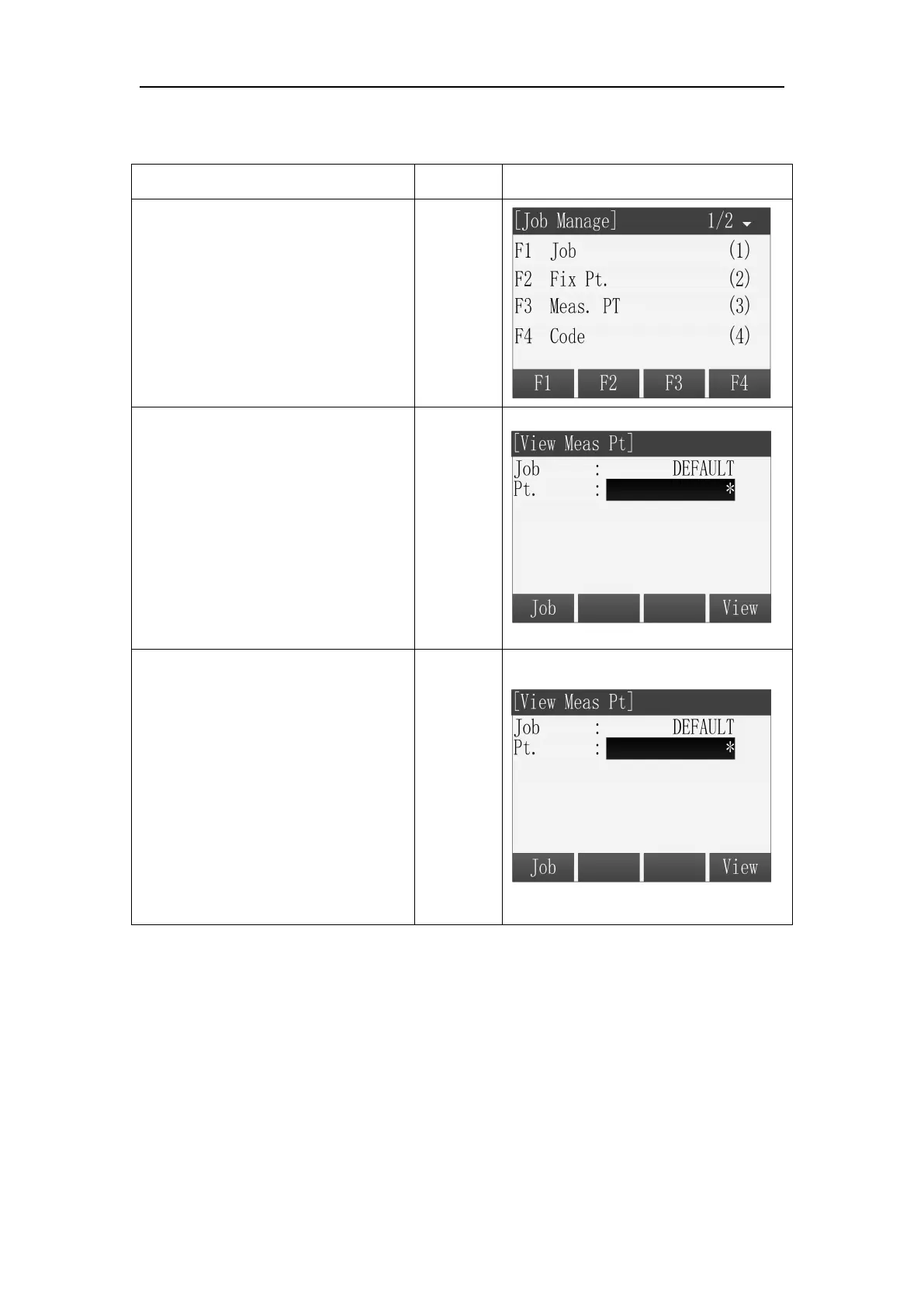
1 In the menu of Job Manager,
press [F3] to enter the function of
Meas.PT.
○
2 The default viewed job is the
current job in the program, if
you want to view the
measurement data in other jobs,
please press [F1] (Job) to enter
the list of job to select.
○
3 The default viewed points are
all points in the job and using the
wildcard character to stand for. If
want to view a certain point, you
can input the name of the point
and press [F4] to view.



 To Next Page