Total Station Manual
○
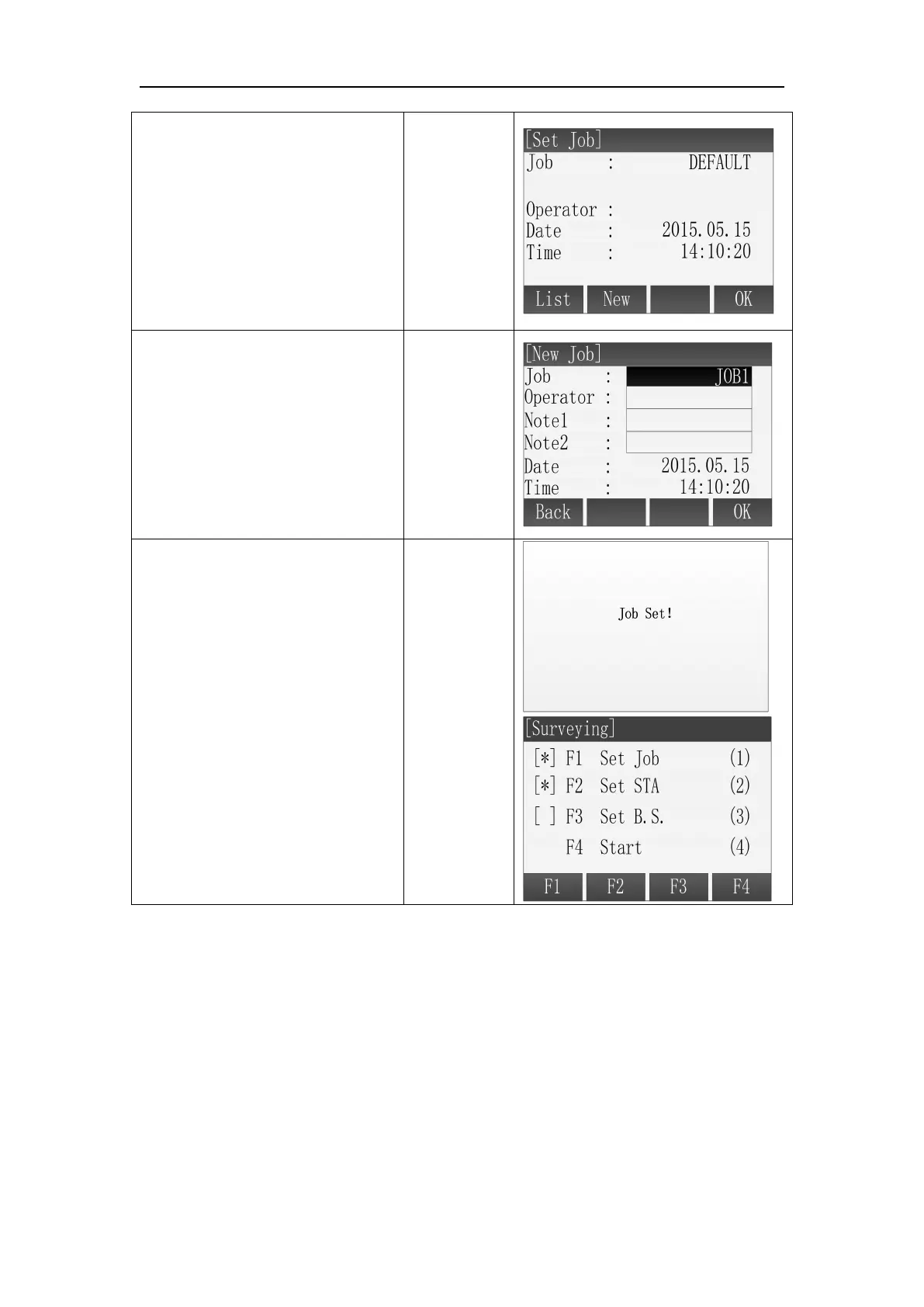
2 Press [F2](New) and then
enter the Create a New Job
screen.
Press [F4](OK), the displayed job
will be set as current job and
then back to Pre-Settings screen.
○
3 Continue to show New Job
screen. Input the new job’s
name, operator, etc. Press [ENT]
to finish one input item and the
cursor moves to the next input
item automatically at the same
time. ※
1
○
4
Press [F4](OK) to complete
setting a new job after finishing
all the inputs. This job will be set
as the current job. Then back to
the Pre-Settings screen. The
completed setting item is marked
with [*].
1.2 Select an Existing Job from Memory
If there is any job existing in the memory, user can select this job and set it as
the current job.



 To Next Page