Total Station Manual
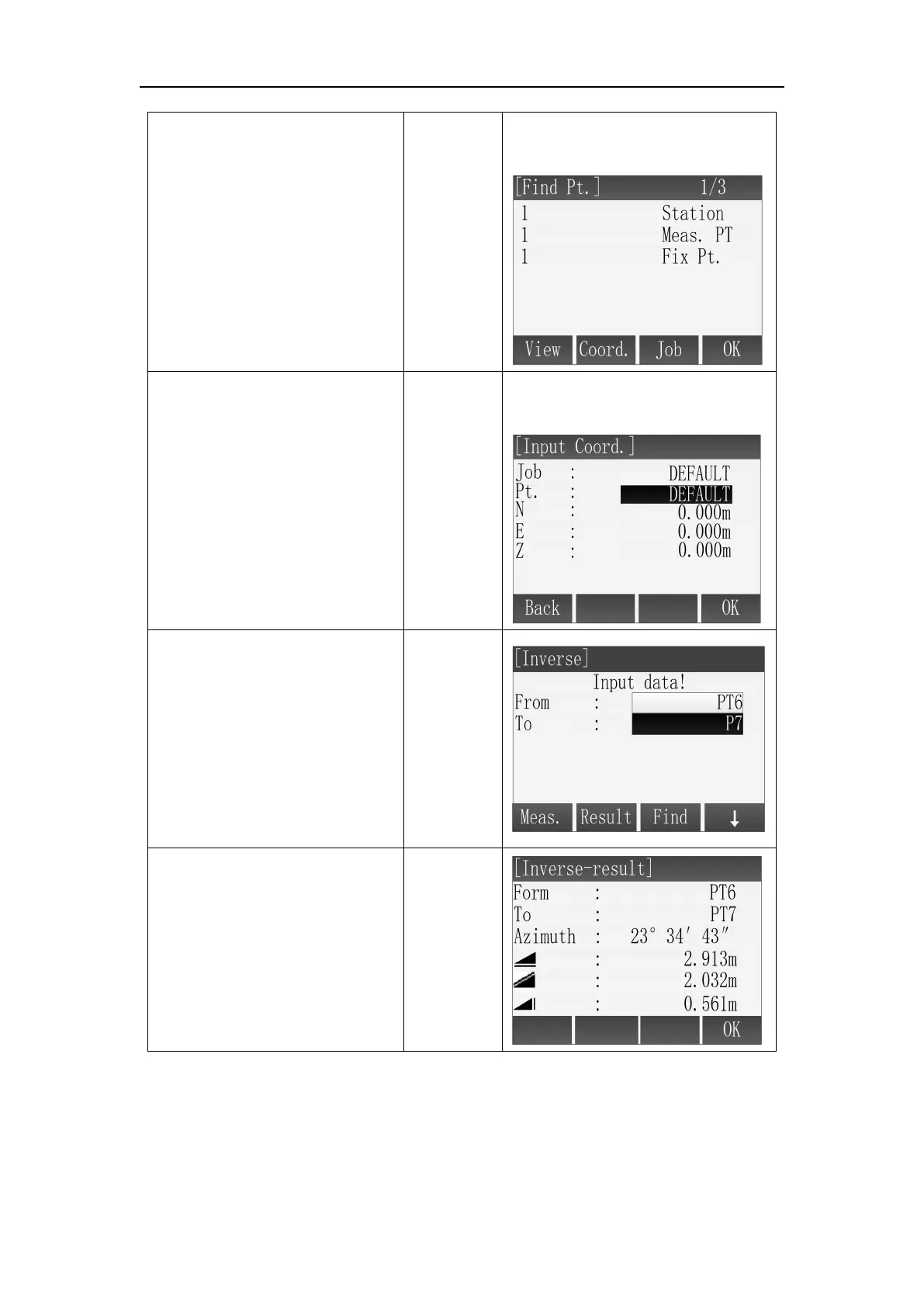
C: Input the name of known
point and press [F3](Find) to
find whether the point is in
memory, if exist, then press
[F4](OK) to be selected for
calculating; if not exist, then
need to input or measure the
point.
Input
name
+
[F3](Find)
+
[F4](OK)
C: Input the name of the point
and find whether it is in memory.
D: Press [F2](Coord.) to input a
known point that not exist in
memory.
[F2](Coord
.)
+
Input
Coord.
+
[F4](OK)
D: Input the point through
keyboard.
○
3 After setting the first
known point then use [▼]\[▲]
move the focus to “To” field to
set the second known point,
then press [F2](Result) to
calculate the inverse point and
show the result.
○
4 Input the name of result
point in the [Traverse Result]
and press [F4](REC) to save the
point.
※ In all of the above operation, press [ESC] to return to the previous menu.
※ The result point is plane data.
11.3 Bearing-Bearing Intersection
Use the bearing-bearing (BRG-BRG) sub application to calculate the intersection



 To Next Page