Total Station Manual
○
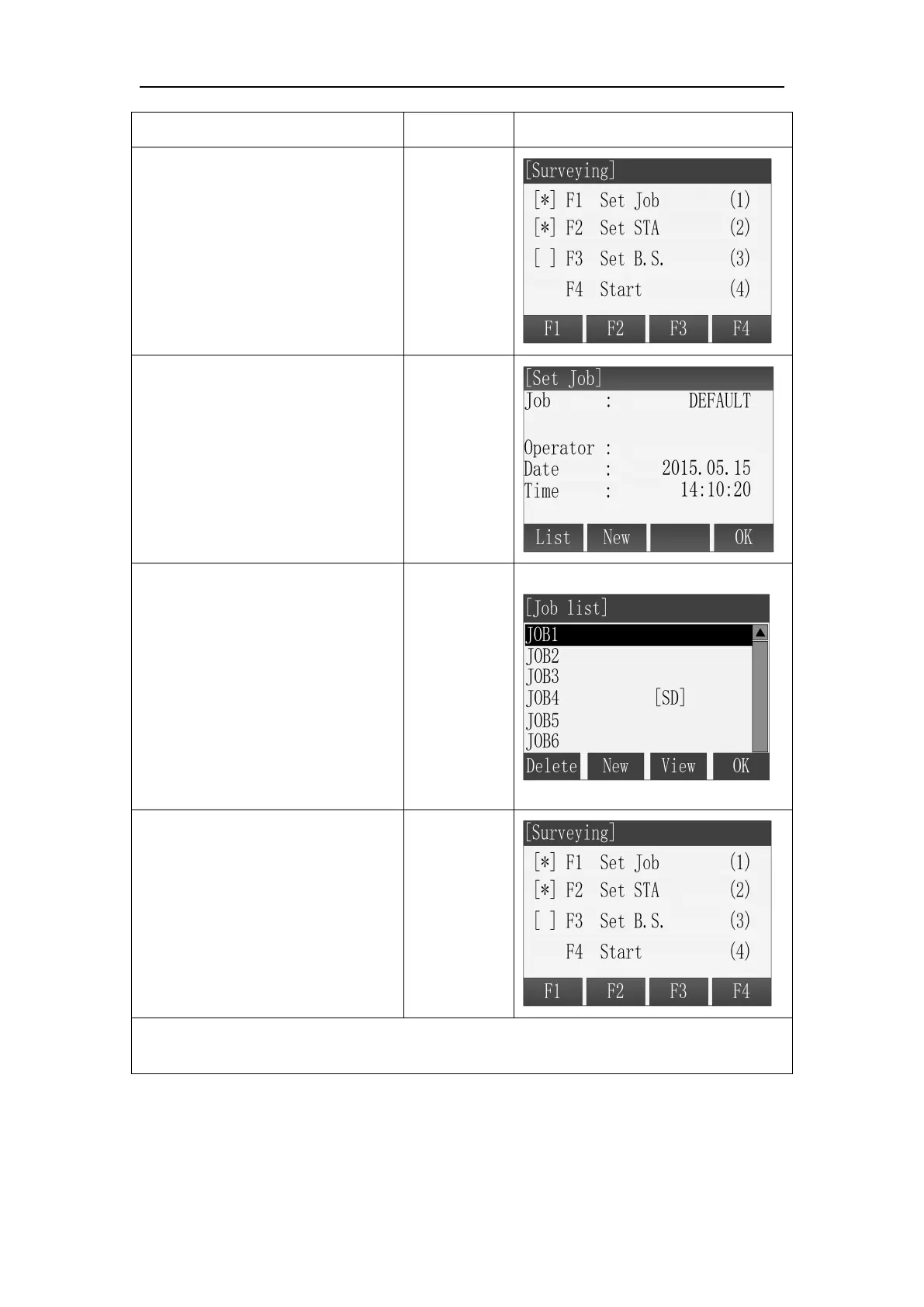
1 Press [F1] in the Pre-Settings
screen. Then enter the Set Job
function.
○
2 Press [F1] (List) to enter Job
list screen.
○
3 All the existing jobs, including
that stored on SD Card and will
be shown as a list. The current
job is marked with a *. Select the
target job through Up and Down
key and then press [F4](OK) to
confirm the selection. The
selected job is set as current job.
○
5 Back to Pre-Setting screen.
The completed setting item is
marked with *.
Note: Don’t pull out the SD Card when it is in operating state, otherwise it will cause
the SD Card’s data loss or damage.
All measured data are stored in the current job.
If start the application without setting the job, press ALL key or press REC key in
the Q-Surveying screen, the instrument system will create a job which named
DEFAULT automatically.



 To Next Page