Total Station Manual
○
1
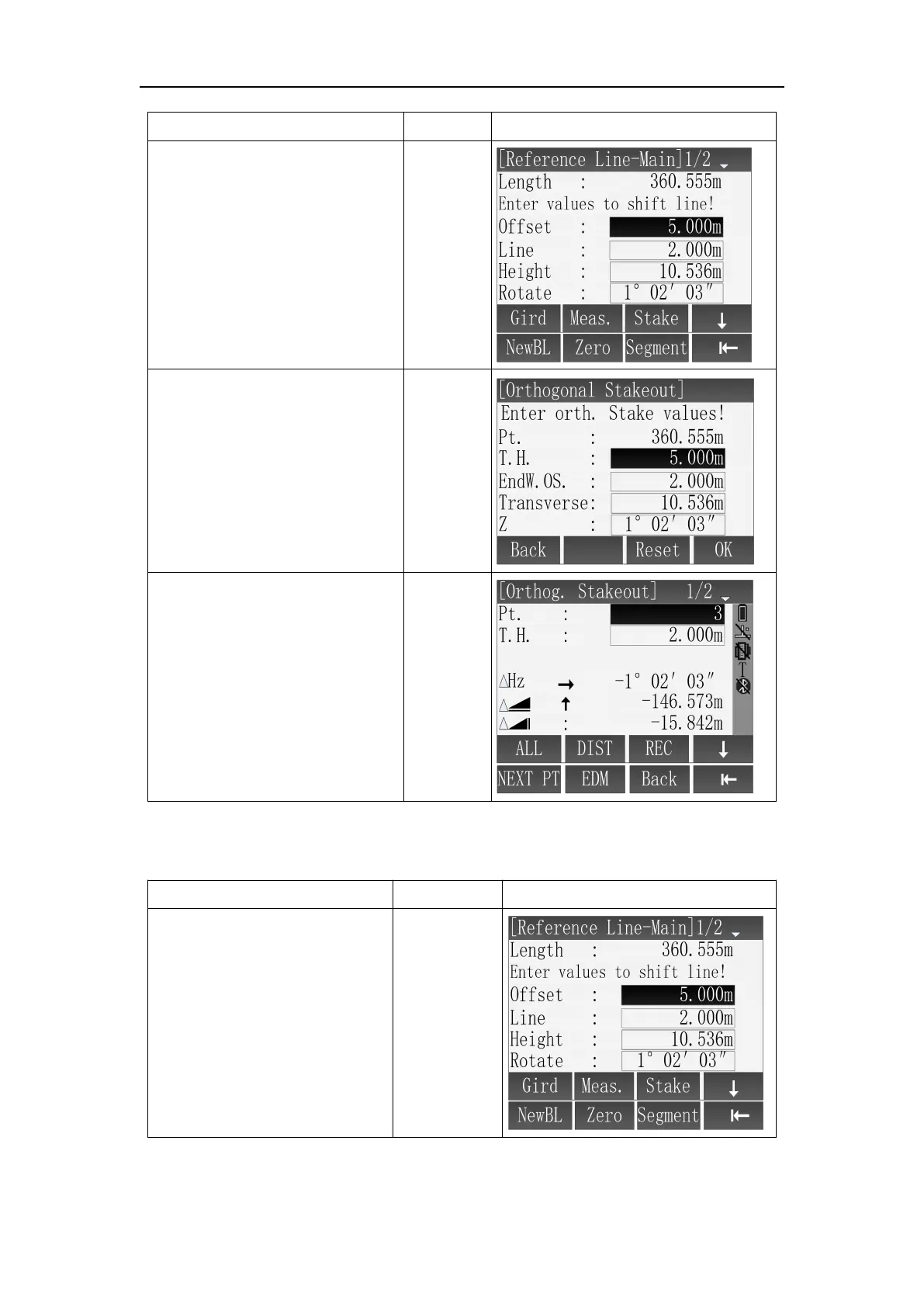
In [Reference Line-Main]
screen, press [F3](Stake) enter
[Orthogonal stakeout] to input
stakeout values.
② In interface of
[Orthogonal Stakeout] use
[▲]\[▼] to select input box, use
keyboard to set every offset
parameters, then press [F4](OK)
to enter orthogonal stakeout.
[▲]\[▼]
+
Input
parameter
s
+
[F4]
③ In [Orthg. Stakeout]
interface, measure and save
current measuring point through
[F1](ALL) or [F2]+[F3](DIST+REC),
and it will return to [Orthogonal
Stakeout] screen.
※ In above operation, press [ESC] to return to previous menu.
○
1
In [Reference Line-Main]
screen, press [F4](↓) and Press
[F3] to enter [Segment
Definition] interface



 To Next Page