Total Station Manual
○
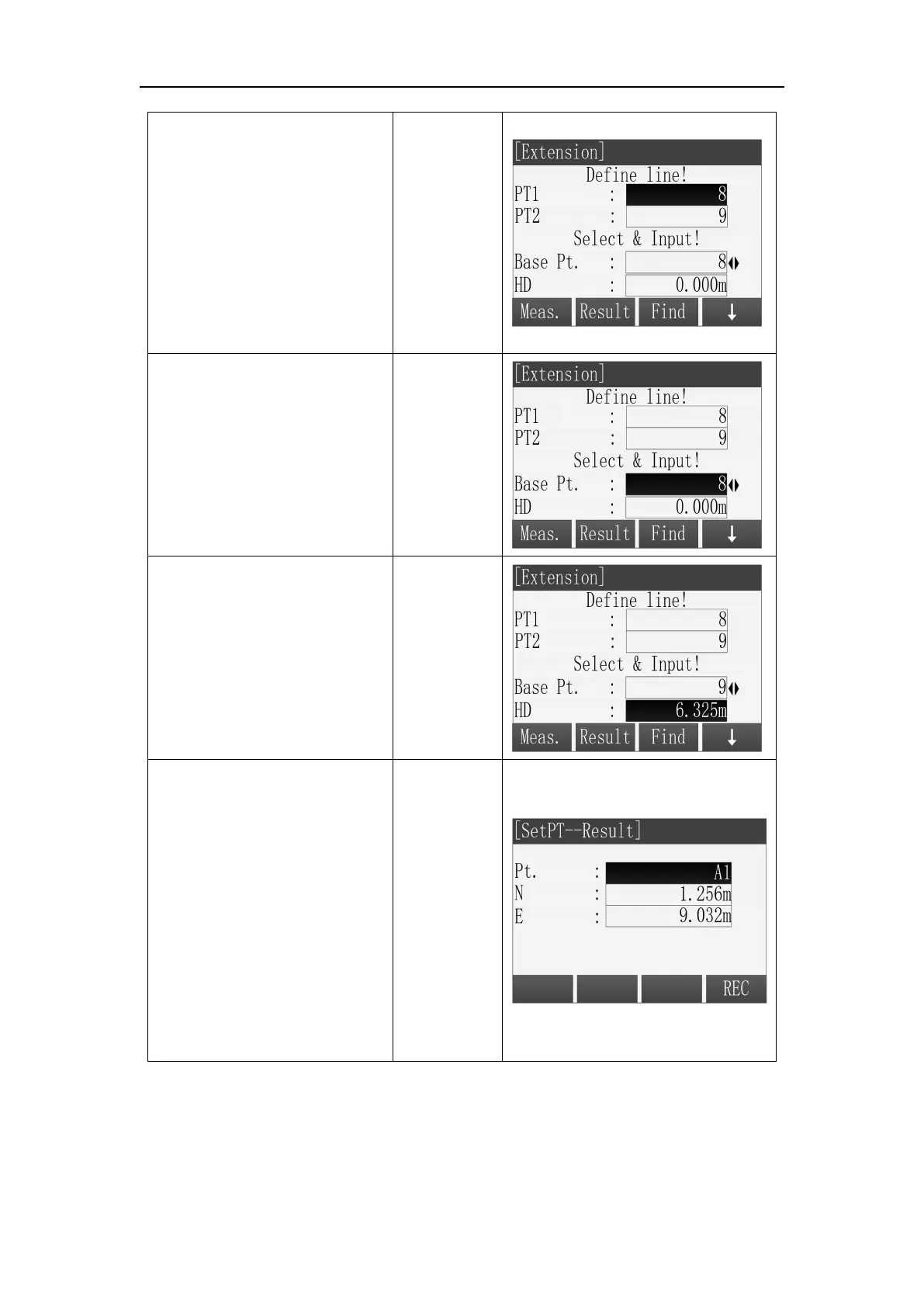
2 Set the baseline start
point and end point.
※ There are four ways to get
the known point for Extension
calculation. Please refer to
the step
○
2 in the “COGO
Traverse”.
○
3 Then baseline is defined,
press [ ▼ ] key to move the
focus down and use [
◄
]\[
►
]
Key to select base point.
○
4
Then press [ ▼ ] key to
move the focus down and
input the extension distance
in the “HD” field.
○
5 When all of the data are
set correctly, press
[F2](Result) to calculate the
intersection point and show
the results.
Input the name of result point
in the [Extension Result] and
press [F4](REC) to save the
point.
※ In all of the above operation, press [ESC] to return to the previous menu.
※ The result point is plane data.



 To Next Page