Total Station Manual
○
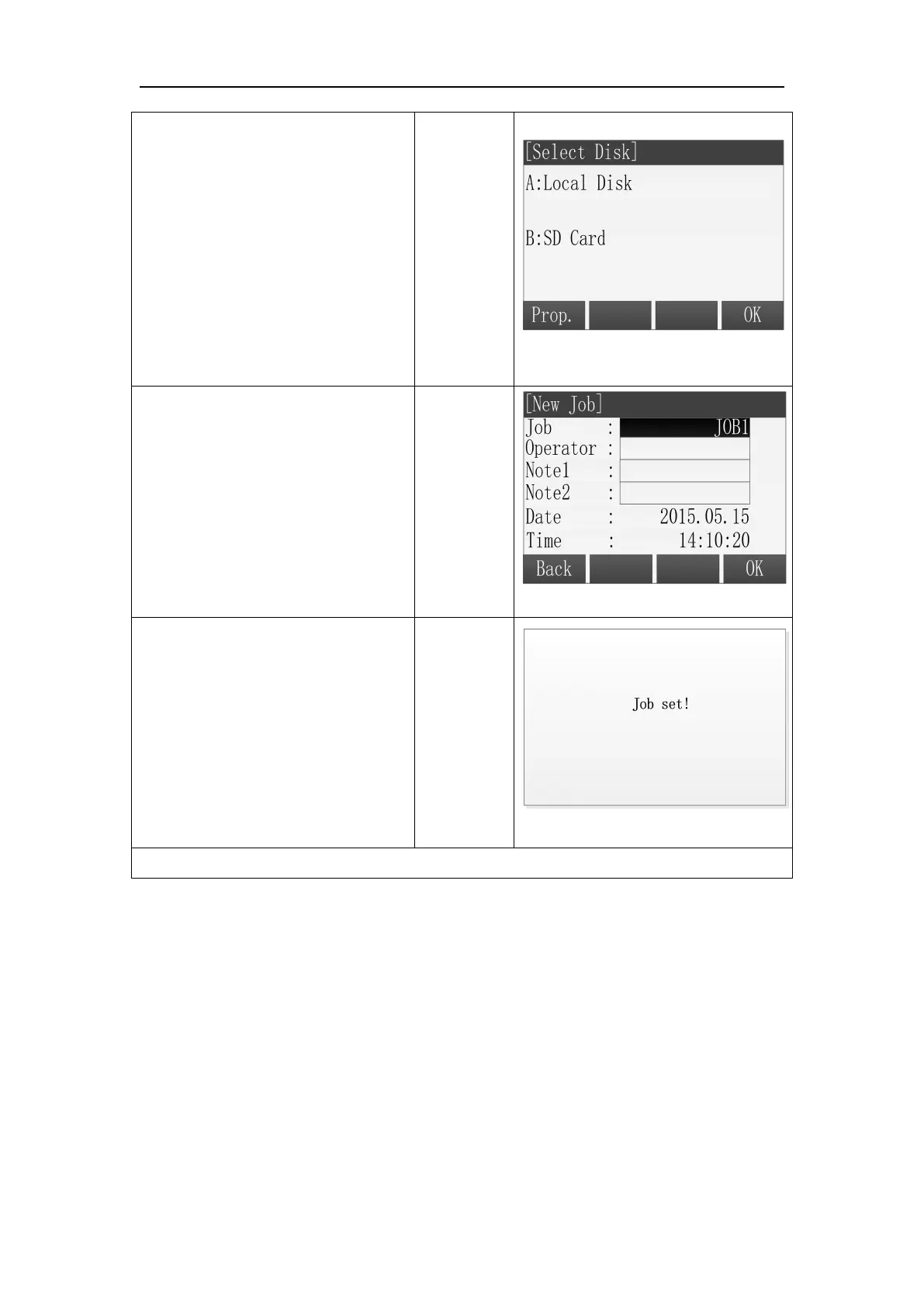
3 If the instrument has loaded
the SD card, there is an interface of
Select Disk. In the interface,
selecting the disk which is used to
new a job by pressing the key of up
or down and press [F4] to make
sure.
A:Local Disk
B:SD Card
○
4 The screen displays the
information of new job, including
the name of the job, the operator
and so on. After inputting one
item, press [ENT] to move the
cursor to the next input area.※
1
○
5
After finishing inputting, press
[F4] (OK) to save the job and set it
as the current job.
※
1
: The system creates the data and time automatically.
[Job]: The name of job inputted arbitrarily by the operator and saving data to the file
after this.
[Operator]: The name of operator and it can have the default value.
[Note1] and [Note2] describe the situation of the project and they can have the
default values.
If the job name you inputted exists, the program will give a prompt that Job
exists, use another job name.



 To Next Page