○
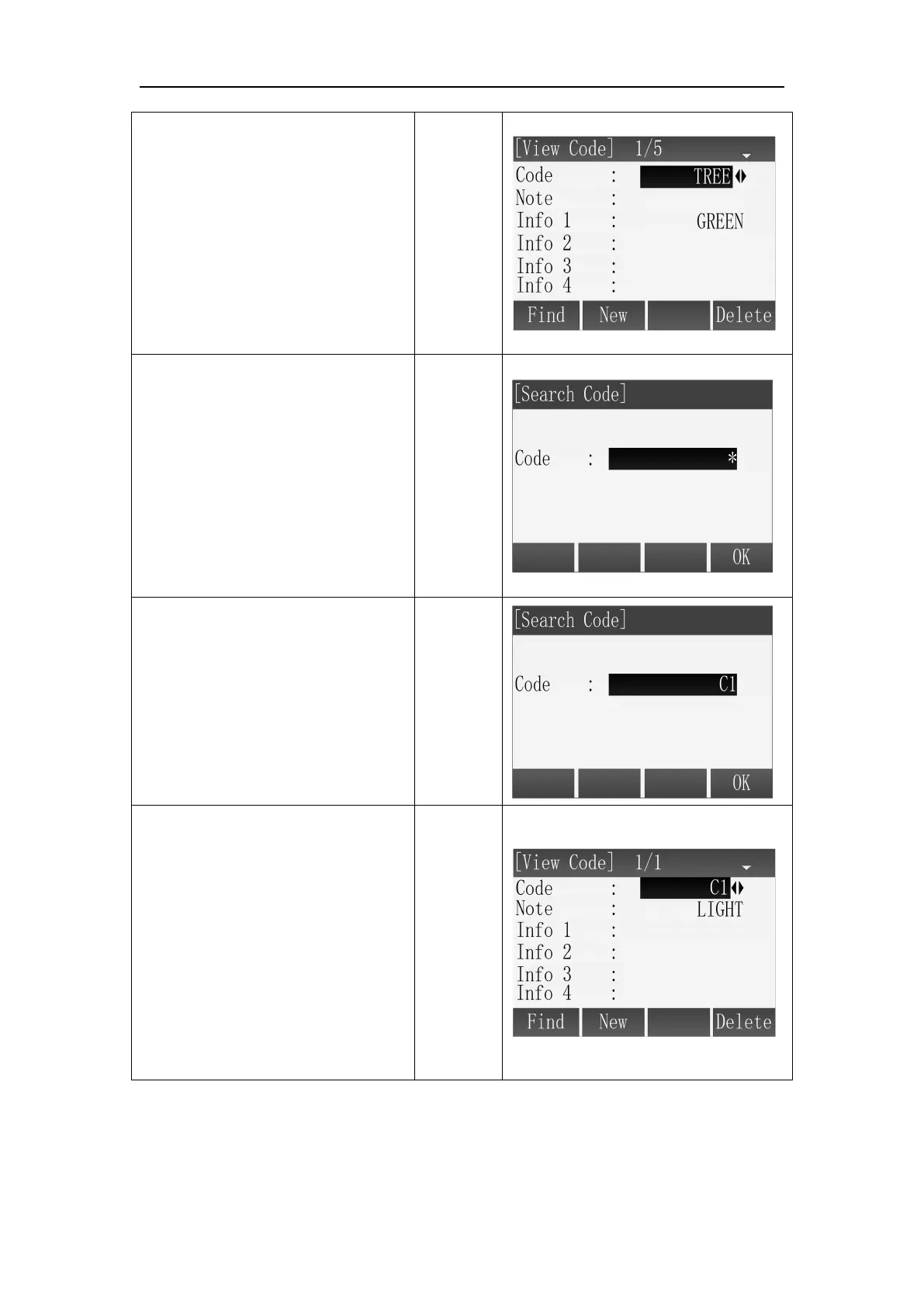
2 Press the direction key of left
or right, you can view all codes
one by one.
○
3 Press [F1] to enter the
interface of Search Code. The
default value is wildcard character,
it stands for all codes.
○
5
Program displays the searching
result, if there are more than one
codes matching the searching
condition, you can view them one
by one by pressing the direction
key of left or right.
If there is no code matches the
condition, the program will give a
prompt.



 To Next Page