Total Station Manual
○
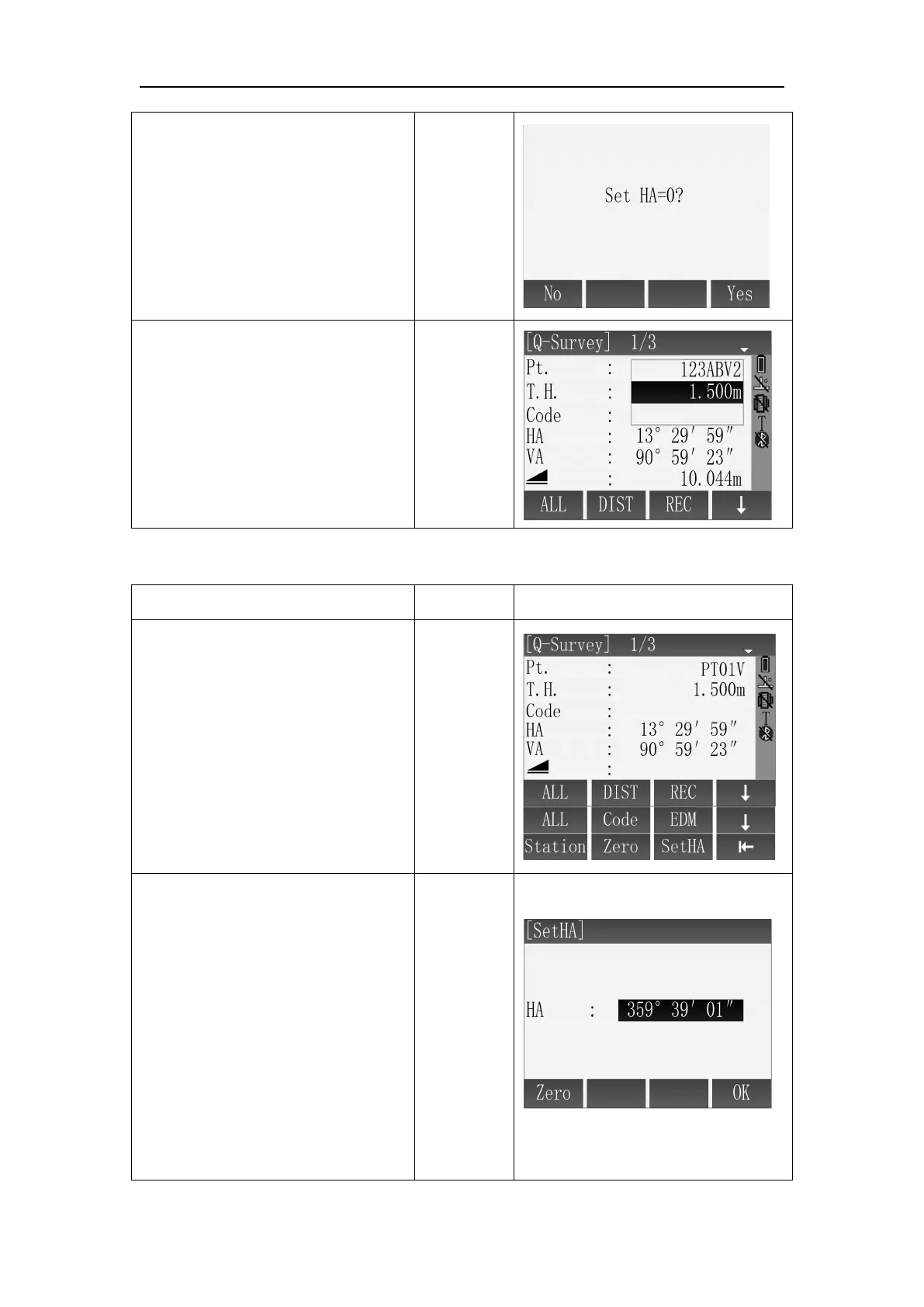
2 Press [F2](Zero), the screen
give a prompt to set HA as 0 or
not.
○
3 Press [F4](Yes), the screen
backs to Q-Survey and HA is set as
0. If you want to cancel the
operation, please press
[F1](No).
Set HA.
○
1
Aim at the target which used
to orient. Press [F4] twice to enter
third pages soft key.
○
2
Press [F3](SetHA) to enter the
interface of SetHA. Screen displays
the current value of HA.
A:
If want the current value of HA as
the orientation angle, press
[F4](OK) or press [ESC] to go back.



 To Next Page