Total Station Manual
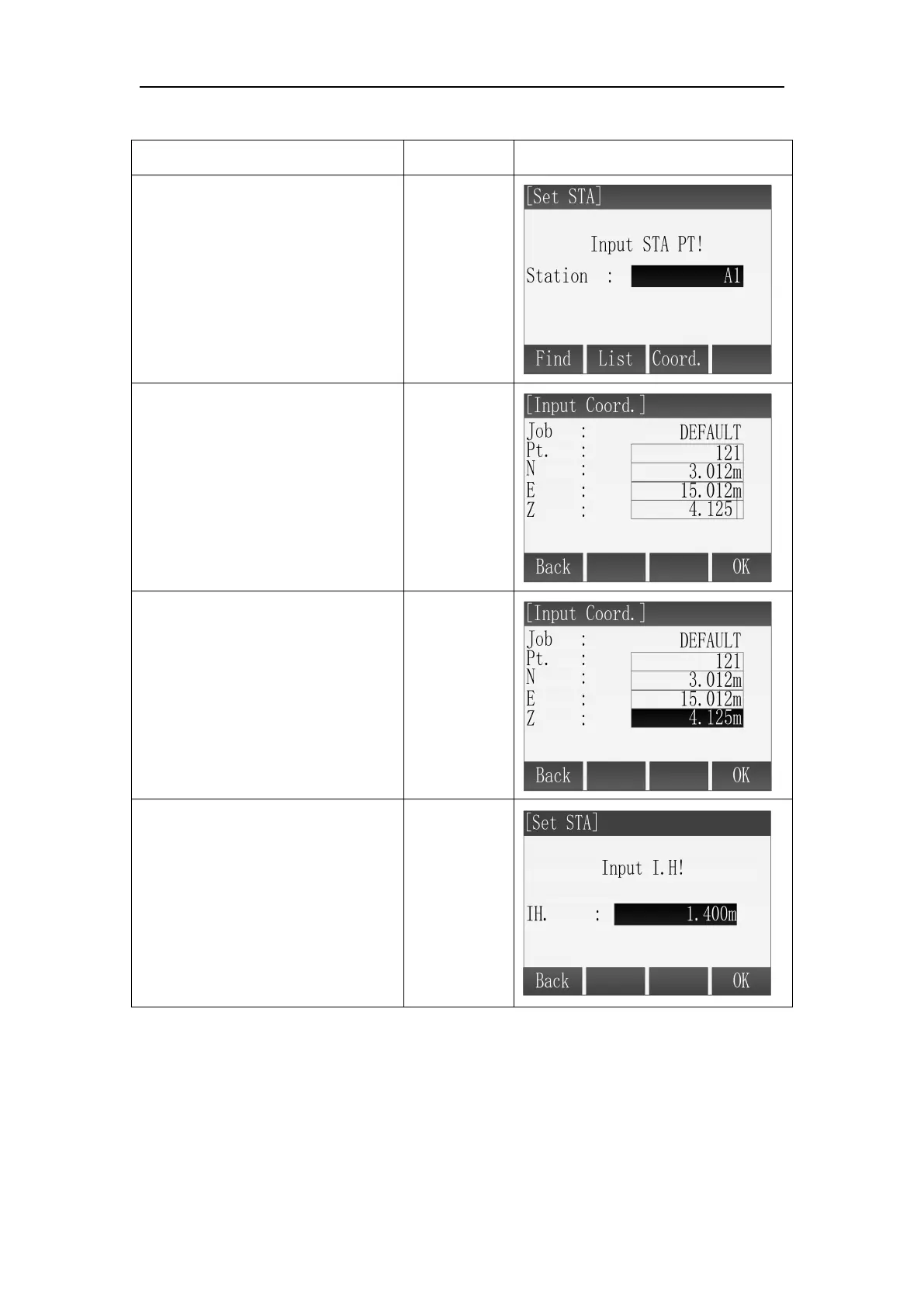
3. [OK] Save the station coordinates. And then input the instrument height.
○
2 Press [F3](Coord.) in the [Set
STA] screen.
○
3 Input the point name and the
point’s coordinates. After
inputting one item, the curser
will move to next input item.
Input point
name and
coordinate
+
[ENT]
○
4 Press [F4](OK) to save the
coordinates of this point.
○
5
Program prompts "Saved!"
Then enter input instrument
height screen. Input the
instrument height and press
[ENT] to confirm. Then press
[F4](OK) to finish the setting.
Input
instrument
height
+
[ENT]
[F4]



 To Next Page