MRD 3187B - User Manual
Page 188 (245)
used for redundancy. PID-Locked mode should always be used unless one of the
above conditions is true. No PSI mode should only be used for streams that do not
contain any PSI information. To setup these decoder settings use the following
steps:
1. Click on the or tab of the corresponding RDS that needs to be
configured.
Note: In a Configuration 1 MRD 3187B, there will only be a tab.
2. Under the “Services” heading, click
on the button next to “Services.”
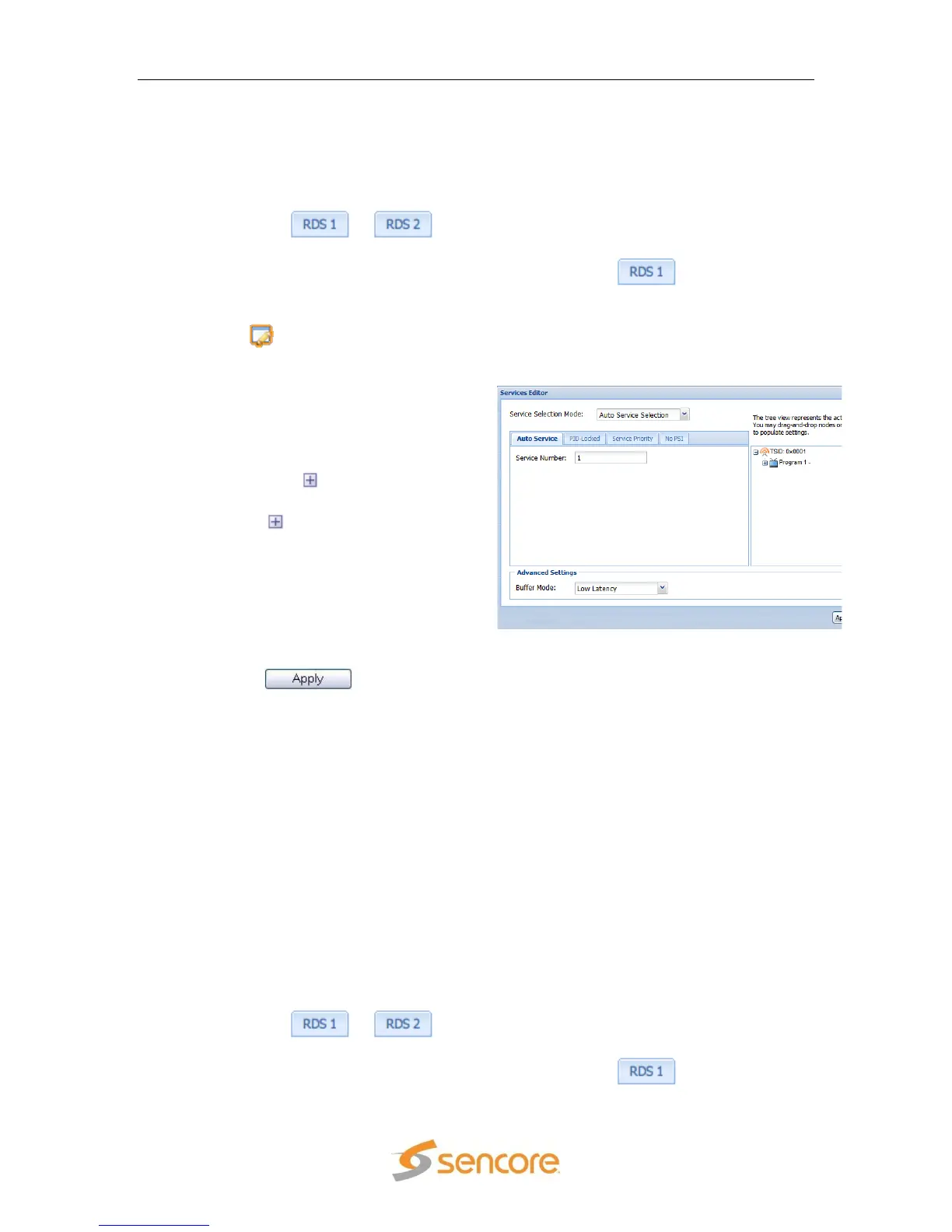
3. A new window should pop up in the
middle of the screen. Use the drop
down menu at the top to choose the
appropriate setup type.
4. In the section on the right, there is a
list of services detected in the
stream and a button to the left of
each service.
5. Click the button to view the
contents of each service.
6. You can then drag and drop the PID
values by simply clicking and holding
them as you drag the PID value to
the appropriate box in the section on
the left.
7. Fill in the remaining input boxes then
click the button to save
the settings.
Note: In PID-Locked mode, all of the entries should be entered as PIDs.
Note: In Auto mode, the program number should be entered as the number of the
program in the TS.
Note: In Priority mode, the service number is entered and the audio entries should be
entered as the number they are indexed by, in the TS.
Note: In No PSI mode, all of the entries should be entered as PIDs with their
corresponding data type.
Note: Selecting a service (program) with drag and drop will also fill in the associated
audio programs in the service entry fields.
5.3.2.2 Audio Status and Downmix Settings
The audio downmix settings have three different configuration settings. These three are:
transmission, monitor, and user. To configure the audio downmix setting, use the
following steps:
1. Click on the or tab of the corresponding RDS that needs to be
configured.
Note: In a Configuration 1 MRD 3187B, there will only be a tab.



 To Next Page