1. Click on the or tab of
the corresponding RDS that needs to
be configured.
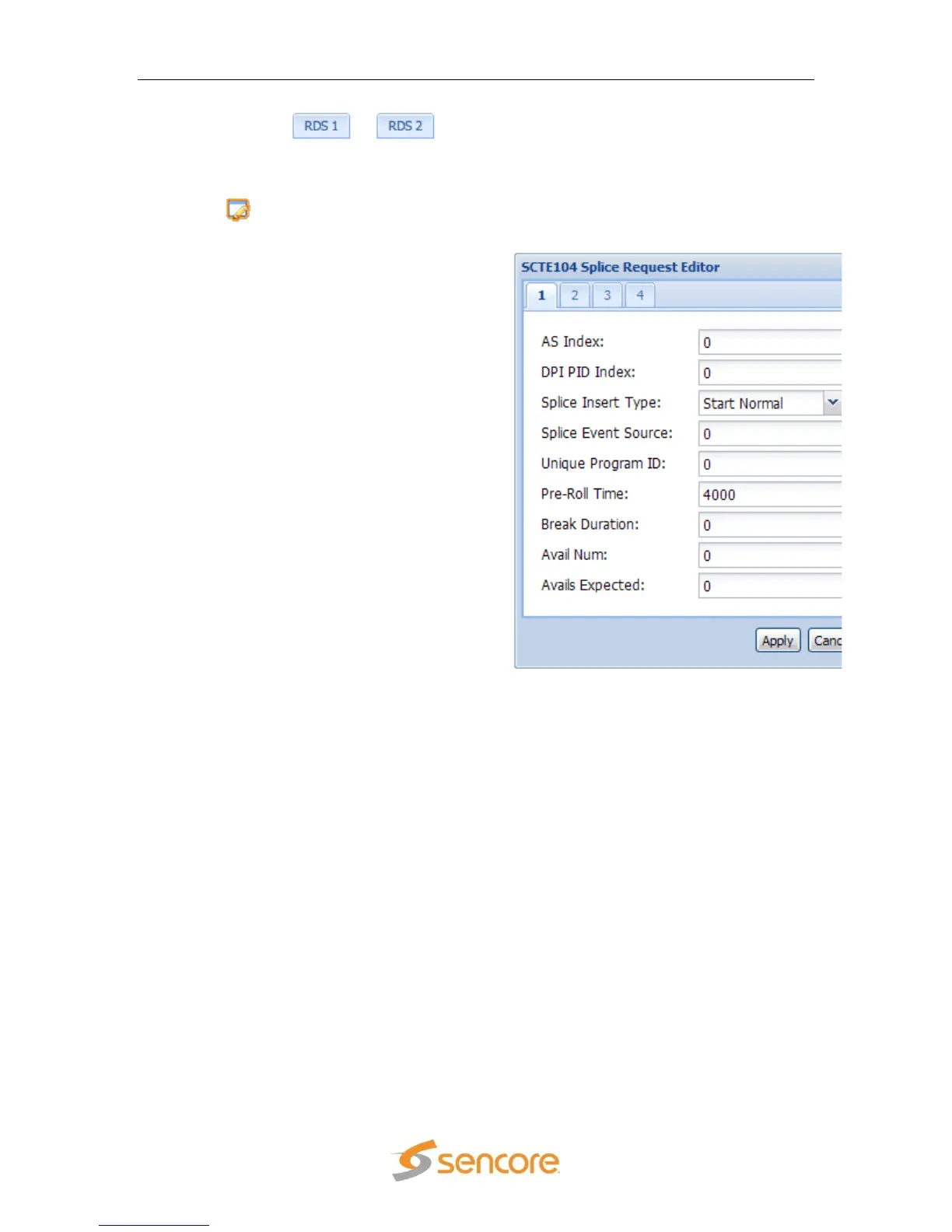
2. Under the “Services” heading, click on
the button next to the “SCTE104
Splice Requests” option.
3. Next, enter the “AS Index” if one is
present, otherwise leave blank (0).
4. Enter the “DPI PID Index” to specify
the index to the DPI PID that will carry
the splice_info_sections.
5. Use the “Splice Insert Type:” drop
down menu to select either “Start
Normal”, “Start Immediate”, “End
Normal”, “End Immediate”, or “Cancel”.
6. Next is the “Splice Event Source”. This
is a user assigned value for the source
of the cue message.
7. In the next “Unique Program ID:” box,
enter the unique program ID.
8. In the box to the right of “Pre-Roll
Time” enter the desired amount of
time, in milliseconds, after being
processed that the action will occur.
9. Then insert the “Break Duration” in
tenths of seconds.
10. Next is the “Avail Num” which is a field
that gives an authentication for a
specific avail in the current “Unique
Program ID”.
11. Finally the “Avails Expected” box is the
last parameter to configure. This box
indicates the specific number of
individual Avails expected within the
current viewing event.
message.
assumed.



 To Next Page