MRD 3187B - User Manual
Page 190 (245)
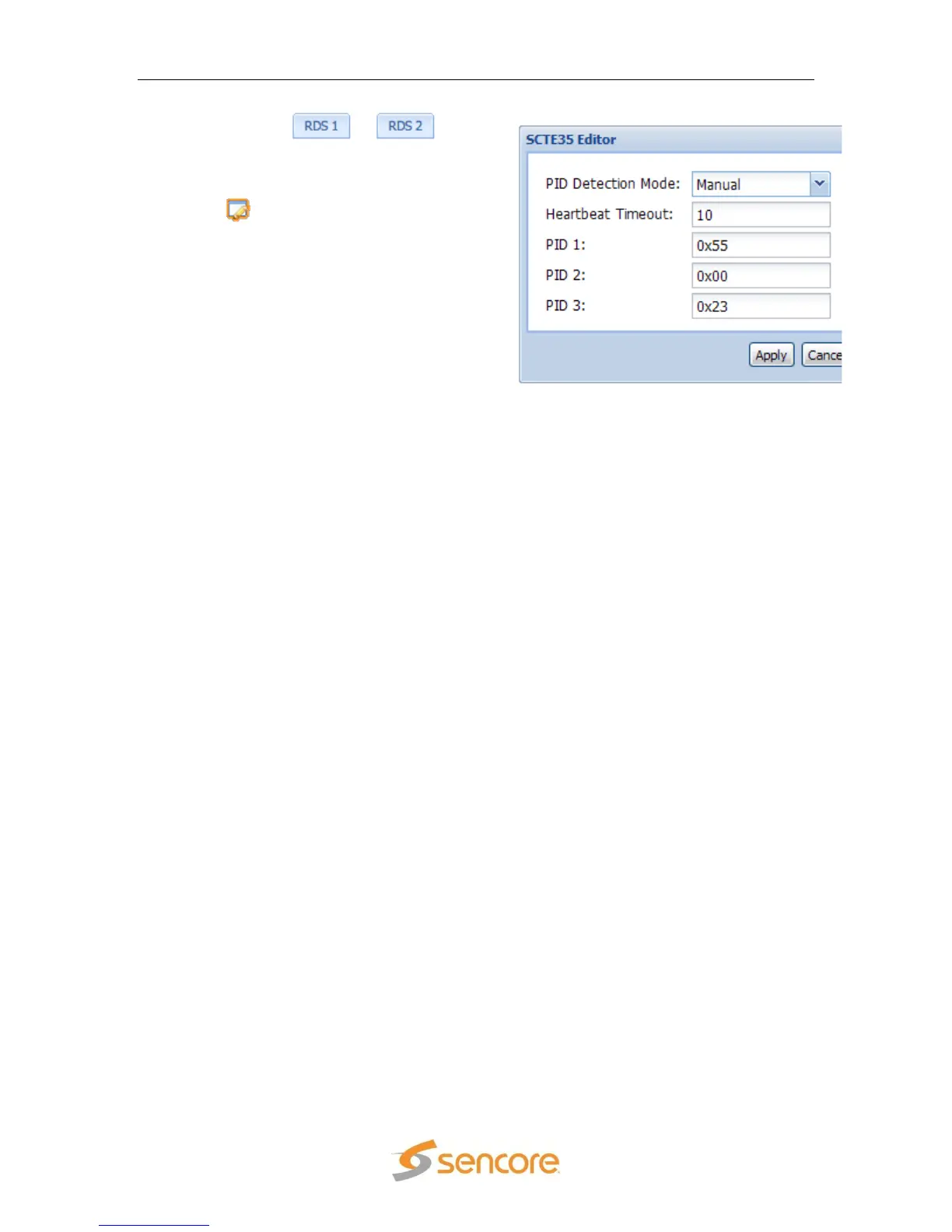
1. Click on the or tab of
the corresponding RDS that needs to
be configured.
2. Under the “Services” heading, click on
the button next to the “SCTE35”
option.
3. Set the “PID Detection Mode” to either
“Auto, or Manual.”
4. Next, enter the “Heartbeat Timeout:” in
minutes.
5. If “Manual” is selected in the above
drop down box, “PID 1, PID 2, and PID
3” can be set as the PIDs that the MRD
3187B will monitor for SCTE35 events.
Note: If “Manual” PID Detection Mode is selected the following boxes become
available to configure: “PID 1, PID 2, and PID 3.”
Note: If “Auto” mode is selected the MRD 3187B will pick the first three DPI PIDs in
the PMT’s registration descriptor to monitor for SCTE35 events.
5.3.2.5 SCTE104 Splice Requests
To setup SCTE104 Splice Requests follow the steps below. The SCTE104 Splice
Requests are available for the GPIO Module option (8713).
Note: Up to 4 SCTE104 Splice Requests can be set up at one time. Use the tabs at
the top of the editor to configure a different Splice Request.



 To Next Page