The SL Boundary 114-S DW
114
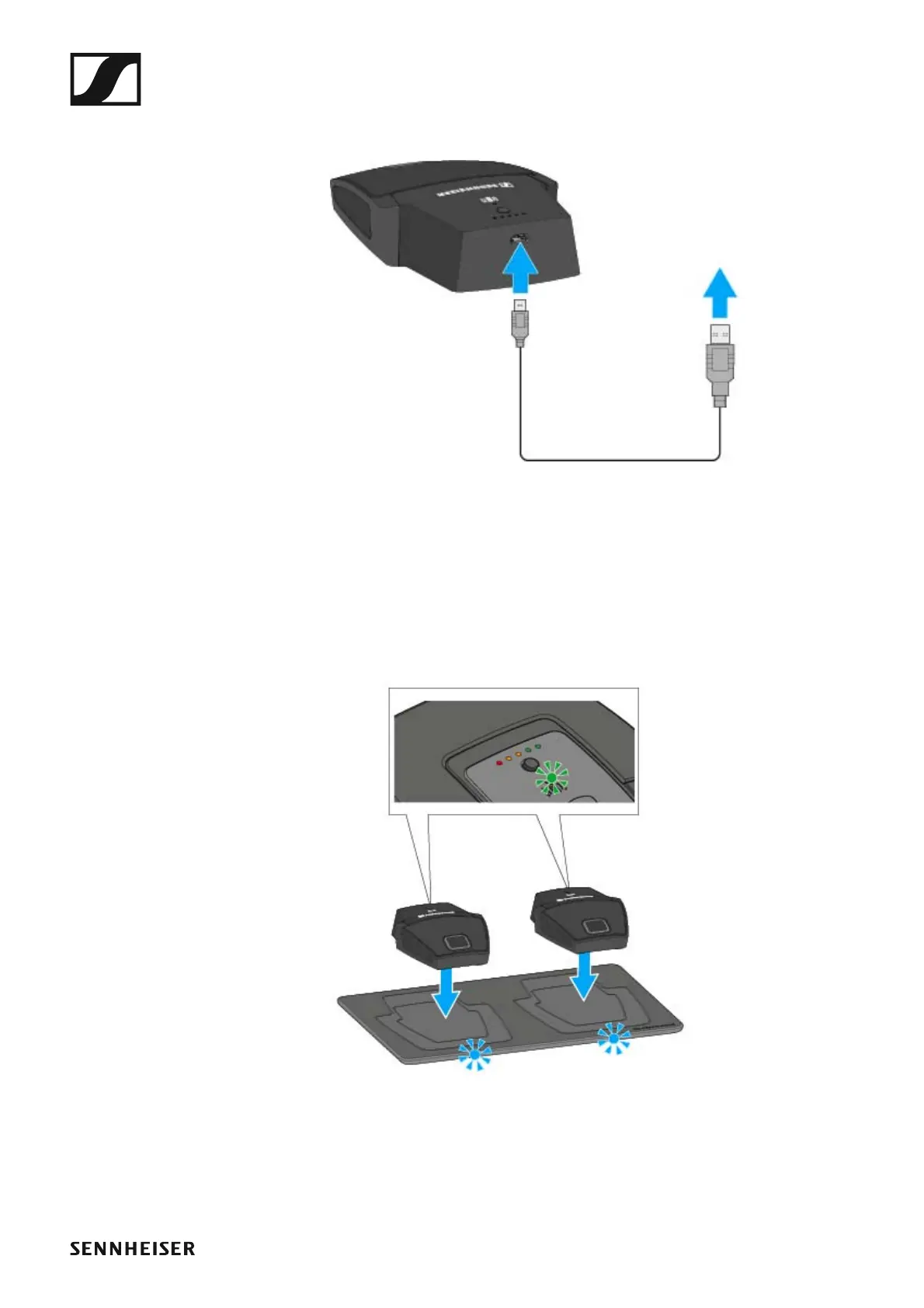
Charging the boundary microphone via USB
To charge the boundary microphone via USB:
►
▷ Connect the USB cable’s Micro-USB plug to the Micro-USB socket of
the boundary microphone.
▷ Plug the other end of the USB cable into a USB power supply unit.
The charge level LEDs indicate the charge level.
Charging the boundary microphone using the CHG 2W wireless charging
base
To charge the boundary microphone using the CHG 2W charging base:
►
▷ Place the boundary microphone on the CHG 2W charging base in the
area marked.
If the boundary microphone is positioned correctly on the charging sur-
face, the alignment LED lights up green.
The LEDs on the CHG 2W charging base flash blue during charging.
You can find more information about the CHG 2W wireless charging base
under „The CHG 2W charging base”.



 To Next Page