The CHG 4N charger
163
▷ Change the IP settings under Device Details -> Network in the Senn-
heiser Control Cockpit.
Connecting a pre-configured CHG 4N charger to the Sennheiser Control
Cockpit
If mDNS is activated (factory setting), the CHG 4N charger is automatically
detected in the network.
If the charger has been reconfigured according to one of the procedures
described above and mDNS has been deactivated, you can add the charger
manually using the Add Device function in the Sennheiser Control Cock-
pit.
To add the charger in the Sennheiser Control Cockpit:
▷ Use the Add Device function in the Sennheiser Control Cockpit and
enter the pre-configured IP address.
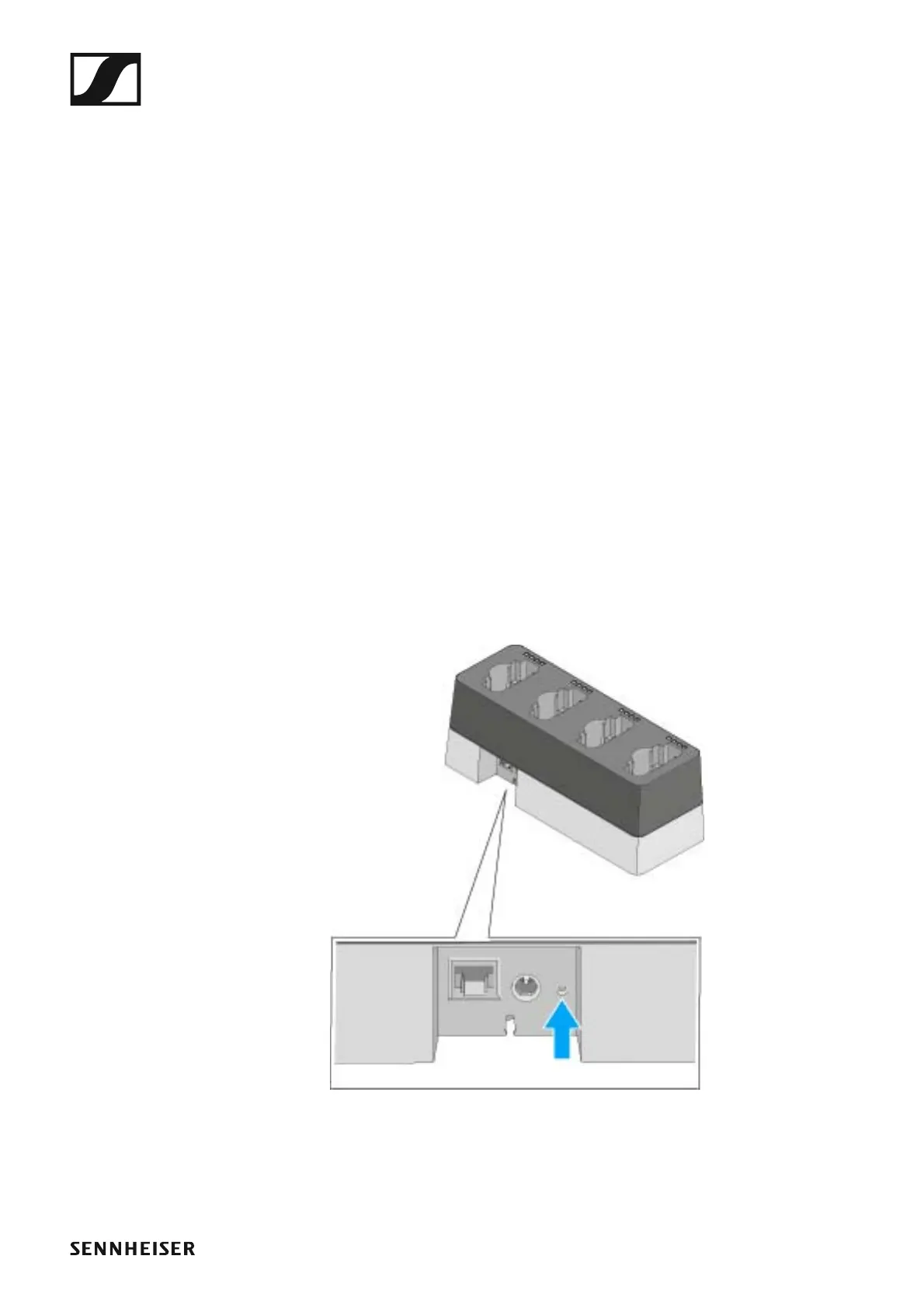
Resetting the CHG 4N charger’s network settings
To reset the network settings to their factory defaults:
▷ Use a pointed object to press the small reset button for at least one
second.
The settings will be reset once you release the reset button. The factory
settings are restored:
• Automatic IP assignment
• mDNS is activated
• Name and installation location are reset, provided they were changed
in the Sennheiser Control Cockpit.
►



 To Next Page