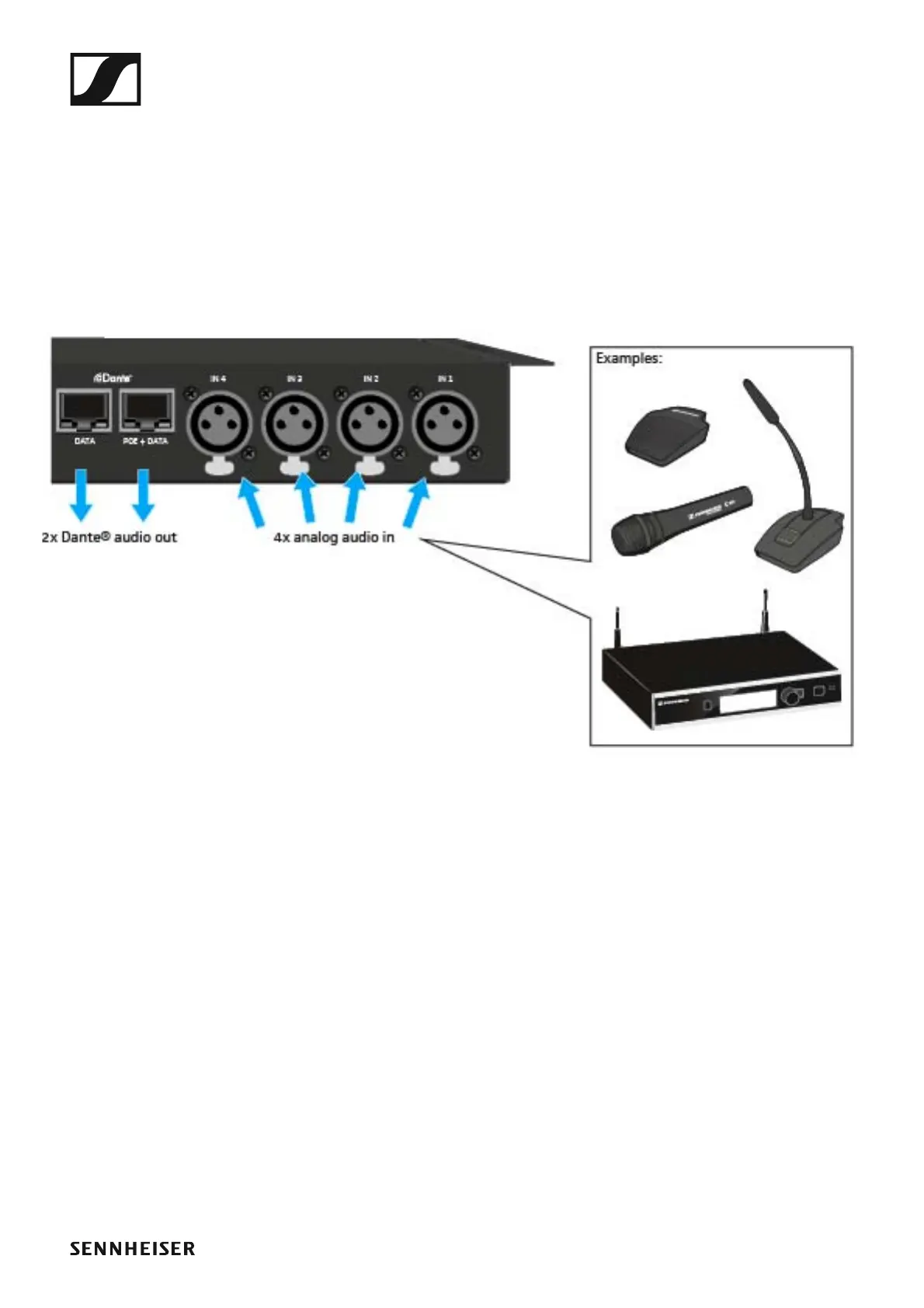
The SL DI 4 XLR Dante™ interface
143
Connecting audio signals
You can connect a total of four analog audio signals (e.g. from microphone
receivers (SL Rack Receiver DW) or wired microphones) to the SL DI 4 XLR.
You can change the settings for the respective microphone input using the
SL DI CONTROL software (see „Configuring the SL DI 4 XLR using the SL
DI CONTROL software”).
To connect analog audio signals to the SL DI 4 XLR:
▷ Use an XLR-3 cable to connect the audio device to one of the four XLR
inputs.
►
Via the DATA and POE + DATA Ethernet sockets, the audio signals are
routed, using Dante™, to a Dante™-enabled device.
The destination of the Dante™ stream is configured using a Dante™
software controller. This controller is not part of the SL DI CONTROL
software.



 To Next Page