The SL DI 4 XLR Dante™ interface
148
Saving and loading settings
You can save the settings made as presets or as files.
To save the settings:
▷ Click on the folder icon on the left of the navigation bar.
►
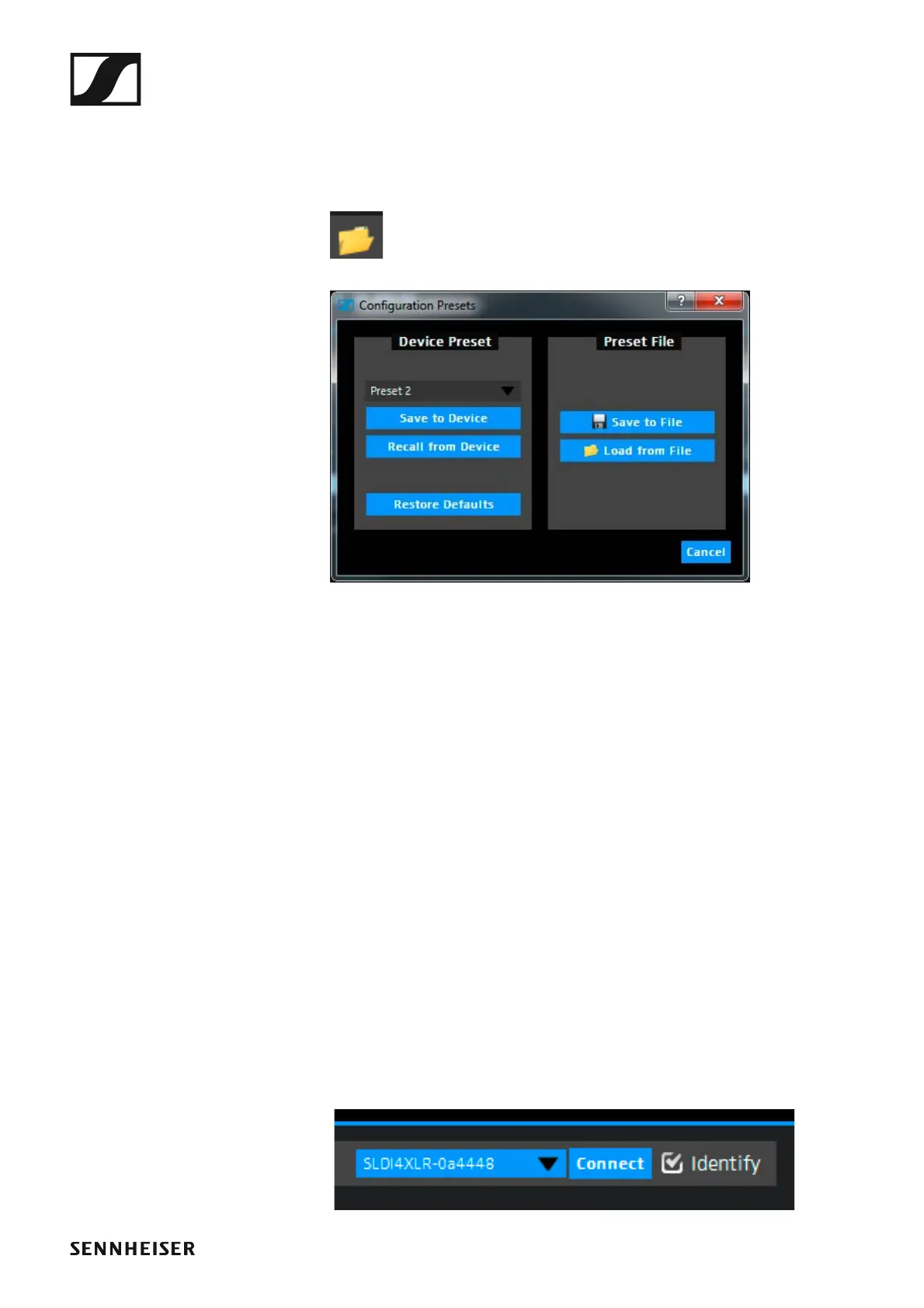
The following dialog box opens.
►
To save the settings as a preset:
▷ From the drop-down list in the Device Preset box, select a preset to
which you want to save the settings.
The settings can be saved in 10 presets.
▷ Click Save to Device.
To load the settings saved as a preset:
▷ Select the desired preset from the drop-down list in the Device Preset
box.
▷ Click Recall from Device.
To save the settings as a file:
▷ Click on Save to File in the Device Preset box.
▷ Select a location and a file name.
The file is saved with the extension *.cfg.
To load the settings from a file:
▷ Click Load from File in the Device Preset box.
▷ Open the location of the desired file.
Identifying devices
If you are using several SL DI 4 XLR devices and want to know which device
in the software corresponds to which hardware in your installation, you can
use the Identify function.
▷ Tick the Identify check box at the right of the navigation bar.
►
All four PAD LEDs flash on the corresponding SL DI 4 XLR.



 To Next Page