The SL DI 4 XLR Dante™ interface
149
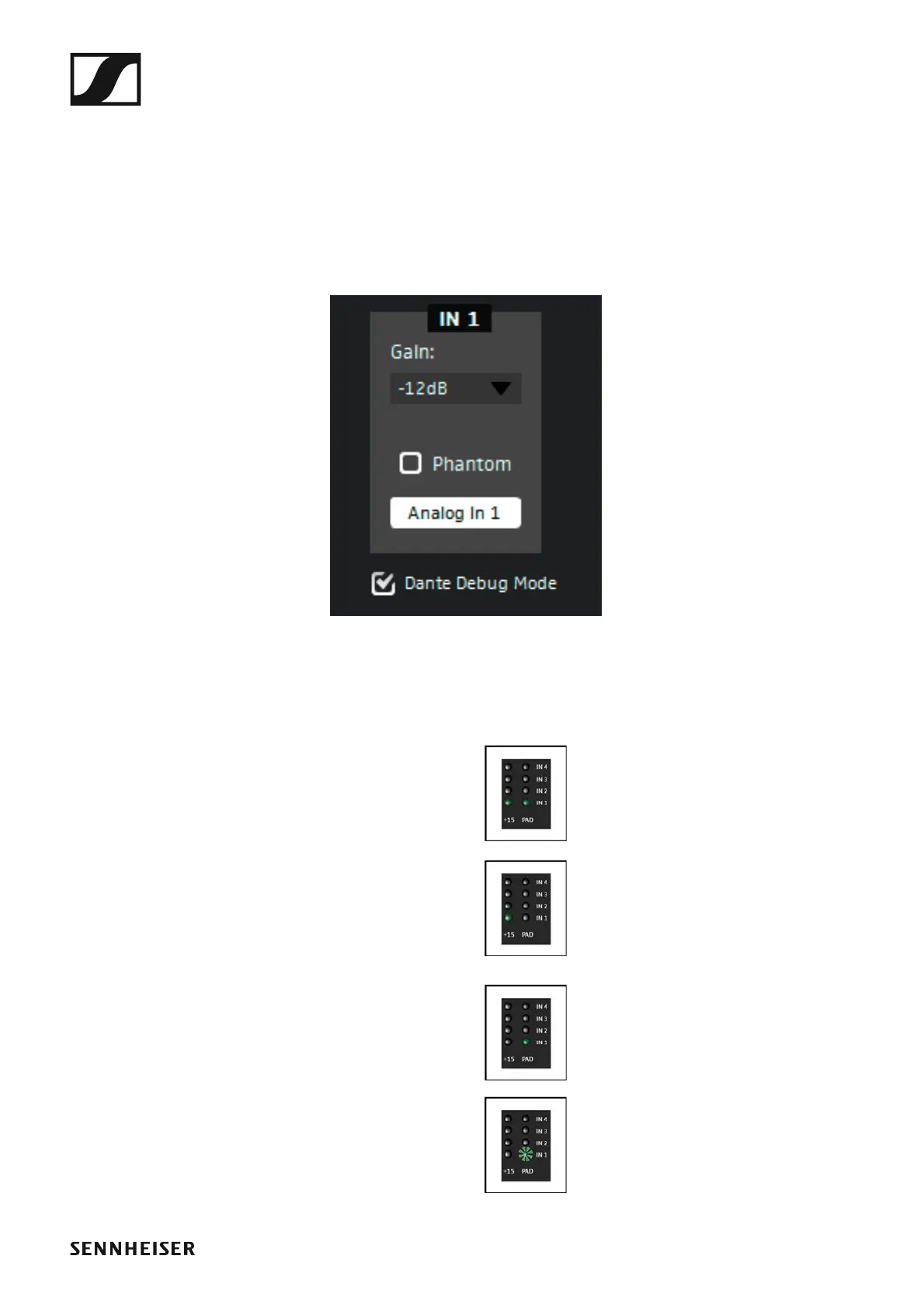
The Dante Debug Mode
In Dante Debug Mode, the LEDs at the front of the SL DI 4 XLR indicate the
diagnostic status.
After start-up of the SL DI 4 XLR, the diagnostic status is displayed for ap-
prox. 20 seconds before the level and phantom power settings are shown.
To manually display the diagnostic status:
▷ Tick the Dante Debug Mode check box in the lower left corner of the
configuration window.
►
At the front of the SL DI 4 XLR, the PAD and +15 LEDs of the IN 1, IN 3 and
IN 4 inputs indicate the following status information:
►
IN 1 input: SYNC
►
The PAD and the +15 LED of the IN 1
input light up:
PTP is being synchronized.
►
The +15 LED of the IN 1 input lights
up:
PTP Error / No PTP Sync / PTP deac-
tivated
►
The PAD LED of the IN 1 input lights
up:
PTP Slave, with PTP Sync
►
The PAD LED of the IN 1 input flash-
es:
PTP Master



 To Next Page