Tuning CDHD
200 User Manual
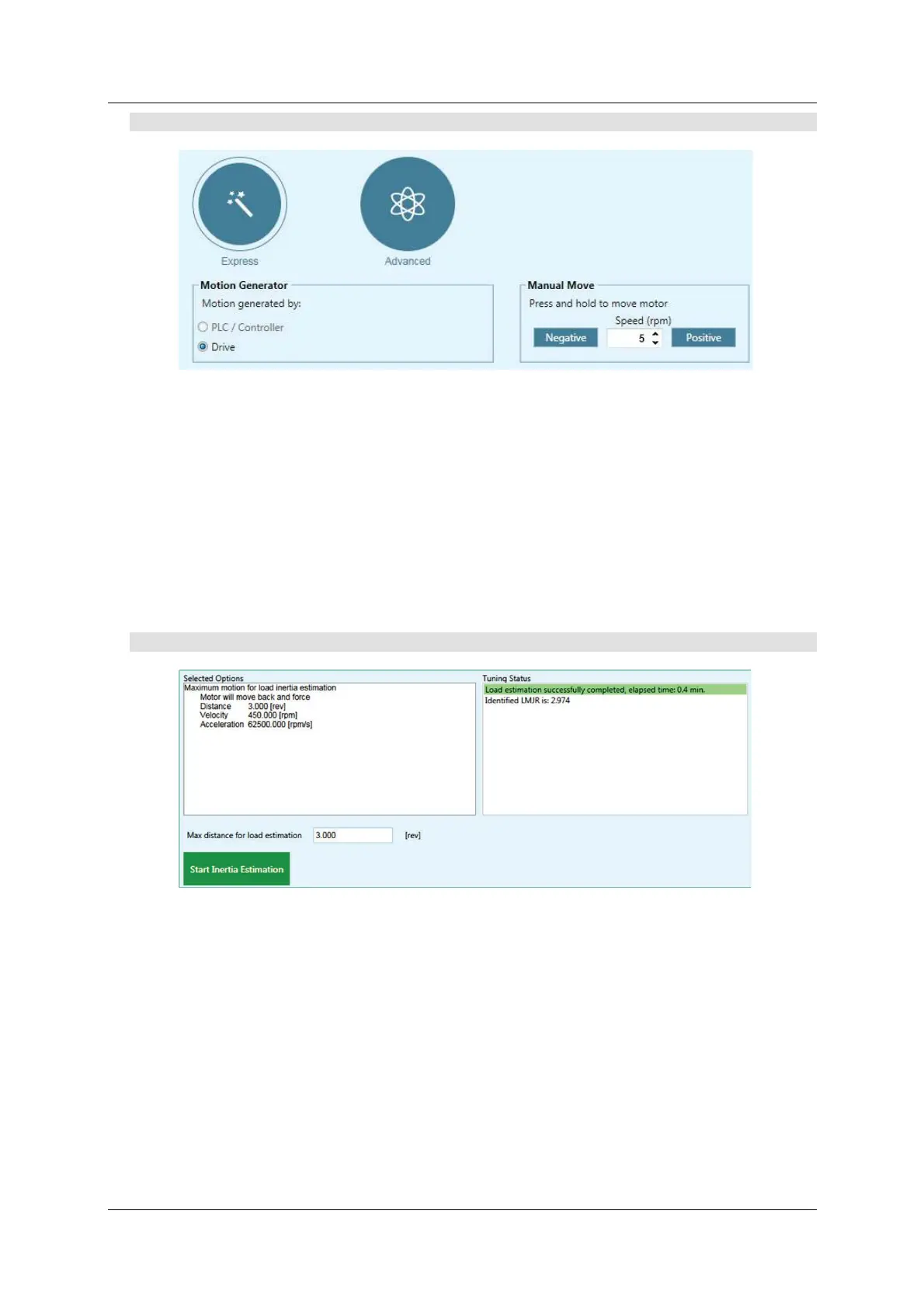
St e p 1 – Tuning Mode
Figur e 9 - 7 . Aut otu nin g – Tu nin g Mo de
1 . Select the Tuning Mode: Advanced (or Express).
2 . Set the m otion generator: D r ive
3 . Mot ion testing norm ally st arts at the midpoint of the m ovement stroke. I f a
different start position is required by the application, use Manual M ove .
Use the N e ga tive and Positive butt ons t o bring the load t o a position at
which the motor can safely m ake three rotations in each direction. Press and
hold the buttons for continuous m otion.
4 . Click N e x t t o continue.
St e p 2 – Load/ Motor I nertia Rat io
Figur e 9 - 8 . Aut otu nin g – I ne rt ia Rat io Est im a t ion
Norm ally, you should allow the servo drive to estimate the load/ motor inertia
ratio (LM JR).
You m ay need t o set the mom ent of inertia manually (see
St ep 4 – Options:
LMJR Values
) to achieve bet ter perform ance, in instances such as:
I f t he load/ m ot or ratio is very big.
I f you know t he exact value of the inertia of the load connected to the
m ot or.
If the inertia of the load varies.
If using a m ulti-axis robot .
Click N e x t to continue.



 To Next Page