CDHD Tuning
User Manual 201
St e p 3 – Move m e nt
N ote: Movem ent step is available only when the drive is the m otion generator.
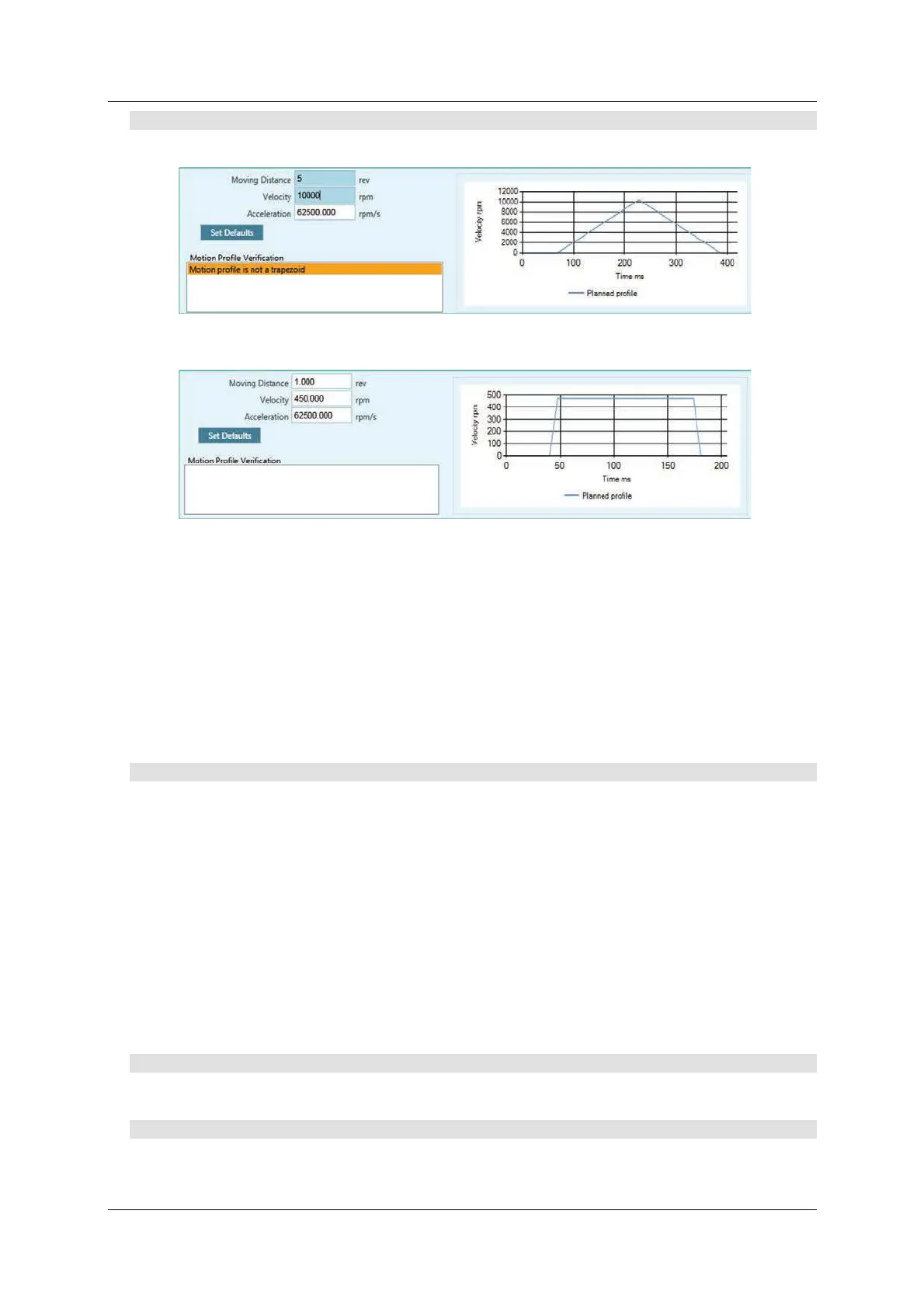
Figur e 9 - 9 . Aut otu nin g – M ot ion Profile . N ot Su it a ble
Figur e 9 - 1 0 . Autotuning – M ot ion Profile. Suita ble
Autotuning must be perform ed using a m otion profile t hat replicat es the actual
mechanical characteristics of the movem ent to be performed in the application.
Use values that produce a trapezoidal profile on the graph. The soft ware will
indicate whether or not the profile is suitable for the autotuning procedure.
Highlighted orange: profile is possible, but not recomm ended
Highlighted red: profile cannot be used.
Click N e x t to continue.
St e p 4 – Opt ions: Vibra t ion Suppression
Select Vibra t ion Suppression for autom atic tuning of the parameter sets
Antivibration2 and Antivibration3.
Clear this option if you want to set vibration suppression parameters manually,
or if the application does not require vibration suppression.
Enhanced ant i-vibration will have the following effect on perform ance:
Will damp oscillations, thereby im proving settling tim e.
May allow a higher gain of the HD loop.
May increase the position error of the m ot or, but reduce the position
error and oscillat ion of t he end effect or.
Click N e x t to continue.
St e p 4 – Options: Ver tica l Applicat ion
Not y et supported.
St e p 4 – Options: Acce ler a t ion Fe edforw ar d
Select this option to reduce tracking error during m otion.
I f selected, the autotuning sets the value of parameter KN LFARC.



 To Next Page