5.7 Managing Files
5-29
CBM-20A/20Alite
5
4
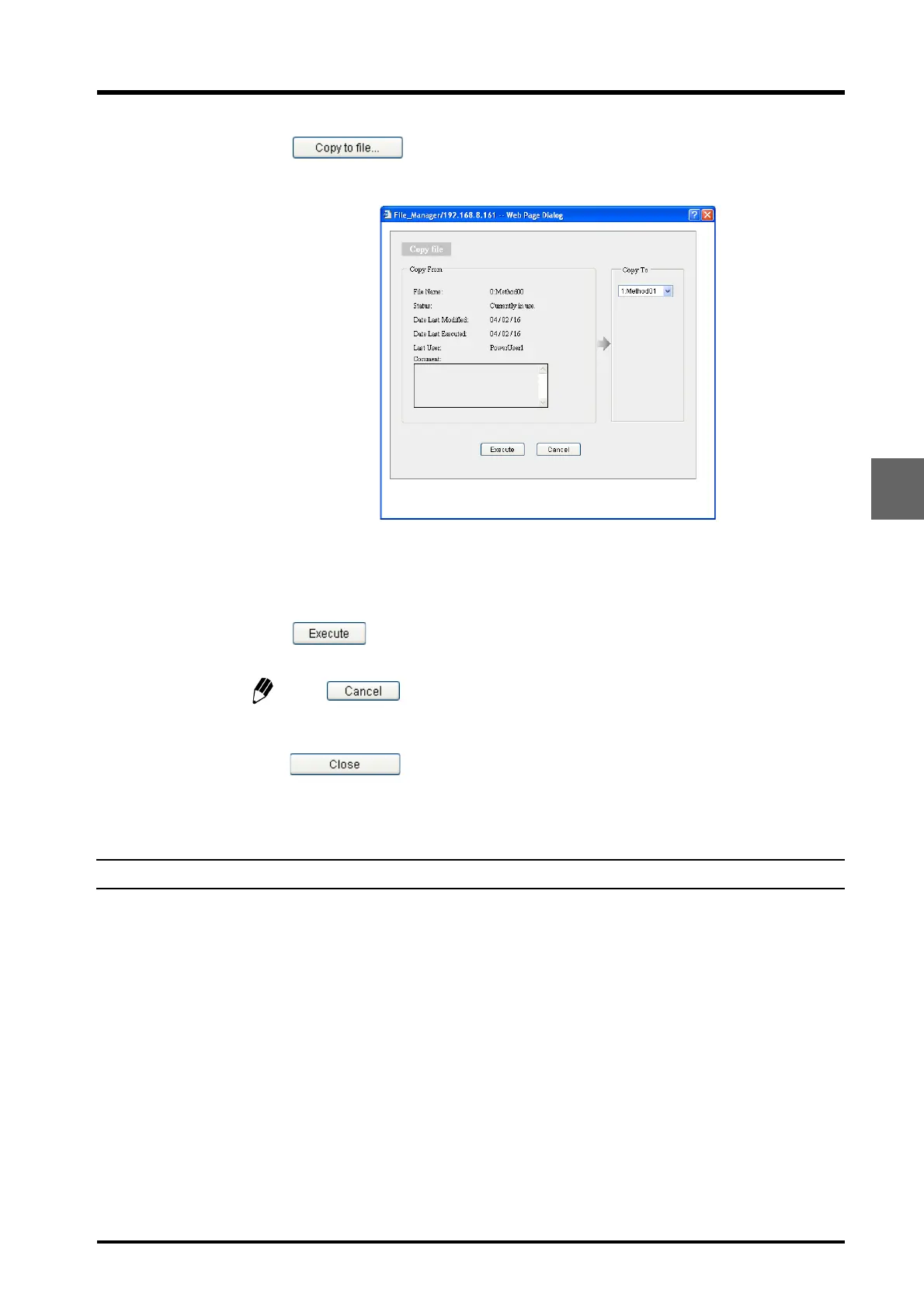
Click .
The following window is displayed.
5
Select the file to be copied to from the [Copy To] pull-down menu.
6
Click .
The parameters in the file selected in step 3 are copied to the file selected in step 5.
Click to close the window and return to the "Save file" window.
7
Repeat steps 3 to 6 until all the required files are copied. To end the copying procedure,
click in the "Save file" window.
The "Save file" window closes.
5.7.3 Downloading Files from a PC
Method and sequence files that have been saved to a PC can be downloaded. The procedure
is the same for both file types.
Files saved to a PC can be downloaded from either the "Analysis" tab page or the "Editing"
tab page.
The procedure for downloading files from the "Analysis" tab page is described below.



 To Next Page