2. Parts Identification and Function
2-12
CBM-20A/20Alite
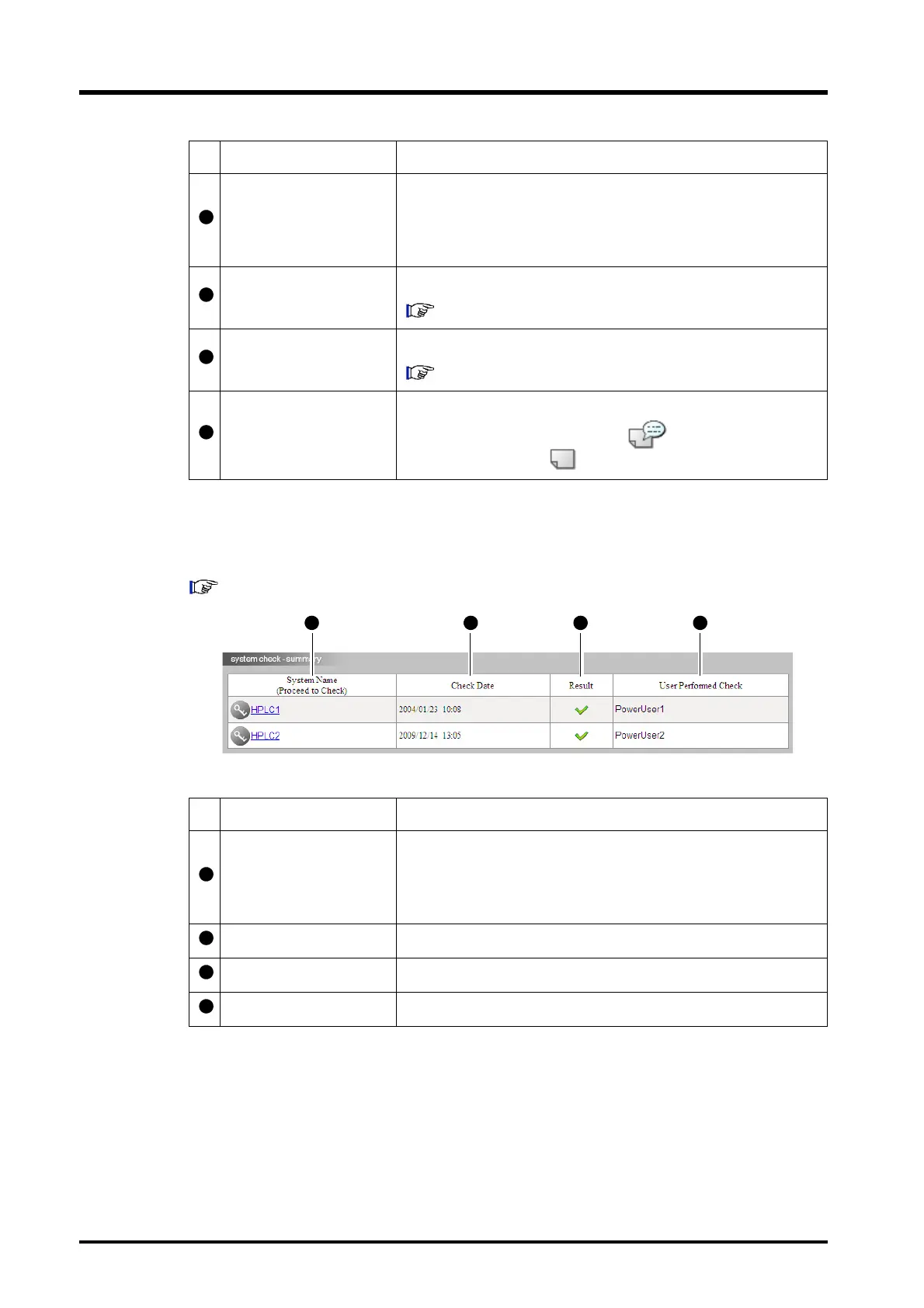
"System Check" Tab Page
The "System Check" tab page displays the results of system checks for all the systems.
"8.1 Checking the System" P. 8-2
Scheduled End Time
If the analysis sequence is being performed with the use of an
autosampler, the scheduled end time for the analysis sequence is
displayed. This end time is displayed only while the sequence is
running. At other times [-] is displayed.
System Check
Displays the results of the system check.
"8.1.1 System Check Results" P. 8-4
Maintenance
Displays the maintenance information.
"8.2.2 "Maintenance" Tab Page Display" P. 8-9
Memo
It is possible to attach a memo containing system-related
information. Indicates that a memo is provided and
indicates that a memo has not been provided.
Display item Description
System Name
(Proceed to Check)
Displays the name of the system configured with the system
controller. Click on the icon or the system name to display the
"Login" window for the "System Check Execution and Result"
window.
Last Date Displays the date and time of the last system check.
Result Displays the result of the last system check.
User Performed Check The user name that performed the last system check.
Display item Description



 To Next Page