5.9 Managing Groups
5-39
CBM-20A/20Alite
5
5.9 Managing Groups
With this system controller, it is possible to change and delete the user information and
components registered to groups as well as register new components and users. These
functions are used in the "Group Settings" application.
Only Administrators can log into the "Group Settings" application. It is not possible to
log into a system if there is a user already logged in, there is an active login restriction,
or analysis is being performed by that system.
When changing network settings without connecting to the network, make the changes
from the [Calibration] menu of the LC-30A/20A series pump (LC-30AD/20AB/20AD/
20AT/20AP, etc.), autosampler (SIL-30AC/30ACMP/20A/20AC, etc.), UV detector
(SPD-20A/20AV), or fluorometric detector (RF-20A/20Axs) or using terminal software
via an RS-232C connection.
"9.3.2 Making TCP/IP-related Settings" P. 9-30
5.9.1 Displaying the "Group Settings" Application Window
Use the following procedure to display the "Group Settings" application window.
1
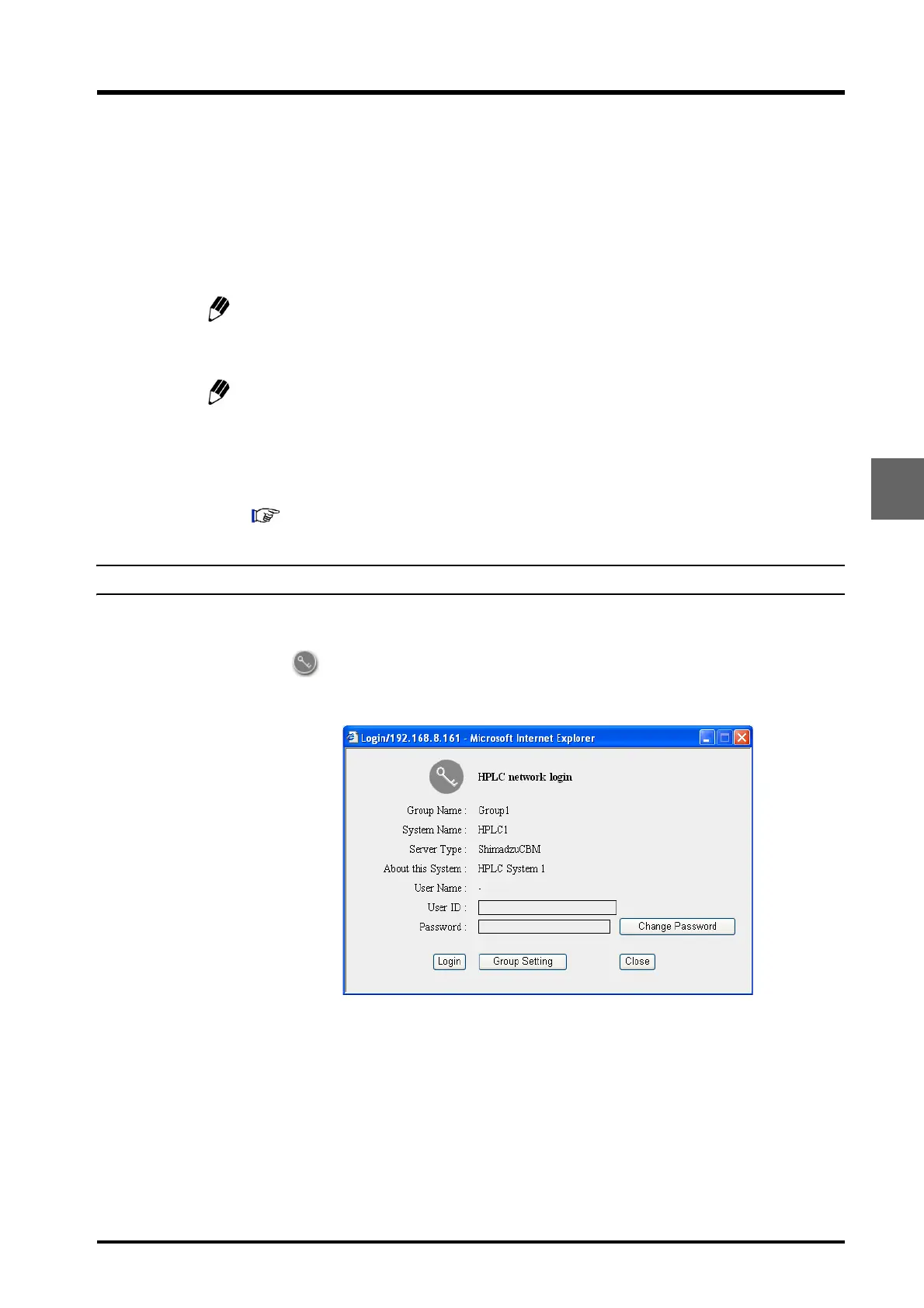
Click or the system name in the "Status" tab page.
The "Login" window is displayed.



 To Next Page