5. Application Operation
5-38
CBM-20A/20Alite
1
Click in the "Analysis Execution" application window.
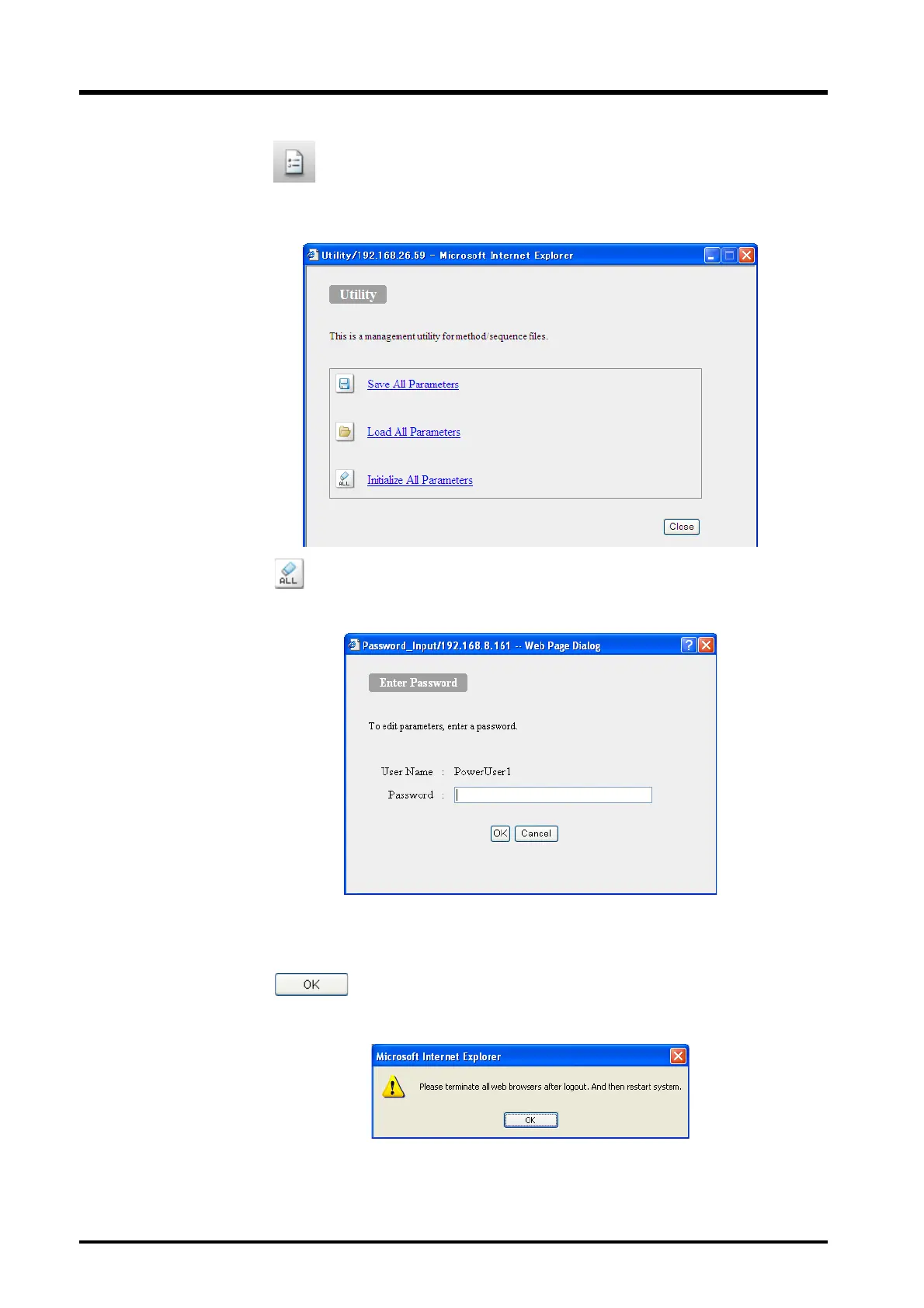
The "Utility" window is displayed.
2
Click or [Initialize All Parameters].
The following window is displayed.
3
Input the user password.
4
Click .
The following window is displayed.
5
Close the browser and turn OFF the power to the system controller. The parameters
are initialized when power is turned ON.



 To Next Page