4. Basic Operation
4-6
CBM-20A/20Alite
4.1.7 Executing Autopurge
The Autopurge function replaces the solvents in the flow line from the suction filter to the
autosampler and in the autosampler's measuring pump with the mobile phase used for
analysis and the rinse solution.
1
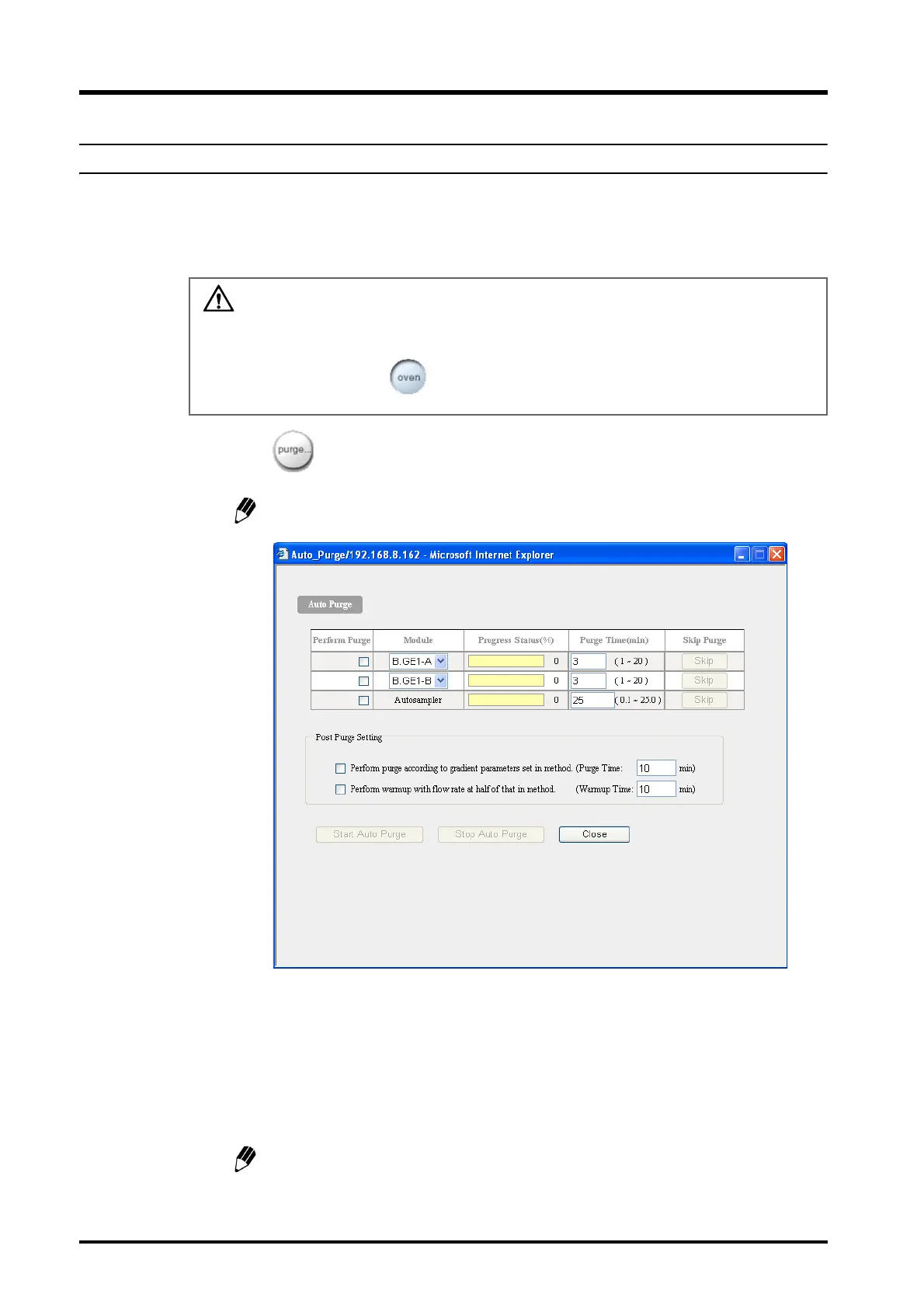
Click in the "Method" section.
The "Autopurge" window is displayed.
The displayed items vary with the system configuration.
2
Confirm that the boxes in the [Perform Purge] column corresponding to the mobile
phase to be purged and the autosampler are selected. If they are not, click on the
appropriate boxes.
3
Input the appropriate purge time (in minutes) for the solvent delivery module in the
[Purge Time] column.
The setting range is 1 to 20 minutes. (The setting unit is 1 minute and the default
setting is 3 minutes.)
CAUTION
Be sure to confirm that temperature control for the column oven is OFF before executing
autopurge. If it is ON, click to turn temperature control OFF.



 To Next Page