3.4 Determine the System Configuration
3-9
CBM-20A/20Alite
3
3.4.1 Checking Connections between the System Controller and Components
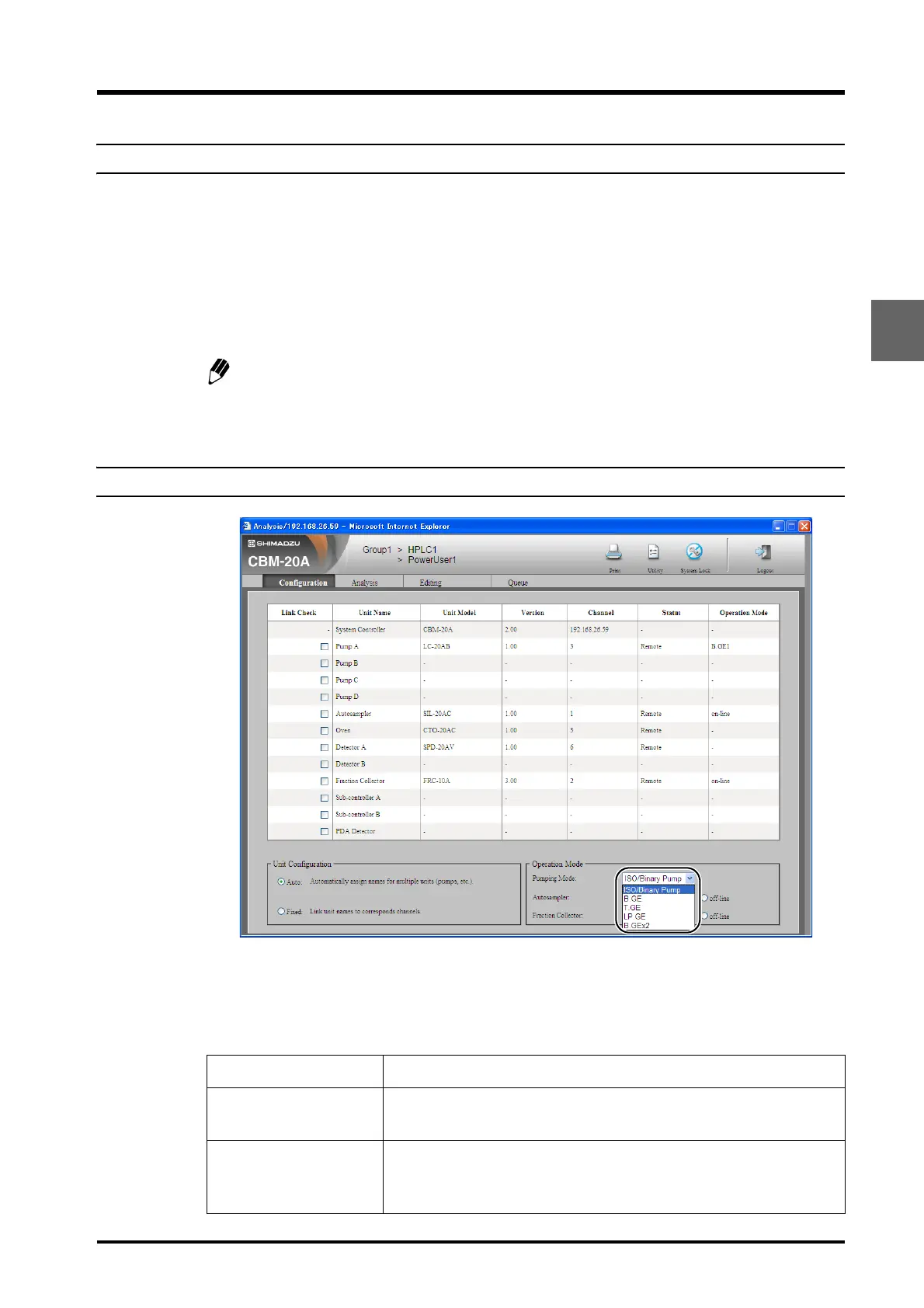
Check that the link status ("Status") for each of the components connected to the system
controller is "Remote".
If the model name ("Unit Model"), version, and link status are not displayed, check the power
supply of the component and verify that the link address setting ("LINK ADRS") and the
remote-connector channel number agree for each component.
If the link status is "Local", verify that the local setting ("LOCAL") for each component is set to
"Remote".
Changing the local setting ("LOCAL") for each component to "Local" makes it possible
to use some of the functions that cannot be controlled by the system controller. Return
this setting to "Remote" when using the system controller to control the component.
3.4.2 Selecting the Pumping Mode
Specify the pumping mode for the solvent delivery module. The 5 modes described in the
following table are available.
Select the pumping mode from the [Pumping Mode] pull-down menu in the "Operation Mode"
section at the bottom right of the "Configuration" tab page.
Pumping mode Description
ISO/Binary Pump
Select this mode to use the isocratic pump connected to "Pump A" in
isocratic flow mode or use the LC-20AB Binary Pump to
"Pump A".
B.GE
Select this mode to use the binary gradient mode in combination with 2
isocratic pumps connected to Pump A and B. This enables the high-
pressure gradient pumping of 2 solvents.



 To Next Page