2. Parts Identification and Function
2-18
CBM-20A/20Alite
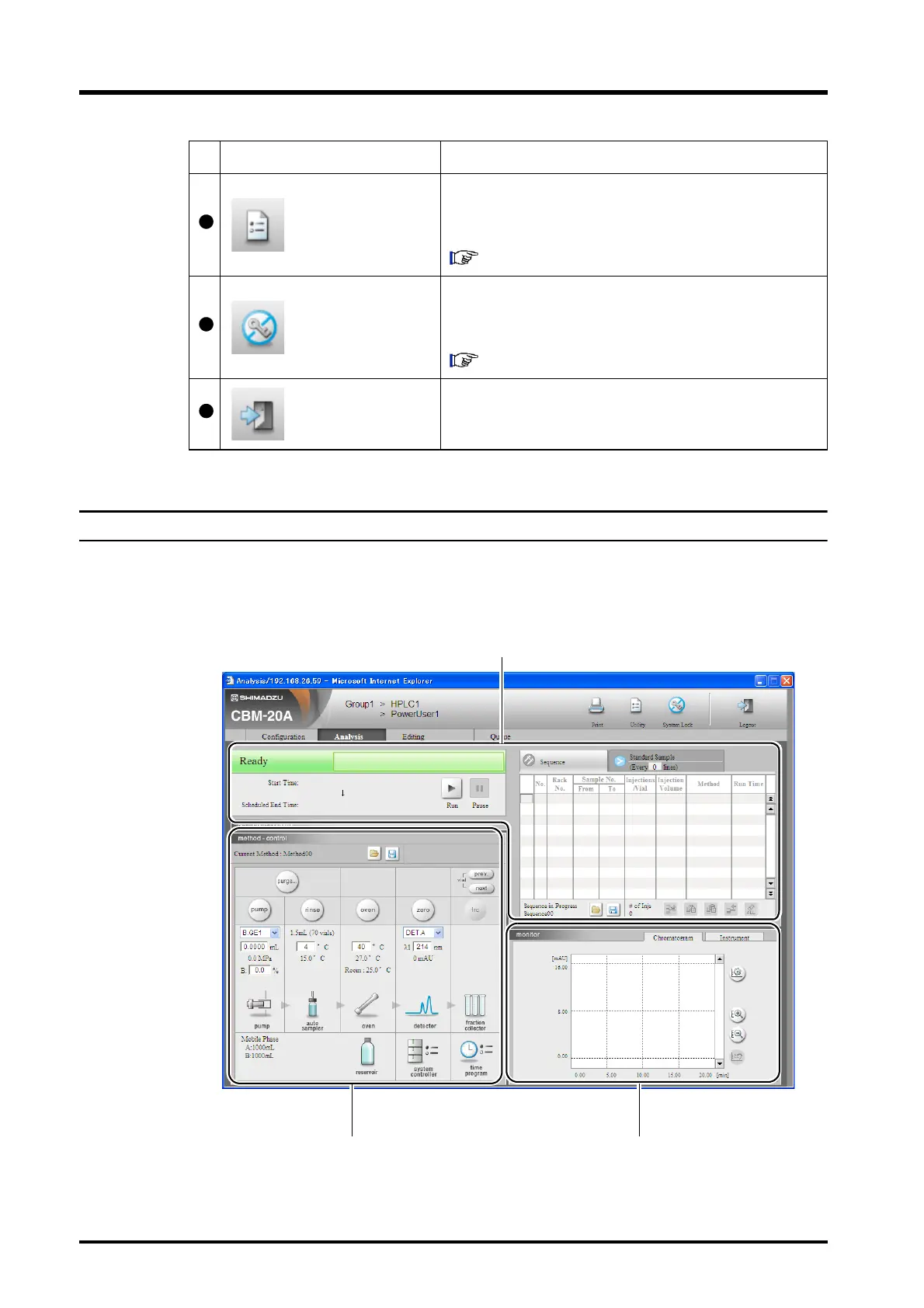
2.7.1 "Analysis" Tab Page
This page is used to start the analysis sequence, edit the selected method or sequence files,
control the system components, and display chromatograms. The "Analysis" tab page
consists of three sections: "Sequence", "Method", and "Monitor".
Utility button
Click to display the "Utility" window. This window can be
used to initialize settings or save all of the parameter
settings at once.
"5.8 Managing Component Parameters" P. 5-33
System-lock button
Click to retain control over the system even after logging
out. Other users cannot log in to the system while the
system lock is activated.
"5.11 Locking Systems" P. 5-56
Logout button
Click to log out of the "Analysis Execution" application and
return to the "Group Monitor" application.
Display item Description
"Sequence" section
"Method" section "Monitor" section



 To Next Page