2. Parts Identification and Function
2-2
CBM-20A/20Alite
2.1 Front Cover
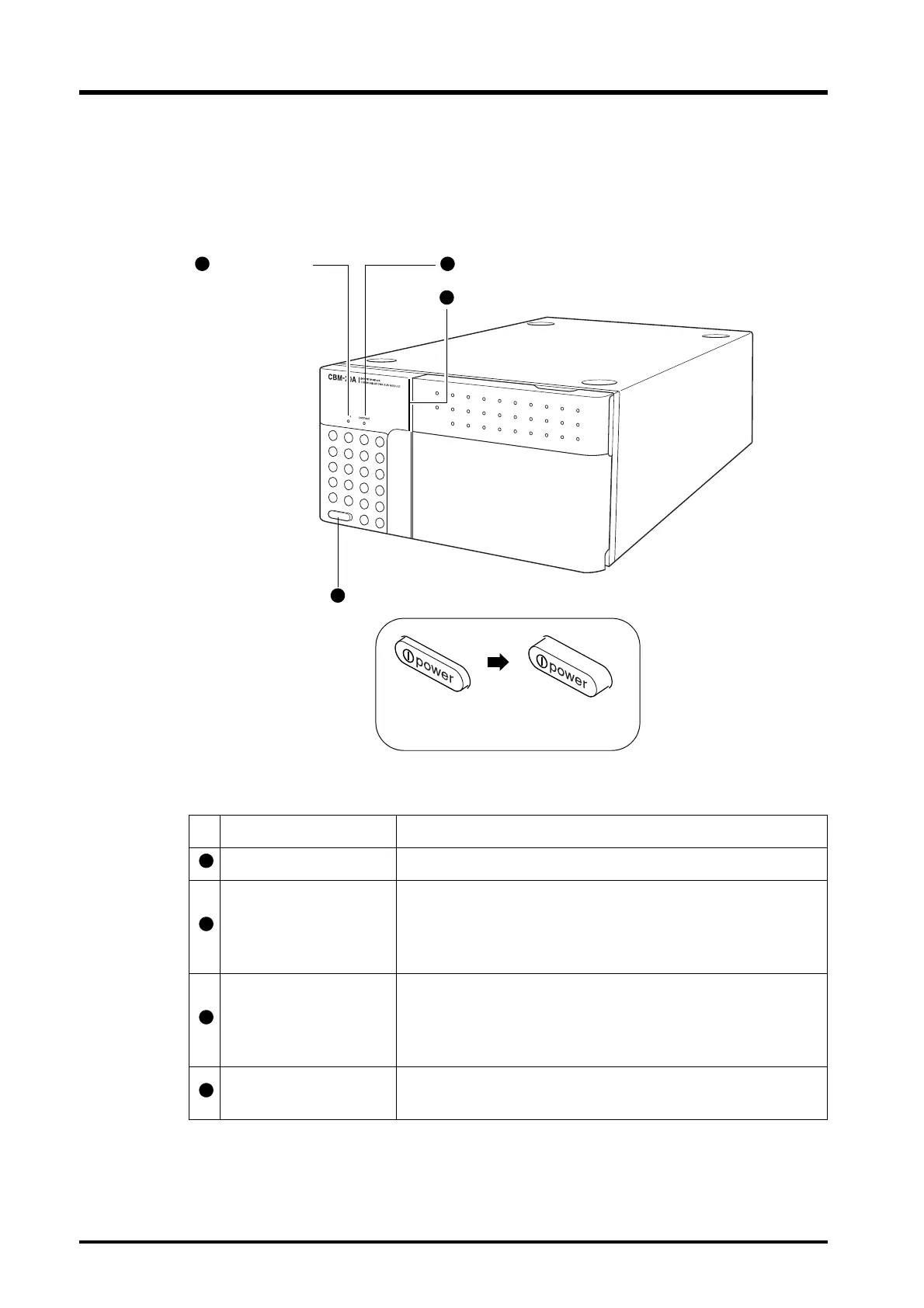
CBM-20A
Fig. 2.1
Name Description
Run indicator Turns ON when analysis starts and turns OFF when analysis stops.
Connection indicator
Turns ON when the system controller is controlled from PC
(Internet Explorer, LC Workstation) or Chromatopac. Flashes
during execution of the "Group settings" or "System Check"
application.
Status indicator
Indicates the system status using different colors.
Green: Power ON
Red: Error
Orange: Shut down status or sleep status
Power switch
Used to turn power ON/OFF. Press the switch in to turn power ON.
Press again to turn power OFF.
Press in
(power ON)
Press again
(power OFF)
Connection indicator



 To Next Page