3.4 Determine the System Configuration
3-13
CBM-20A/20Alite
3
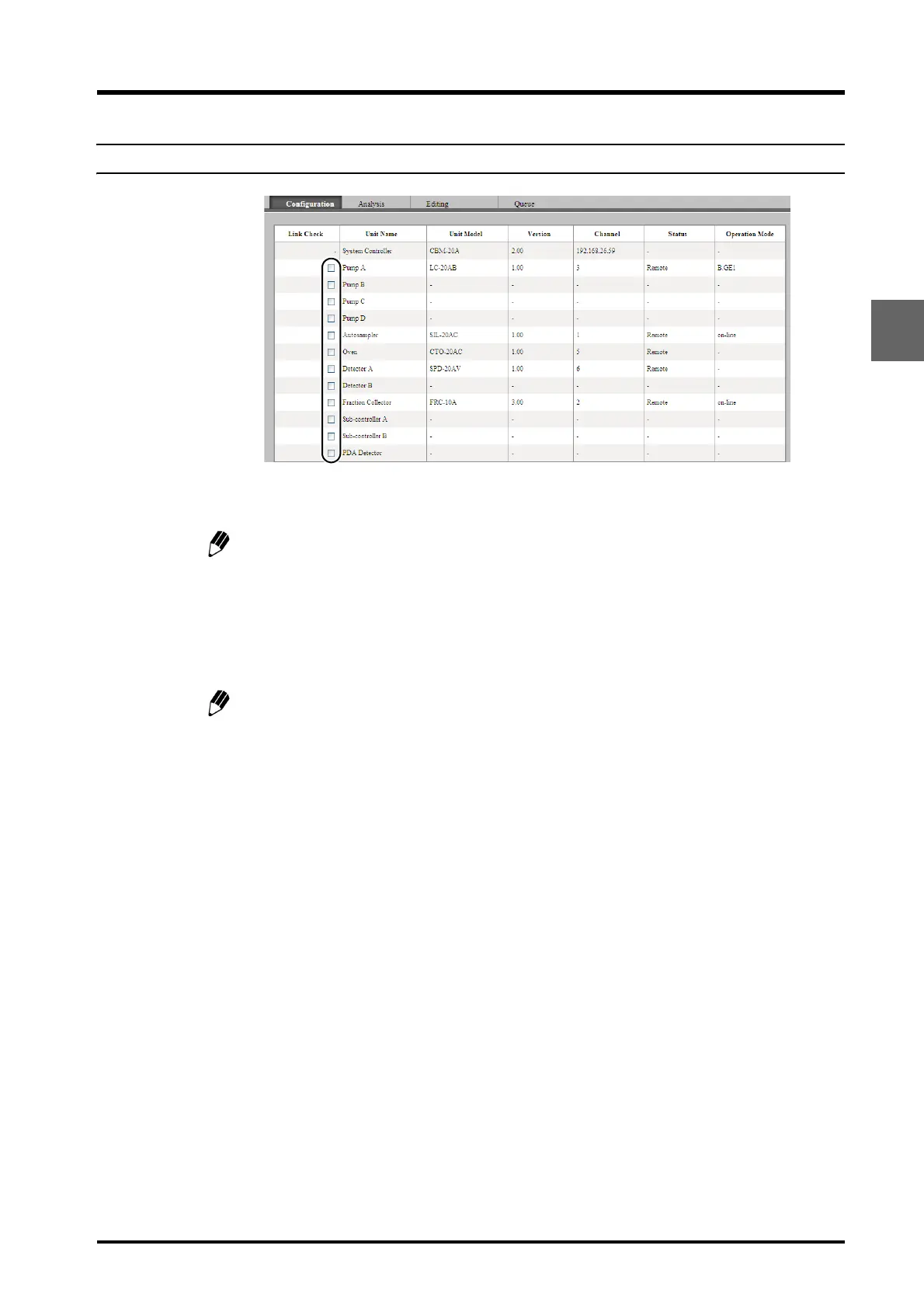
3.4.6 Making the Link Check Settings
Click the "Link Check" boxes of the components for which detection of connection errors is
required.
The link check is used to perform error processing of connection failures between the
system controller and a component. If the check box for a component is checked, an
error will occur and the current analysis will be stopped when the following operations
are performed:
• Link to the component is interrupted.
• The power to the component is turned OFF.
To prevent an error occurring when power to the system is turned OFF, either turn OFF
the power to the system controller and the components simultaneously or turn OFF the
power to the system controller first. (If an SPD-M20A/M30A PDA Detector is used,
however, turn OFF the power to the system controller or the detector and then turn
OFF the power to the other within 10 seconds.)



 To Next Page