9. Technical Information
9-26
CBM-20A/20Alite
System Controller Setup
The communication mode and interface can be set either from Internet Explorer or from an
LC-30A/20A-series Autosampler, Solvent Delivery Module, or Detector.
Setup from Internet Explorer
1
Turn ON the power to the system controller.
2
Start up Internet Explorer and log into the system controller.
3
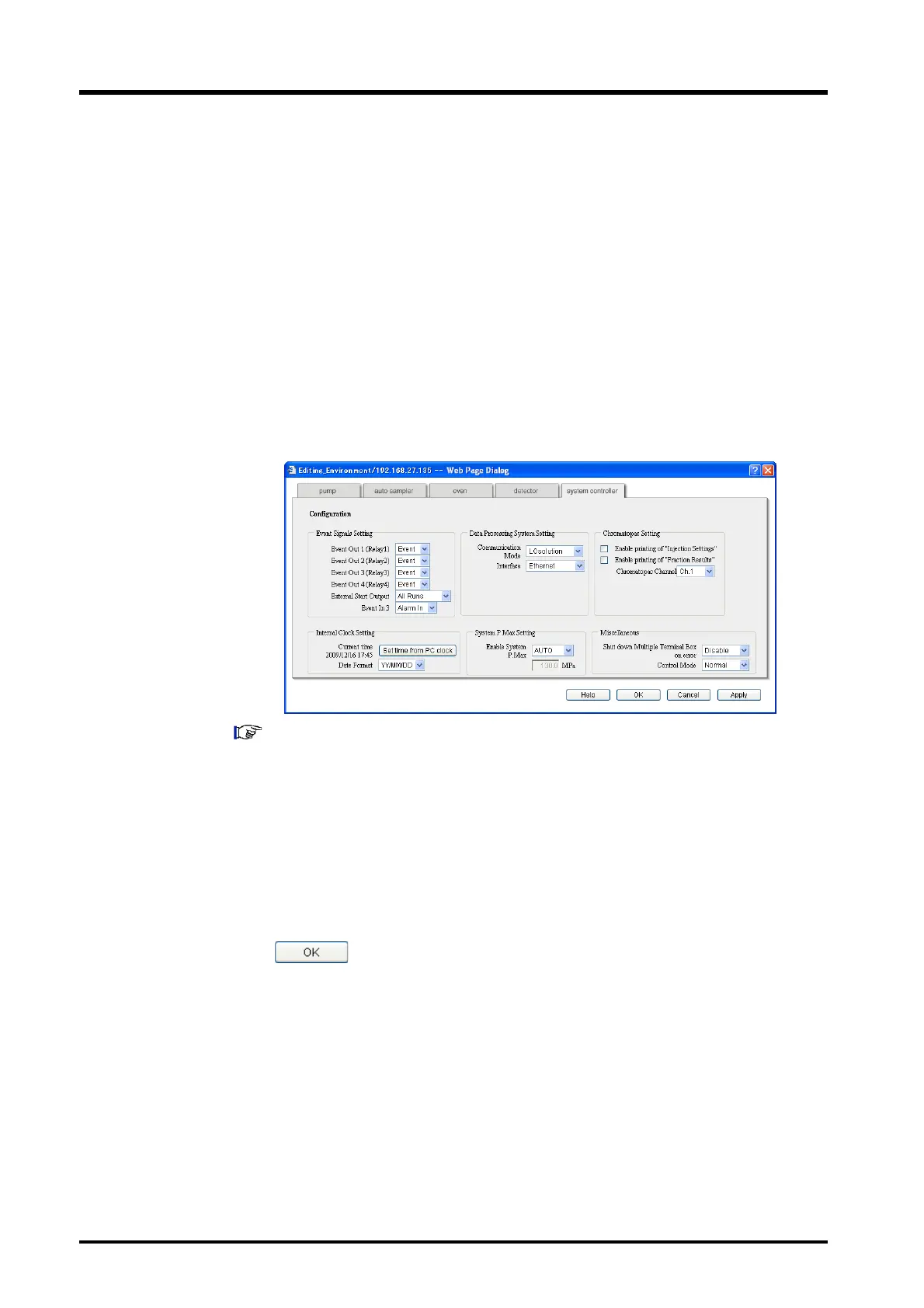
Display the "System Controller" tab page in the "Configuration Parameter" window.
"4.2 Creating Method Files" P. 4-10
4
Select the communication mode from the [Communication Mode] pull-down menu.
Select the model of the connected LC Workstation as the communication mode.
5
Select the interface from the [Interface] pull-down menu.
Select [Ethernet] if LC Workstation is connected via a network (ETHERNET). Select
[RS-232C] if LC Workstation is connected using RS-232C connectors.
6
Click to save the settings.
7
Close Internet Explorer.
8
Reset the power to the system controller.



 To Next Page