2. Parts Identification and Function
2-26
CBM-20A/20Alite
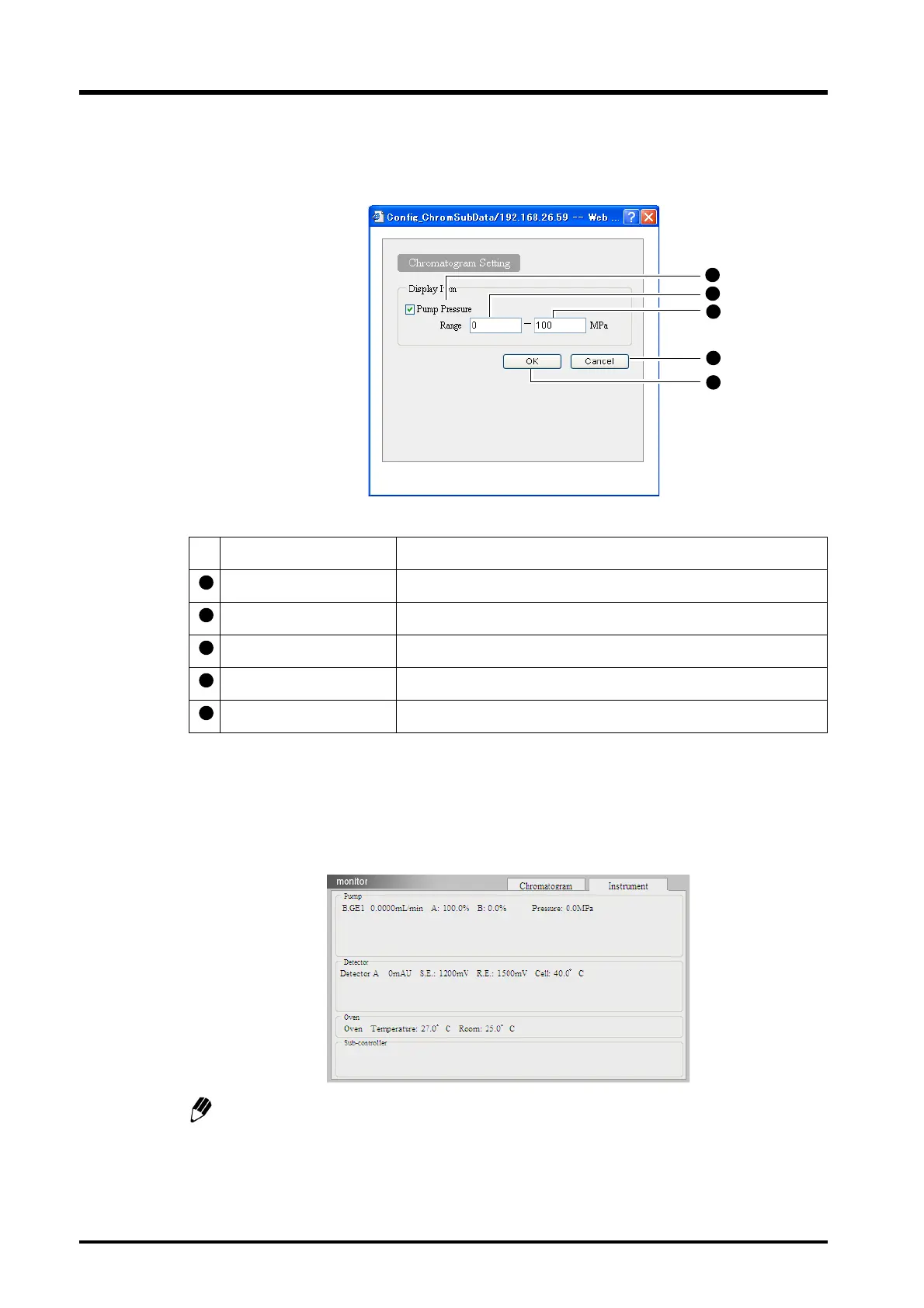
"Chromatogram Setting" Window
Click the chromatogram setting button to display the "Chromatogram Setting" window.
"Instrument" Tab Page
Click the [Instrument] tab to display the "Instrument" tab page. The monitor values for the
components are displayed.
The display contents vary depending on the components associated with the system.
Name Description
Pump Pressure Check the box to show the pump pressure in the chromatogram.
Range (minimum) Set the minimum value for the pump pressure display range.
Range (maximum) Set the maximum value for the pump pressure display range.
Cancel button Click to cancel the settings and close the window.
OK button Click to validate the settings and close the window.



 To Next Page