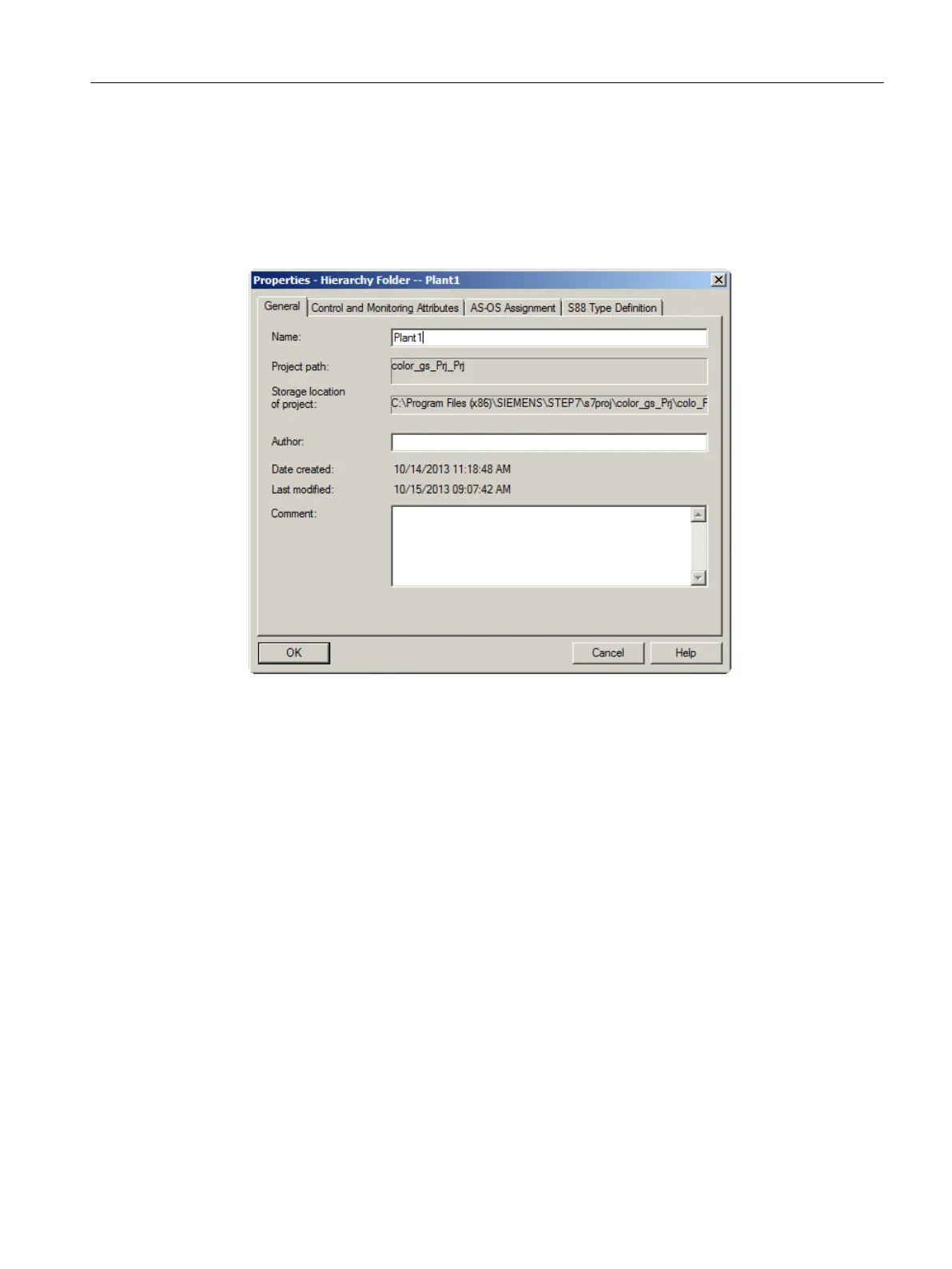
Procedure for renaming the "Plant" folder
1. Select the hierarchy folder "color_gs_prj_MP\color_gs_prj_Prj\Process cell(1)".
2. Select Edit > Object Properties.
The "Properties - Hierarchy Folder" dialog box opens with the "General" tab activated.
3. Enter "Plant1" in the "Name" input box.
4. Click "OK" to apply your settings.
The dialog box closes and the name of the hierarchy folder is changed to "Plant1".
Procedure for renaming the "Unit" folder
1. Select the hierarchy folder "Unit (1)".
2. Select Edit > Object Properties.
The "Properties - Hierarchy Folder" dialog box opens with the "General" tab activated.
3. Enter "RMT1" in the "Name" input box.
Initial work for the project
5.5 Working in the plant hierarchy
PCS 7 SMART Getting Started - Part 1 (V9.0 with APL)
Getting Started, 12/2017, A5E42181435-AA 55





 To Next Page