6-41
20-10. V. COM adjustment
Purpose : Adjusts for correct voltage of the DC bias
voltage of the common electrode signal of the
LCD panel.
Adjustment Error :Details of the LCD picture will be lost.
Flicker occurs easily. Vertical stripes will
appear.
Mode Playback PAUSE
Signal Alignment tape: color bar for
operation check segment
WR5-4CL (PAL)
WR5-4NL (NTSC)
Measurement point
To be confirmed on LCD display
Measuring equipment
Adjustment page F
Adjustment address DF
Adjustment procedure:
Note : This adjustment must be executed after the BRIGHT and
CONTRAST adjustments are completed.
Order Page Address Data Procedure
1 6 00 01 After setting the data, press the PAUSE button. (Preparation)
2 Establish the PB PAUSE state using operation keys of the camera.
3 F DF Change data using the PLAY and STOP buttons of the adjustment remote commander and
observe the noise bar portion. Find the noise bar showing noise similar to head clogging.
Keep pressing the PLAY button until black dots can be seen clearly. This data is DA. Then
keep pressing the STOP button until black dots can be seen clearly. This data is DB.
4 Convert the DA and DB to the decimal value which are DA' and DB'. (Use page 6-13
〈How to convert the hexadecimal number to decimal number〉 or “Hexadecimal-Decimal
Conversion Table”.)
Then calculate DC' using the equation
DC'= (DA' + DB') ÷ 2
5 F DF Set data to DC and press the PAUSE button.
6 6 00 00 After setting the data, press the PAUSE button. (End)
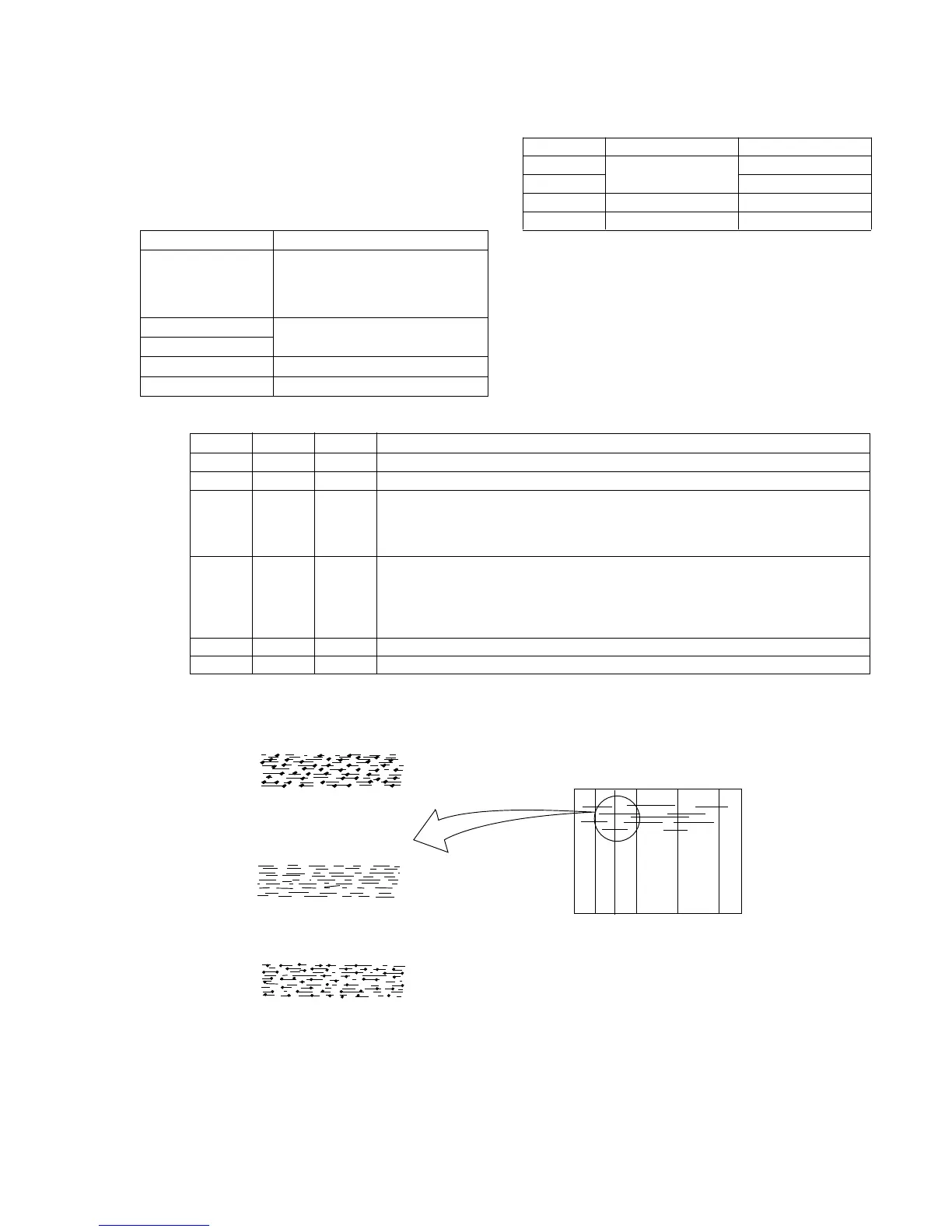
When the data is
increased from the
initial value.
Pattern as if
head clog occurs.
When the data is
decreased from the
initial value.
Enlarged
Noise bar
Type 1
Type 2
Type 3
Type 4
LCD size
2.5 inch (PAL only)
3.0 inch (NTSC)
3.5 inch (NTSC/PAL)
LCD board
PD-74/SD-24
PD-75/SD-25
PD-77
PD-76
No mark : Type 1, Type 4
〈 〉 : Type 2, Type 3













 To Next Page