Chapter 4 Keys
280
Resizer
•HD format
a) Shared with the wide key border “Soft” value.
Edge enhancement
Adjusting the gain sharpens the image.
1
In the M/E-1 >Key1 >Processed Key >Enhanced Effect menu, press [Edge
Enhance], turning it on.
2
Adjust the following parameters.
Applying a mosaic
1
In the M/E-1 >Key1 >Processed Key >Enhanced Effect menu, press
[Mosaic], turning it on.
2
Set the parameters.
This operation is the same as the DME mosaic setting. For more details,
see “Mosaic Settings” in Chapter 11 (Volume 2).
3
In the < Mosaic/Defocus Mode > group, select the signal to which to apply
the mosaic effect.
Video/Key: Video signal and key signal
Video: Video signal only
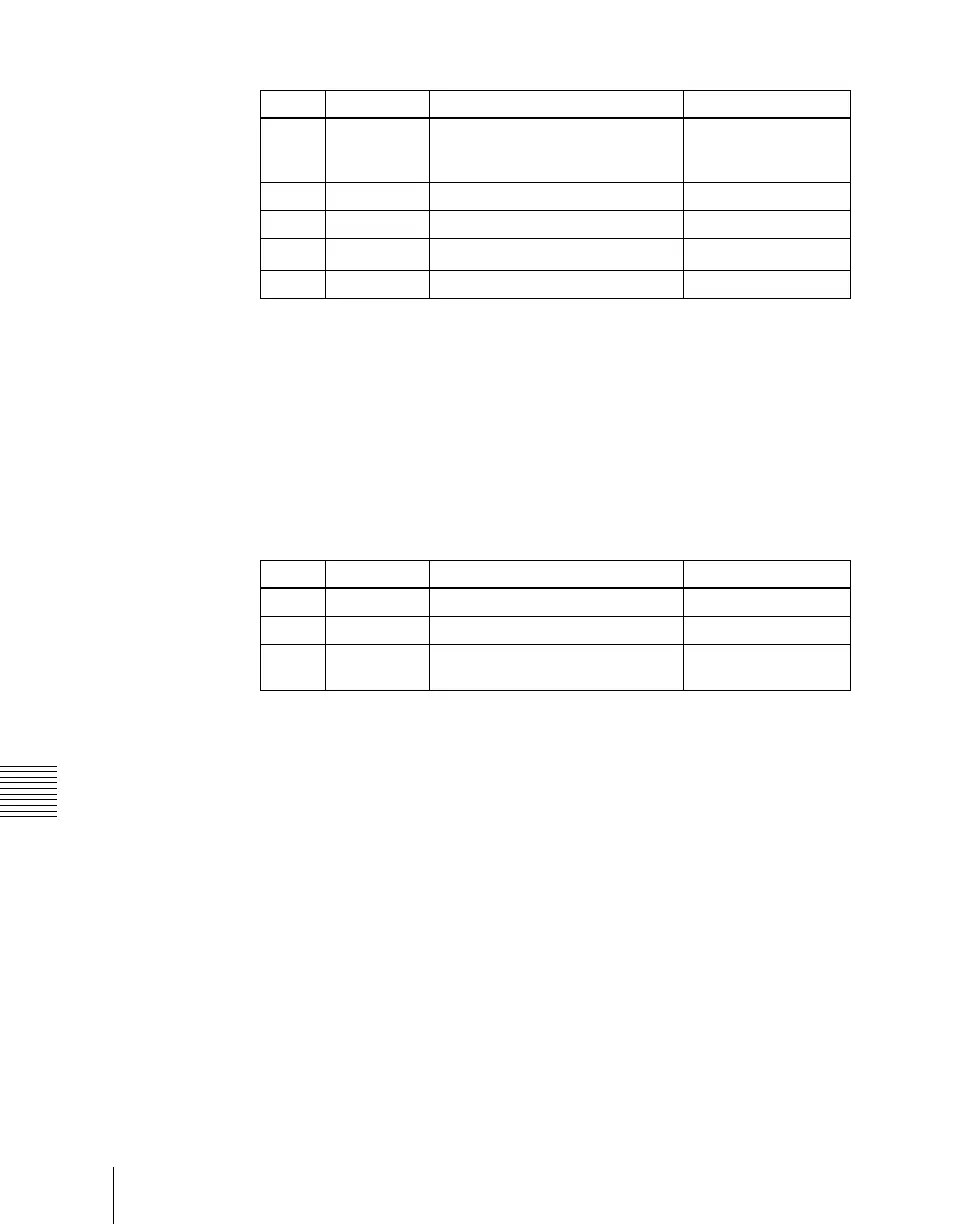
Knob Parameter Adjustment Setting values
1 H Horizontal position of shadow –24.00 to +24.00
(4:3)-32.00 to +32.00
(16:9)
2 V Vertical position of shadow –18.00 to +18.00
3 Size Shadow size 0.00 to 2.00
4
Soft
a)
Softness of shadow 0.00 to 100.00
5 Density Density of shadow 0.00 to 100.00
Knob Parameter Adjustment Setting values
1 H Horizontal gain adjustment 0.00 to 100.00
2 V Vertical gain adjustment 0.00 to 100.00
3 All Both horizontal and vertical
adjustment
H value is displayed














 To Next Page