manipulation of a time server.
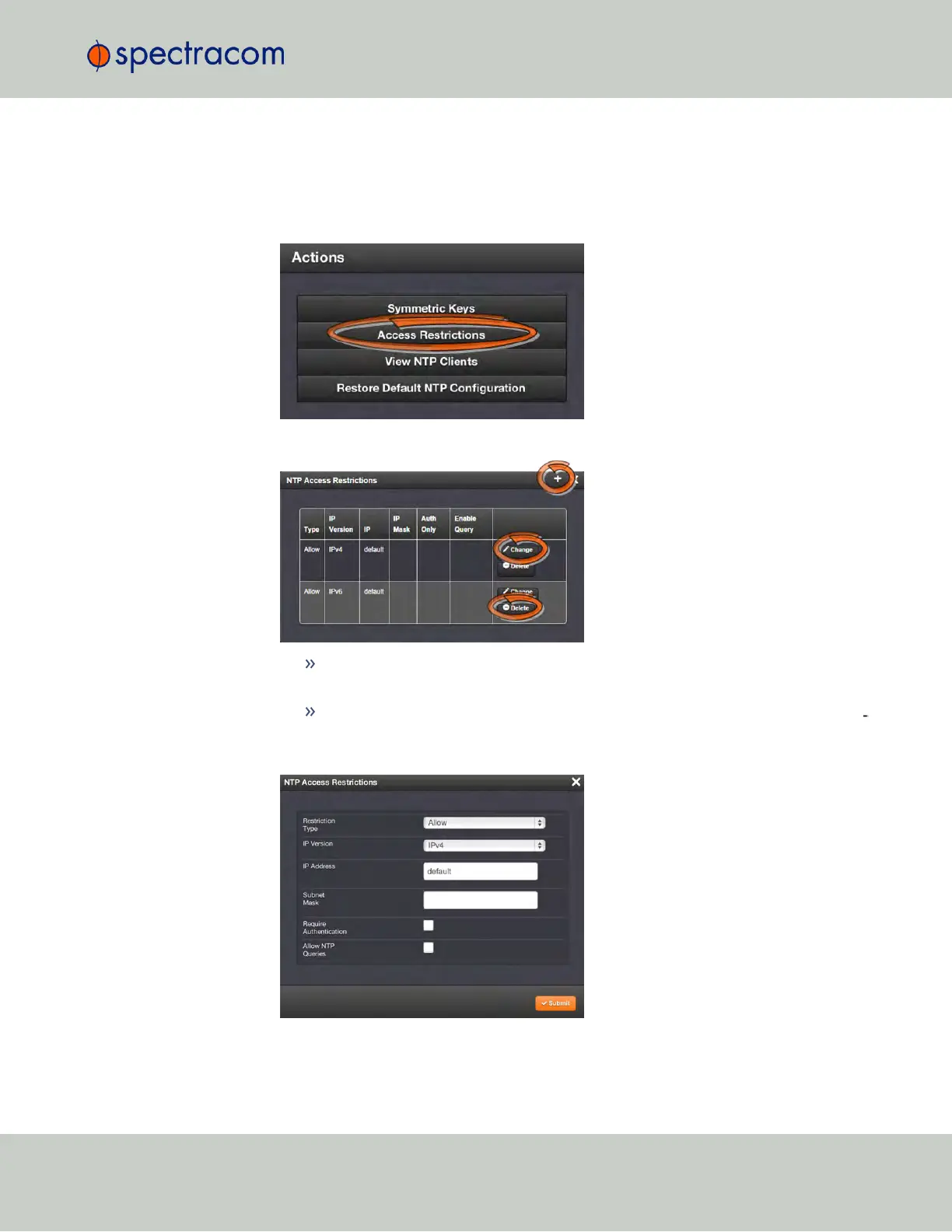
To configure NTP Access Restrictions:
1.
Navigate to MANAGEMENT > NETWORK: NTP Setup.
2.
In the Actions panel, click Access Restrictions:
3.
The NTP Access Restrictions Status window will display:
To ADD or EDIT an access restriction, click the PLUS icon or the Change button,
respectively, and proceed to Step4. below.
To DELETE an access restriction, click the corresponding Delete button, and con
firm by clicking OK.
4.
The NTP Access Restrictions window will display:
2.15 Configuring NTP
CHAPTER 2 • SecureSync User Reference Guide Rev. 23
115



 To Next Page